
AI for teachers — homework, lesson plans and question papers
How Pathshala's AI drafts homework, lesson plans and exam questions from your own syllabus or book, and how AI Guru answers teachers' questions about students.
Pathshala's AI in academics drafts work for a teacher — homework, lesson plans and exam questions — from your own syllabus or your own book. The teacher always reads and edits the draft before anything is saved. AI drafting comes with MJX Academic Pro.
#Where is AI in Academics?
| Screen | AI feature | What it uses |
|---|---|---|
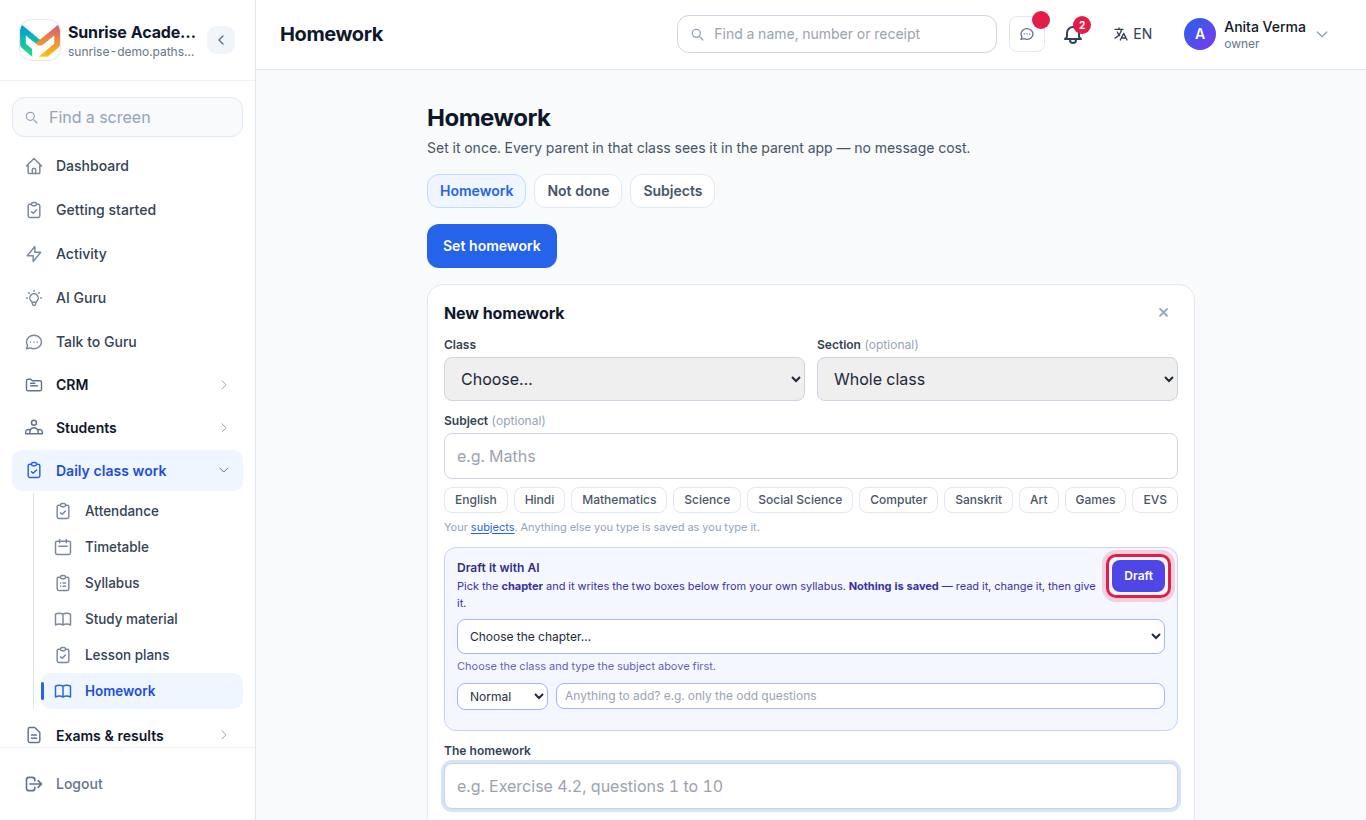
| Homework | Draft it with AI — writes the homework and the extra note (Short, Normal or Weekend) | A chapter of your syllabus |
| Lesson plans | Draft it with AI — fills the four plan boxes | A chapter of your syllabus |
| Question papers | ✨ Write questions with AI — new MCQ, short, long or match-the-column questions, with marks, difficulty and language | Syllabus chapters, or up to about 15 pages of a PDF in Study material |
| Student attendance › Patterns | Drafts what to say to a family about an attendance pattern; a person sends it | The register |
#How to use an AI draft (homework or lesson plan)
- Open the form (Set homework or + Plan a lesson).
- Choose the class and subject, then the chapter.
- In the Draft it with AI box, press Draft.
- Read the draft and change anything.
- Press Give it (homework) or Save (lesson plan).
#How to write questions with AI
- Open the exam paper's Paper screen and open ✨ Write questions with AI.
- Pick From the syllabus chapters or From the book (PDF pages).
- Set Kind, How many, Marks each, Difficulty and Language.
- Press Write questions and check every one.
- Press Add to the bank and to this paper. Kept questions go into the question bank with your name as the author.
#AI Guru for teachers
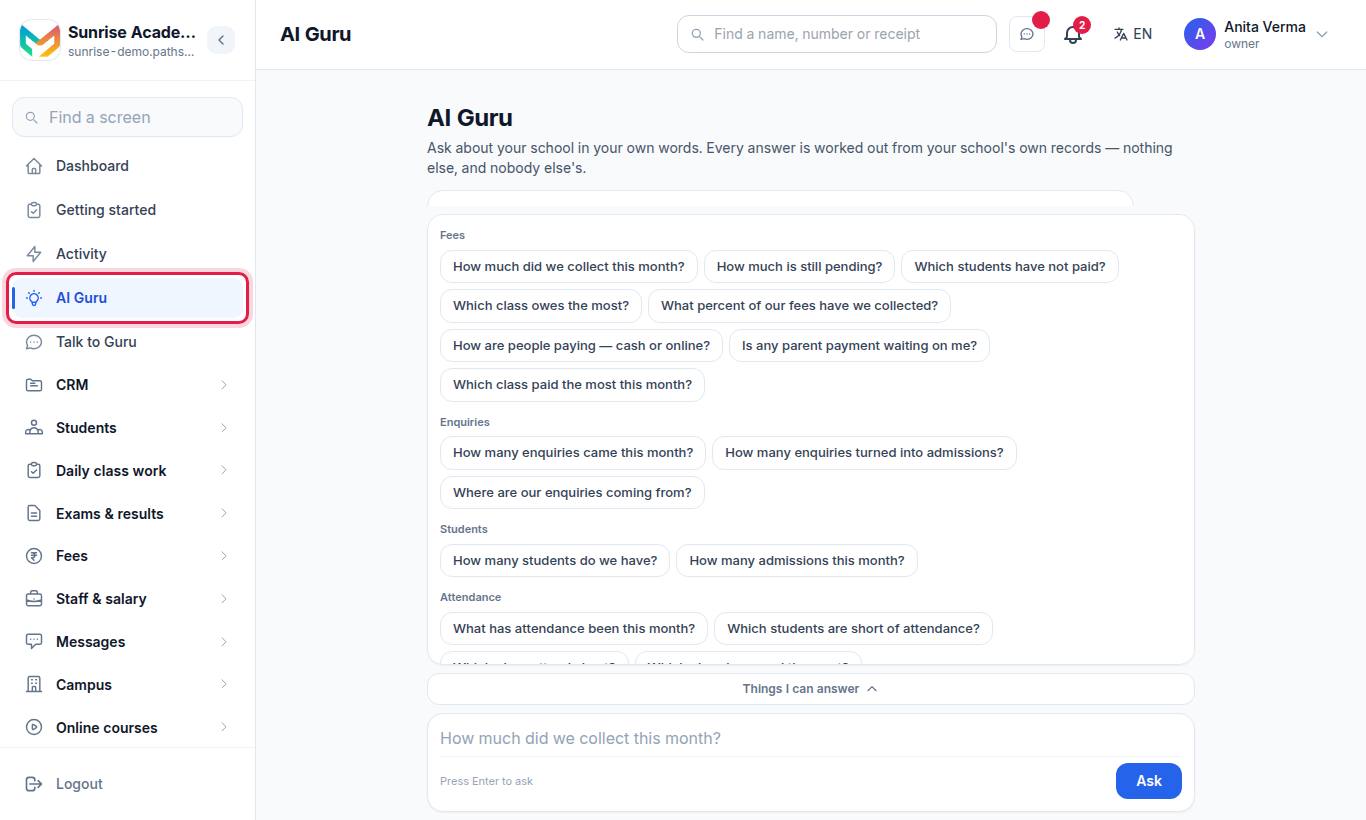
AI Guru is in the sidebar for owners, admins and staff. A teacher can ask how any student in their own classes is doing — for example "How is Aarav doing?" — and gets that student's attendance this month, any fee still due, and homework not done. Every answer comes from your institution's own records. A teacher only sees students in their own classes; whole-institution reports stay with the owner. Talk to Guru is a separate, private assistant.
#Who can use AI?
| Feature | Who | Plan |
|---|---|---|
| Homework and lesson plan drafts | Anyone who can set homework or write lesson plans (Owner, Admin, Staff) | MJX Academic Pro |
| Write questions with AI | Anyone who can build the paper (Owner, Admin, Staff) | MJX Academic Pro |
| AI Guru | Owner, Admin, Staff | — |
| AI usage page | Owner, Admin | — |
#Troubleshooting
| You see | What to do |
|---|---|
| "Drafting homework with AI comes with MJX Academic Pro. Until then you can write it yourself on this screen." | Upgrade to Pro, or write it yourself. |
| "Choose the chapter this homework is from." / "Choose the chapter this lesson is from." | Pick a chapter; type the syllabus first if the list is empty. |
| "Tick at least one chapter first." | Tick a chapter in the question writer. |
| "Tick at least one question to keep." | Keep at least one drafted question before adding. |
| "That PDF is pictures of pages, not text, so the AI cannot read it. A PDF with selectable text works." | Upload a PDF with selectable text to Study material. |
| "Choose a class and a subject first." | Pick both before drafting. |
| AI stops working for everyone | The monthly AI limit may be reached. Check Settings › AI usage. |
#Questions people ask
Does the AI send or publish anything by itself?
No. The AI only drafts. A teacher reads it, changes it, and then presses Give it, Save or Add. Nothing is saved before that.
Where does the AI get its content?
From your own syllabus chapters, or from pages of a PDF in your Study material. It does not invent a syllabus.
Can the AI write questions in Hindi?
Yes. The question writer has a Language choice of English or Hindi.
Which plan has the AI drafts?
MJX Academic Pro. On other plans you see a padlock and a "See Pro" link, and you can still write everything yourself.
Is there a limit on AI use?
Yes, a monthly safety limit. The owner and admins can see usage on Settings › AI usage. When it is reached, AI features pause until the month turns; everything else keeps working.