
Documents library in MJX CRM — brochures, price lists and lead files
Keep your brochures, proposals and price lists in one CRM library, sorted in folders, and find every file attached to an enquiry.
The Documents page in MJX CRM is one library for your team's files: your own proposals, brochures and price lists, plus every file attached to any enquiry (lead for a business).
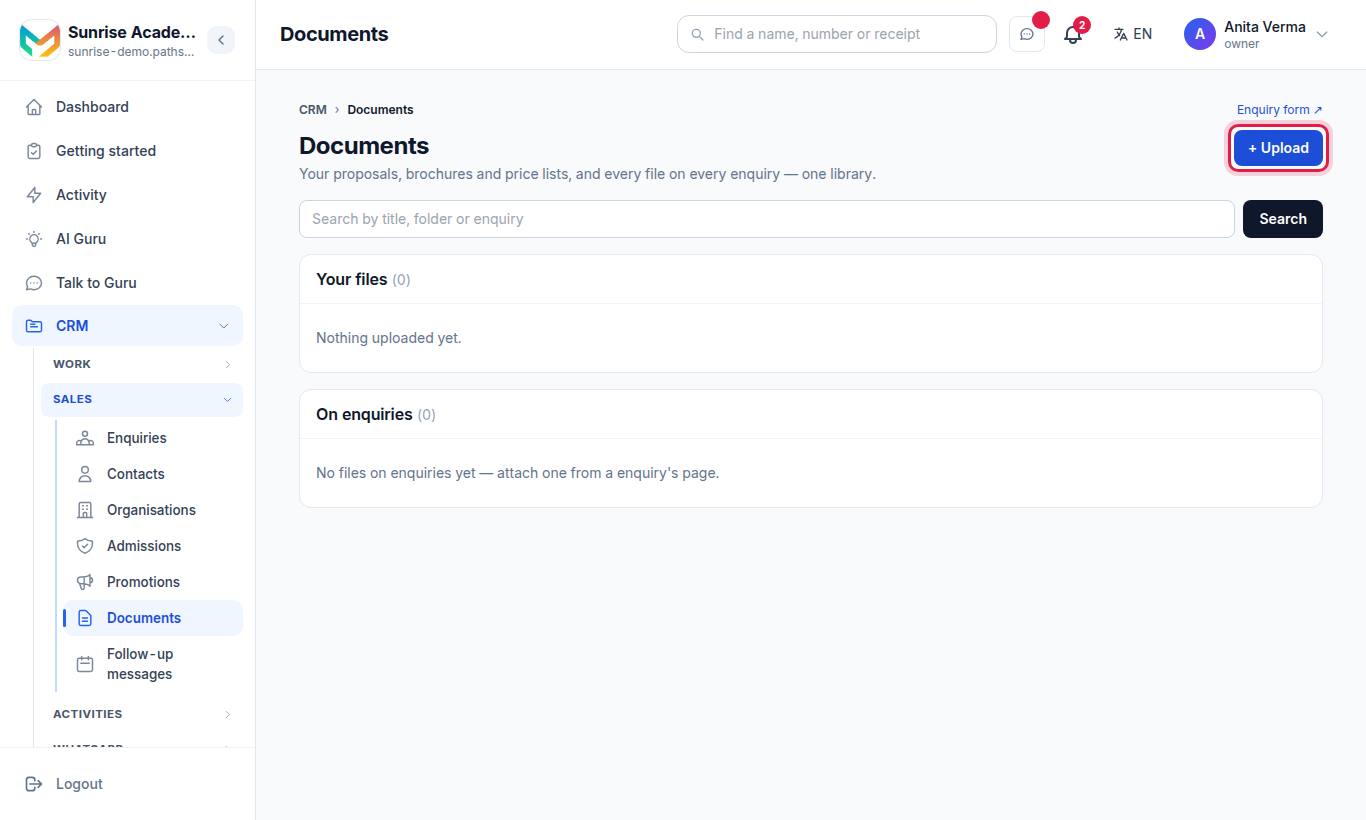
The page has a search box and two lists: Your files and On enquiries (On leads for a business). A staff member sees under On enquiries only the files of enquiries their own list shows (see Agents and access).
#How to upload a file
- Press + Upload.
- Choose the File.
- Type a Title, for example "Rate card 2026". If you leave it empty, the file's own name is used.
- Type a Folder, for example "Proposals". Folders you have used before are suggested as you type.
- Press Save.
#Allowed files
| Kind | Types |
|---|---|
| Documents | PDF, Word (.doc, .docx), plain text (.txt) |
| Sheets | Excel (.xls, .xlsx), CSV |
| Slides | PowerPoint (.ppt, .pptx) |
| Images | JPG, PNG, WebP |
Each file can be up to 15 MB. A file of another type is refused: "Choose a PDF, image, Word, Excel or PowerPoint file under 15 MB."
#Finding a file
Type in Search by title, folder or enquiry and press Search. It searches file titles, folder names and, for files on enquiries, the person's name. Each list shows up to 200 files, newest first.
#Files on enquiries
The On enquiries list shows every file attached on an enquiry's page, with the person's name (click it to open the enquiry), the size and the date. To add one there, open the enquiry and attach the file on its page. Files attached to enquiries are managed from the enquiry itself.
#How to remove a file
- Find it under Your files.
- Press Remove and confirm "Remove this file from the library?".
You can remove a file you uploaded. The owner and admins can remove any file. Otherwise you see "That document could not be removed."
#Who can use it?
| Action | Who |
|---|---|
| See the library and search | Anyone with CRM access |
| Upload | Anyone with CRM access |
| Remove a file | The uploader, Owner, Admin |
The Documents page is also in the MJX CRM app, so a counsellor can find a brochure on the phone. See MJX CRM app.
#Tips
- Use a few clear folders: "Brochures", "Fee structure", "Proposals", "Forms".
- Put the year in the title ("Prospectus 2026–27") so old versions are easy to spot and remove.
- Keep files small — a 2 MB PDF opens faster on a parent's phone than a 14 MB one.
#Questions people ask
What files can I upload?
PDF, JPG, PNG, WebP, Word (.doc, .docx), Excel (.xls, .xlsx), PowerPoint (.ppt, .pptx), plain text and CSV, up to 15 MB each.
Who can remove a file?
The person who uploaded it, the owner or an admin.
How do I attach a file to one enquiry?
Open the enquiry and attach it on its page. It then shows in Documents under "On enquiries".
Is the Documents page in every plan?
Yes, the library is part of MJX CRM. Attaching files to enquiries is a CRM Basic feature.