
CRM home and My work — who to call now, and how fast you reply
Start the day on CRM home and My work — follow-ups due, hot enquiries going cold, today's meetings and tasks — and track your first-response time.
CRM home answers the question every counsellor or salesperson has in the morning: who do I call now? My work lists what is on your own plate today. Both count only your organisation's own records — nothing is estimated.
#CRM home
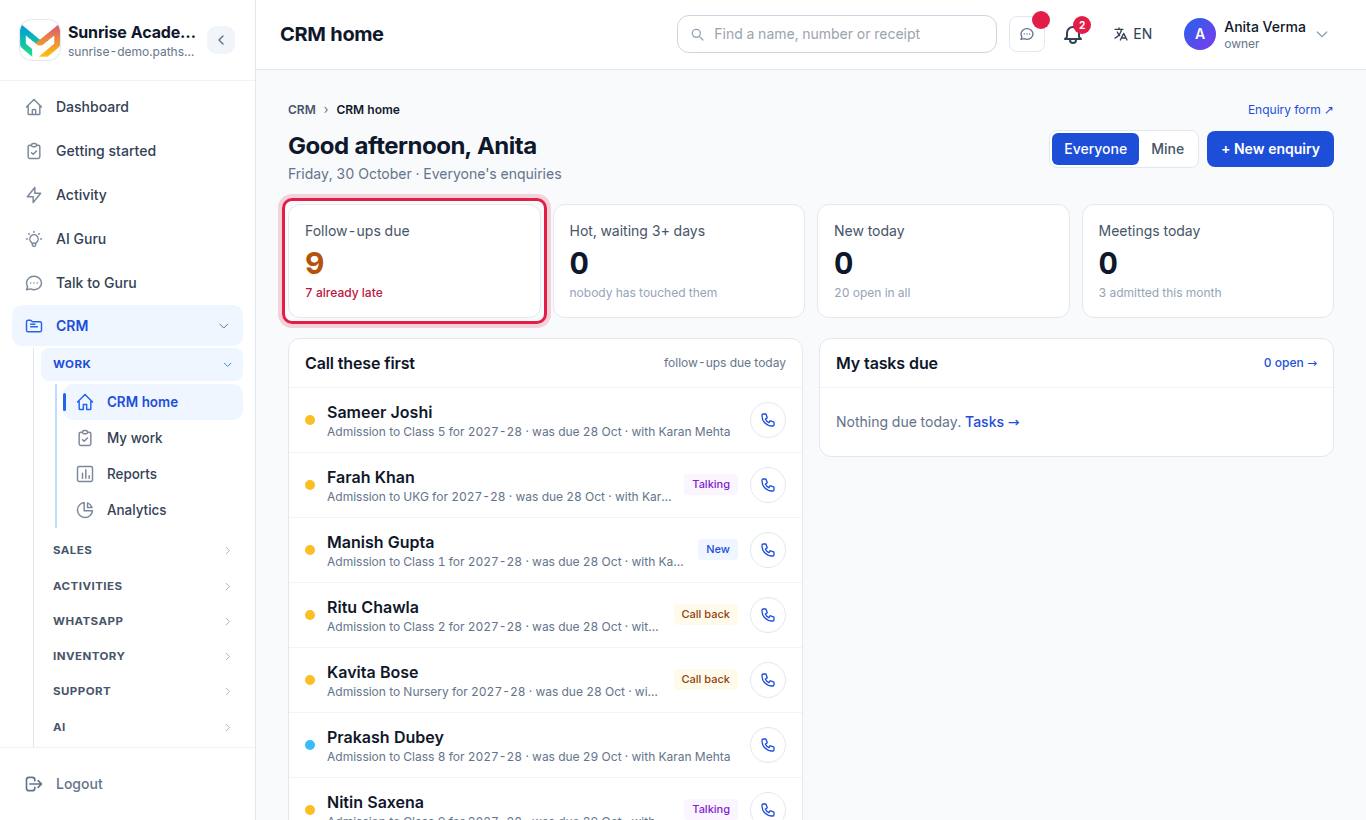
The page greets you (Good morning / afternoon / evening) and shows:
| Card | What it shows |
|---|---|
| New today | Enquiries (leads, for a business) that arrived today |
| Follow-ups due | Open enquiries whose call-back date is today or earlier, with the late ones |
| Hot, waiting 3+ days | Hot enquiries with no touch for 3+ days — "nobody has touched them" |
| My tasks due | Your tasks due today |
| Meetings today | Today's visits, demo classes and call-backs |
| Call these first | The enquiries to call now, each with a Call button |
| Newest enquiries | The latest arrivals |
| Where each enquiry is | One number per step (New, Talking, Call back, Admitted/Joined/Won, Not interested; "Older status" for old records), with Open the board → |
Switch between Everyone (owner, admin) or My team (staff) and Mine.
#My work
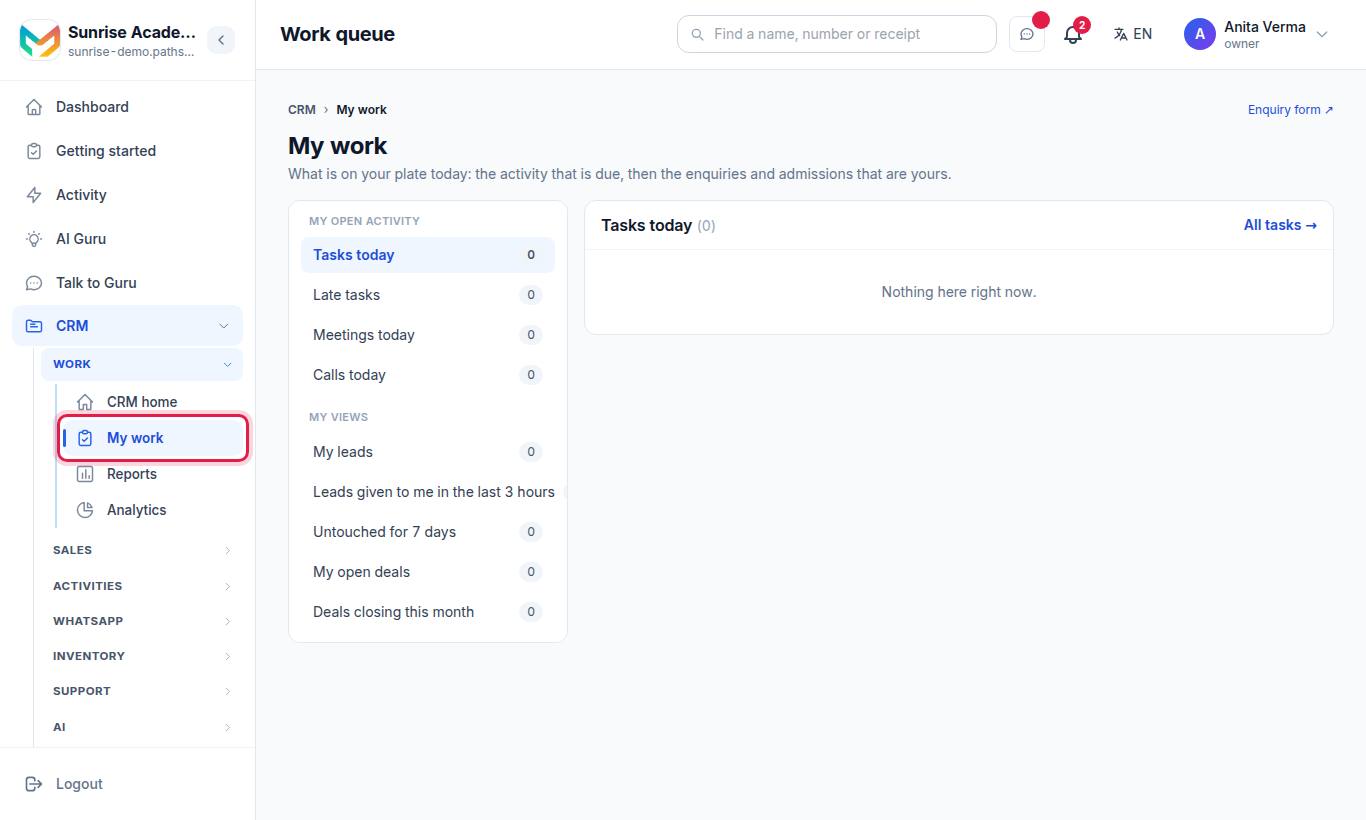
"What is on your plate today: the activity that is due, then the enquiries and deals that are yours."
#My open activity
| Section | Link |
|---|---|
| Tasks today | All tasks → |
| Late tasks | All tasks → |
| Meetings today | All meetings → |
| Calls today | All calls → |
#My views
| View | Shows |
|---|---|
| My leads | Open enquiries given to you |
| Leads given to me in the last 3 hours | New assignments to act on now |
| Untouched for 7 days | Your open enquiries with no action for 7+ days (owners and admins also see unassigned ones) |
| My open deals | Deals you own that are not won or lost |
| Deals closing this month | Open deals with a close date this month |
Each view has Open the full list →. An empty one says "Nothing here right now."
#Response time: how fast do you answer?
MJX CRM measures how long each new enquiry waited for a person. The clock runs from the moment the enquiry arrived to the first reply a person typed or the first call logged — the AI's replies do not count.
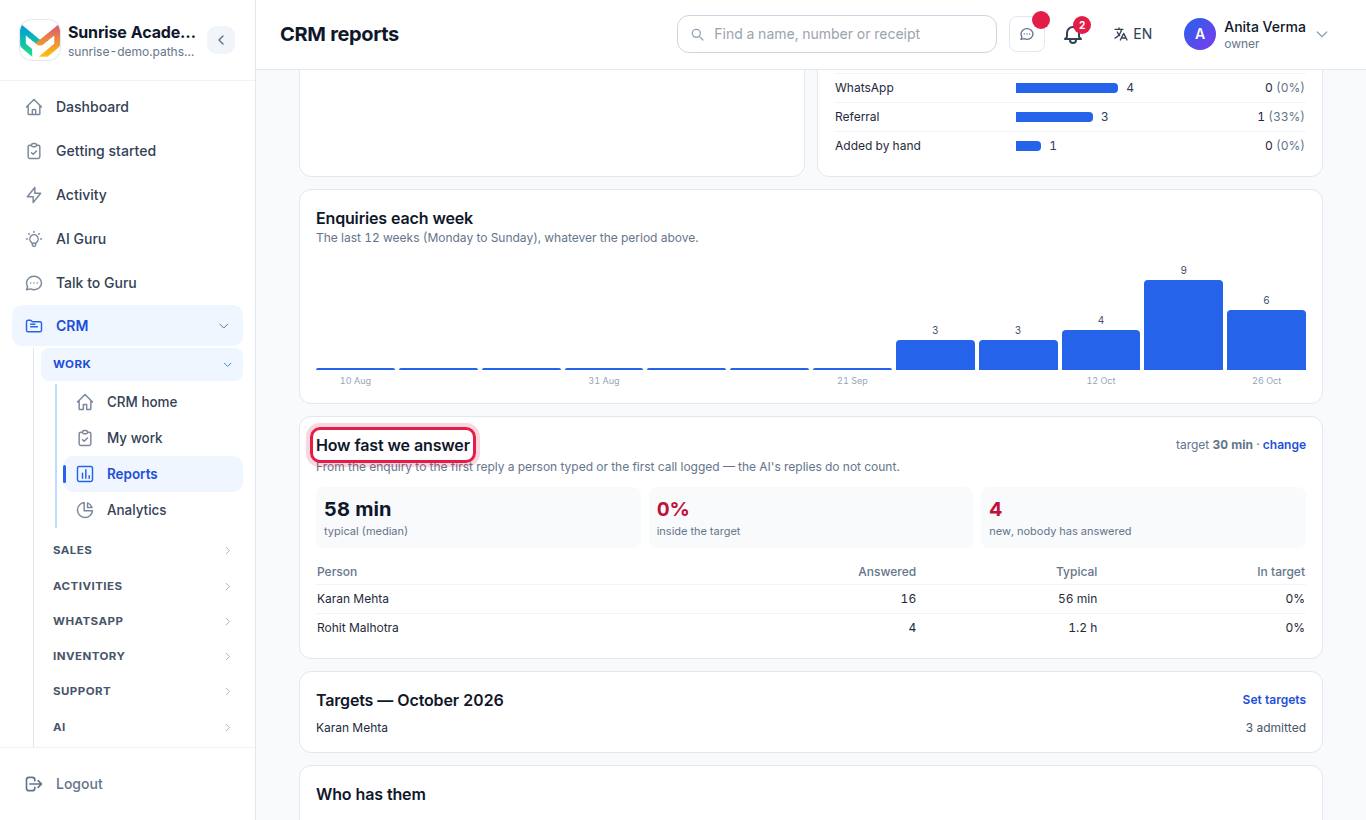
On CRM reports, the card How fast we answer shows:
| Figure | Meaning |
|---|---|
| Answered | Enquiries in the period that got a first response |
| new, nobody has answered | New enquiries still waiting for a person |
| typical (median) | The middle waiting time, in minutes |
| inside the target | How many were answered within your target |
| Per person | The same figures for each counsellor |
#How to set the response target
- Sign in as the Owner or an Admin.
- On CRM reports, press Set targets.
- Enter First-response target (minutes) (default 30).
- Optionally give each person a number of admissions (joins, wins) to reach per month.
- Press Save.
Only the owner or an admin can set targets ("Only the owner or an admin can set targets."). Reports needs MJX CRM Basic or above.
#Who can use it?
| Screen | Who | Plan |
|---|---|---|
| CRM home, My work | Everyone with CRM access | Every plan |
| Reports (response time) | Everyone; staff see the enquiries they can see | CRM Basic |
| Set targets | Owner, Admin | CRM Basic |
#Tips
- Open CRM home first thing and work Call these first from the top.
- Clear Late tasks before starting new work.
- Check Untouched for 7 days every Friday and either call, set a call-back date, or mark the enquiry not interested.
- A first response inside 30 minutes wins far more admissions — share new enquiries automatically with Automation.
#Questions people ask
What counts as the first response?
The first reply a person typed on WhatsApp, or the first call logged by staff. The AI's replies do not count.
What is the default response target?
30 minutes. The owner or an admin can change it on Reports with Set targets.
What does "Hot, waiting 3+ days" mean?
Open enquiries marked hot that nobody has touched — no call, message or note — for three days or more.
Do staff see everyone's enquiries on CRM home?
No. Staff see their own enquiries, unassigned ones and their department's. Owners and admins see everything. Mine narrows it to those assigned to you.