
Ask HR requests, announcements and the assets register
Let staff ask HR for letters and corrections, post announcements on everyone's My HR, and track who holds which laptop, phone, ID card or key.
Three MJX HR screens connect the office with every employee's My HR page: Requests (what staff ask for), Announcements (what you tell everyone) and Assets (what each person holds).
#Ask HR: requests from staff
#How an employee asks
On Your name (top right) › My profile › Ask HR (or the MJX People app's Office › Ask HR), they choose:
| Choice | Then |
|---|---|
| 📄 A letter | Which letter — Salary certificate, Employment verification letter, Experience certificate, Relieving letter, Another letter — and What is it for? (for example a home loan from SBI) |
| ✏️ Correct my details | What is wrong — My name, Date of birth, Address, Emergency contact, Blood group, Qualification, Job title, Something else — and What it should say |
| 💬 Something else | Their question or request |
They add Anything to add (optional) and press Send to HR. HR is told at once. Your requests shows each one and HR's answer.
#How HR answers
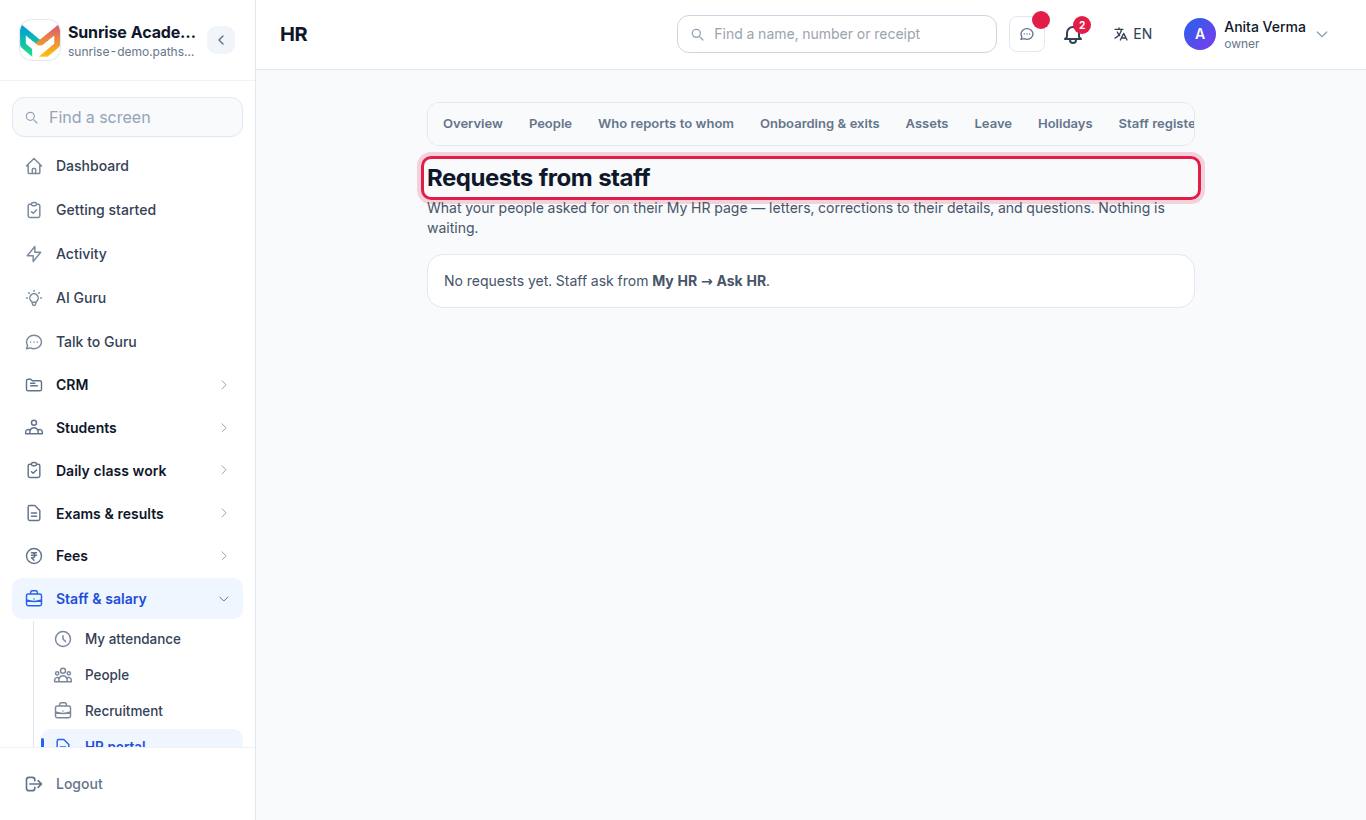
Requests from staff lists what people asked for. For each one:
| Request | Button |
|---|---|
| A letter | Write the letter — opens HR letters with the person and kind chosen; issuing it closes the request and puts the letter on their My HR |
| A correction | Open People to fix it, then Mark done |
| Anything | Mark done with an optional note, or Decline with a reason they will read |
#Announcements
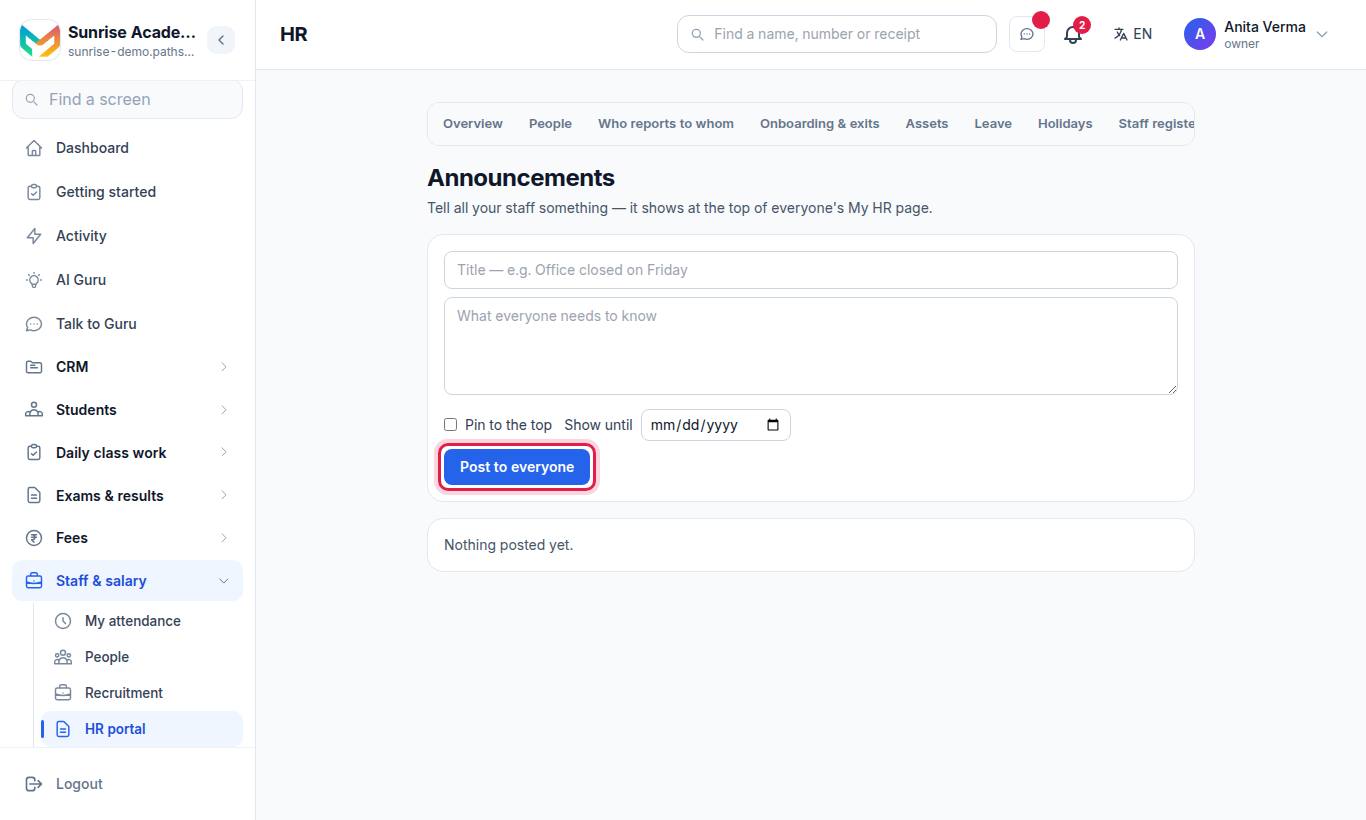
Tell all your staff something — it shows at the top of everyone's My HR page and in the app's Office tab.
- Type a title (for example Office closed on Friday) and what everyone needs to know.
- Optional: tick Pin to the top, and set Show until.
- Press Post to everyone.
Press Archive to take one down. Staff will no longer see it.
#Assets register
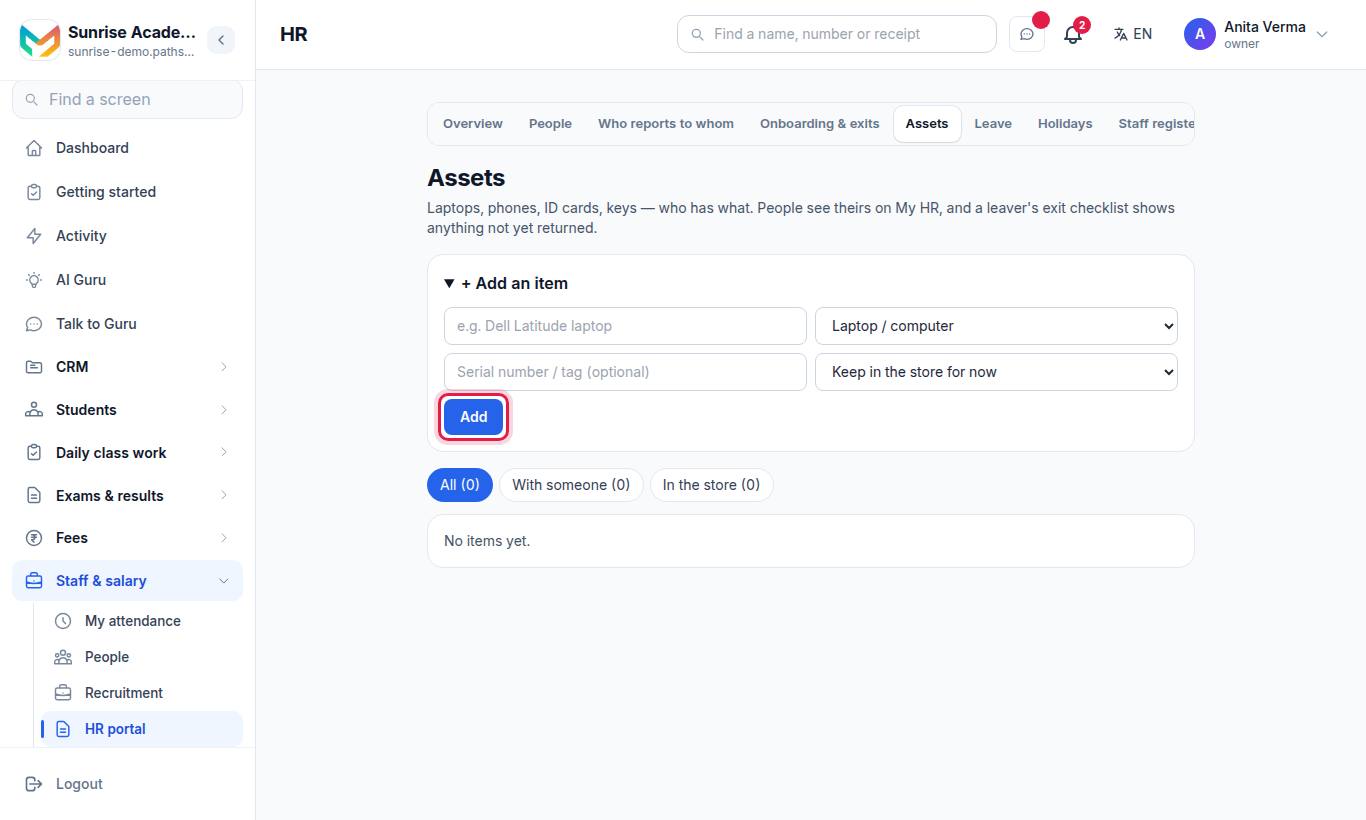
Laptops, phones, ID cards, keys — who has what.
#Steps to add an item
- Open + Add an item.
- Type the name (for example Dell Latitude laptop) and choose a kind: Laptop / computer, Phone, SIM card, ID card, Keys, Books, Uniform, Vehicle, Other.
- Optional: Serial number / tag (optional).
- Choose Keep in the store for now or Give to a person.
- Press Add.
#Moving items
- Filter with All, With someone and In the store.
- Give to… hands a stored item to a person.
- Take back returns it to the store, with its condition (optional).
- Retire for an item lost, scrapped or sold — say what happened.
People see their items under Things you have from us on My HR. A leaver's exit checklist warns about anything not yet returned — see Onboarding and exits.
#Who can use these?
| Screen | Who | Plan |
|---|---|---|
| Requests, Announcements | Owner, Admin, HR job; every employee asks and reads | MJX HR Basic |
| Assets | Owner, Admin, HR job; every employee sees their own | MJX HR Pro |
#Common messages
| Message | Meaning |
|---|---|
| You already have 10 requests waiting. Please wait for HR to answer them. | Too many open requests |
| Another item already has that tag / serial number. | Each tag is used once |
| Somebody already has it. Take it back first. | Return it before giving it to someone else |
| The end date has already passed. | Choose a future Show until date |
#Questions people ask
What can an employee ask HR for?
A letter (salary certificate, employment verification letter, experience certificate, relieving letter or another letter), a correction to their details, or something else.
How many requests can one person have open?
Up to 10 waiting at a time. After that they are asked to wait for HR to answer.
How long does an announcement stay up?
Until you archive it, or until the Show until date you set. You can also pin it to the top.
Does the employee see the assets they hold?
Yes, under Things you have from us on My HR, with a reminder to return them when they leave.
Which plans have these?
Ask HR and announcements are MJX HR Basic and above. The assets register is MJX HR Pro.