
MJX Learn plans and billing — Forever Free, Basic and Pro
What Forever Free, Basic and Pro include in MJX Learn, what happens after the trial, why the app may ask you to pay, and how to pay what you owe MJX.
MJX Learn (MJX LMS) has three plans — Forever Free, Basic and Pro — and every sign-up starts with a 14-day free trial of everything. This page lists what each plan unlocks, what the app shows when something is locked or unpaid, and how to pay MJX.
#What each plan includes
| Feature | Forever Free | Basic | Pro |
|---|---|---|---|
| Courses, chapters, topics, YouTube videos, books, notes | ✓ (limited) | ✓ | ✓ |
| Selling, course store, sale pages, bundles | ✓ | ✓ | ✓ |
| Doubts, reviews, refunds, Invoices & GST, Terms & Privacy | ✓ | ✓ | ✓ |
| Live classes, mock tests and certificates — also assignments, offline attendance, batch classes, signature & seal | — | ✓ | ✓ |
| Coupons (discount codes) | — | ✓ | ✓ |
| Affiliates, referrals and abandoned-cart nudges — also the funnel and abandoned checkouts | — | — | ✓ |
| AI course and test builder — AI chapter outlines, AI test questions, AI review replies | — | — | ✓ |
| MJX Full Branding (your own app) | — | — | Included |
| Upload your own videos (MJX Protected Video) | Add-on | Add-on | Add-on |
Forever Free limits (defaults, may differ on your account): 50 learners, 2 courses, 1 staff login, and a small number of books per in-person class. Learners see MJX's look in the app on Forever Free.
Prices are on the MJX LMS product page under Plans & pricing, monthly or yearly.
MJX Protected Video is a paid add-on on every plan, Pro included: upload your own video files, compressed to 720p and played encrypted. A YouTube link set to Unlisted is free on every plan — see Put your lesson video on YouTube as Unlisted. Its card on Billing shows whether it is on and how much storage your videos use.
#What a locked feature looks like
- Sidebar: a padlock with the title Not in your plan next to the row.
- A refused button: a sentence such as "Live classes, mock tests and certificates is in MJX LMS Basic. Upgrade from Billing → Pay for your products."
- A limit: "You are on the Forever Free plan, which allows up to 2 courses. Everything you already have stays — upgrade to add more."
- App: Not in your plan — "Your plan does not include … Subscribe to use it." with Subscribe.
#When the trial ends
The app shows Your 14-day free trial has ended — "Everything you made stays. Choose how you want to continue." — with Continue on Forever Free, Upgrade to Basic, Upgrade to Pro or Upgrade — talk to MJX.
#How to pay for a plan
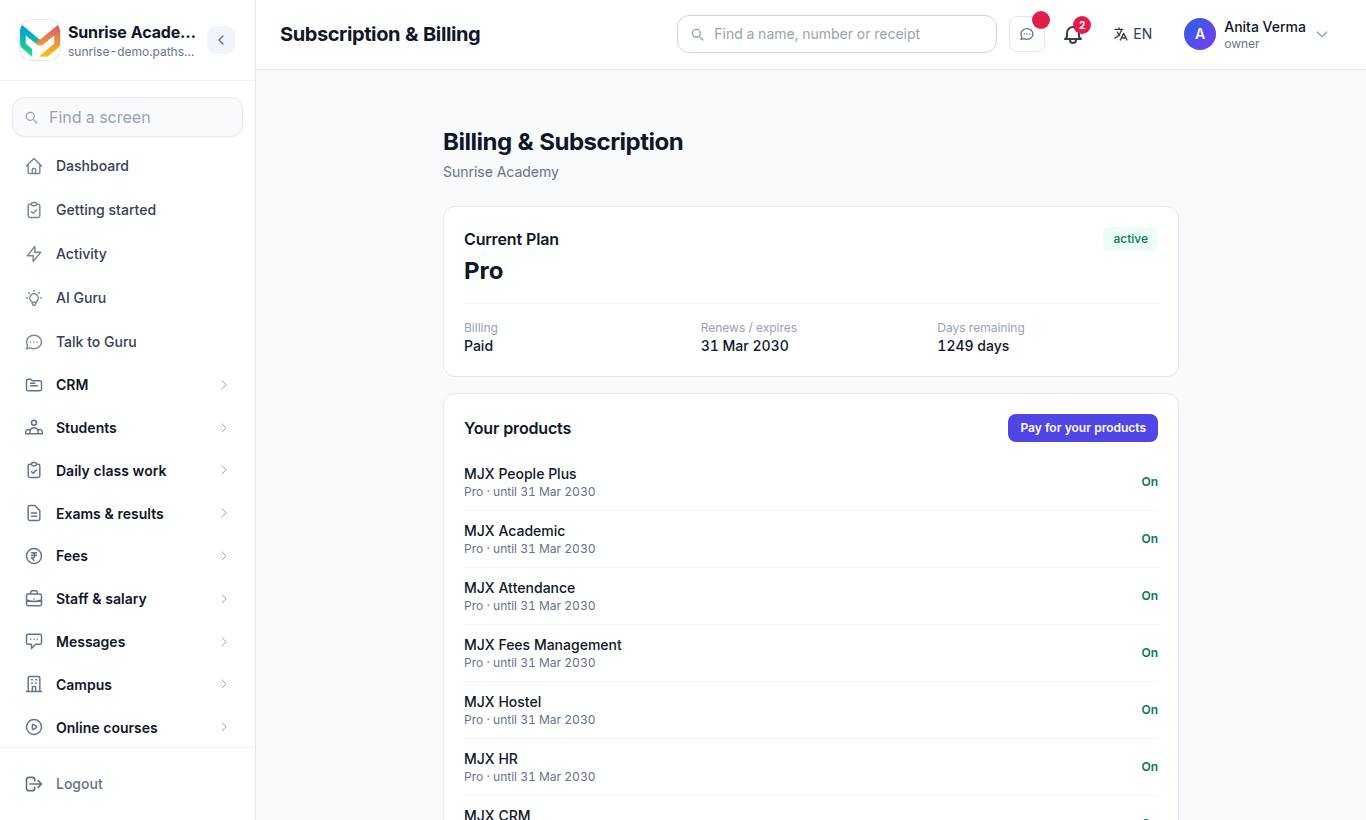
Choose your product and plan and pay by UPI, card or net banking. In the app: Money › Billing.
#When the app asks you to pay
| Title | Why | What to do |
|---|---|---|
| Your billing is pending | Your plan or a bill was not paid. "Pay the bill to continue the services." | Pay now |
| You owe MJX ₹… | Fees for hand-added learners or refunds. "It is taken from your next sale by itself." | Nothing, or Pay now |
| Your account is paused | Your WhatsApp bill was not paid within 15 days. | Pay WhatsApp bill |
| Your account is suspended | Your subscription is not paid. "Pay your subscription to use the app again." | Pay now or Open payment page |
After paying, tap I have paid — check again. Staff who are not owners see "Your account is paused. Ask the owner to pay the bill."
#Pay what you owe MJX
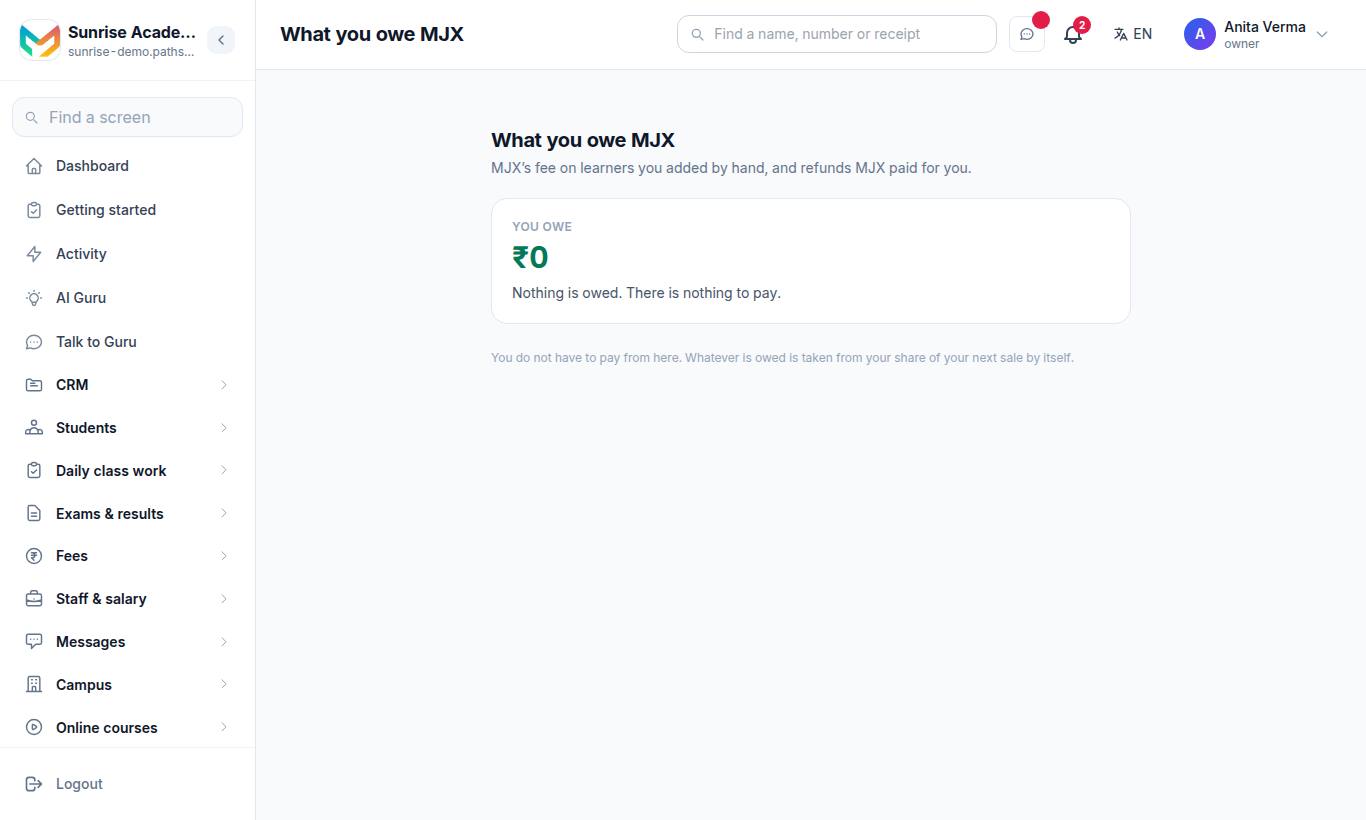
The page What you owe MJX covers "MJX's fee on learners you added by hand, and refunds MJX paid for you."
- See You owe and What it is made of.
- Press Pay now — "UPI, card or net banking. No tax or charge is added — you pay exactly this figure."
"You do not have to pay from here. Whatever is owed is taken from your share of your next sale by itself." If nothing is due: "Nothing is owed. There is nothing to pay." In the app this screen opens from the billing bar or Money › Billing. Owner and admin only.
#Who can use this?
| Who | Can |
|---|---|
| Owner, Admin | Subscription & Billing, What you owe MJX, pay screens. |
| Teacher | Sees that the account is paused; cannot pay. |
#Questions people ask
What happens when my 14-day trial ends?
You choose — Continue on Forever Free, Upgrade to Basic, or Upgrade to Pro. Everything you made stays.
What does Forever Free include?
Courses, topics, selling, doubts and the app, with limits — by default 50 learners, 2 courses and 1 staff login. Live classes, mock tests, certificates, coupons, growth tools and AI builders are on paid plans.
What is "What you owe MJX"?
MJX's fee on learners you added by hand to courses MJX collects for, and refunds MJX paid for you. It is taken from your next sale by itself, or you can pay it now.
Will my learners be locked out if I do not pay?
Learners are never shown your bill. But while your account is suspended, courses are not available to them, so keep your account paid up.
Where are the prices?
On the MJX LMS product page under Plans & pricing. The price you pay is always the one shown on the payment screen.