
Branding and custom domain — logo, colours and your own web address
Add your logo, banner and theme colour to Pathshala for free, and point your own web address (CNAME) at your portal with MJX Full Branding.
In Pathshala you can put your own logo, banner and theme colour on your portal for free, and with MJX Full Branding you can also use your own web address (for example learn.myacademy.in) and get your own app on the Play Store. This page covers both.
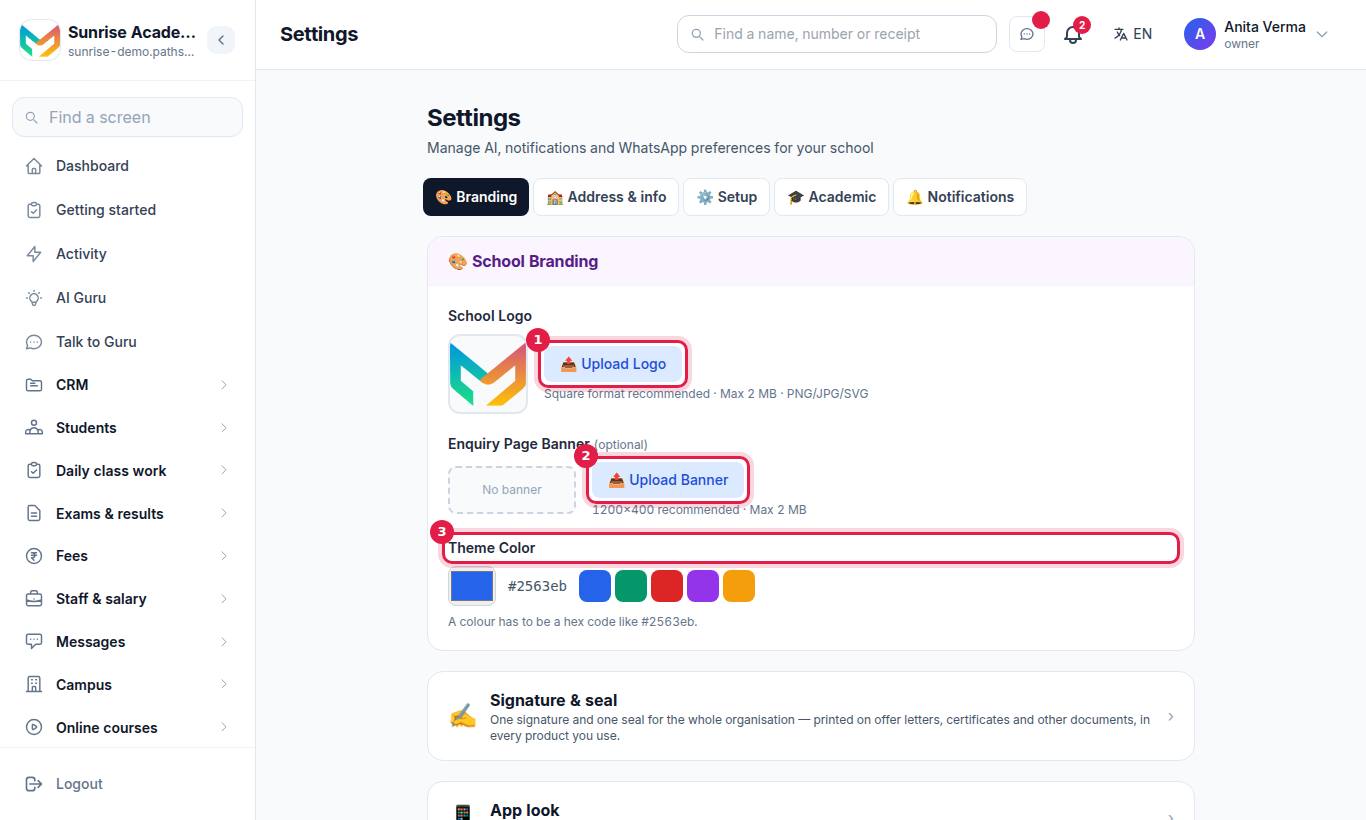
#How to add your logo, banner and colour
- Open Settings and the 🎨 Branding tab.
- Under School Logo, press 📤 Upload Logo. Square works best; PNG, JPG or SVG up to 2 MB.
- Under Enquiry Page Banner (optional), press 📤 Upload Banner. 1200 × 400 is recommended, up to 2 MB.
- Under Theme Color, pick a colour or one of the five presets (Blue, Green, Red, Purple, Amber).
Uploads save straight away. Press Remove next to a logo or banner to take it off.
Your logo goes on every receipt, report card and certificate you print, and on the enquiry form the public sees.
#Your look inside the MJX Learn app
If you use MJX LMS, the owner or admin can set how the MJX Learn app looks to your learners.
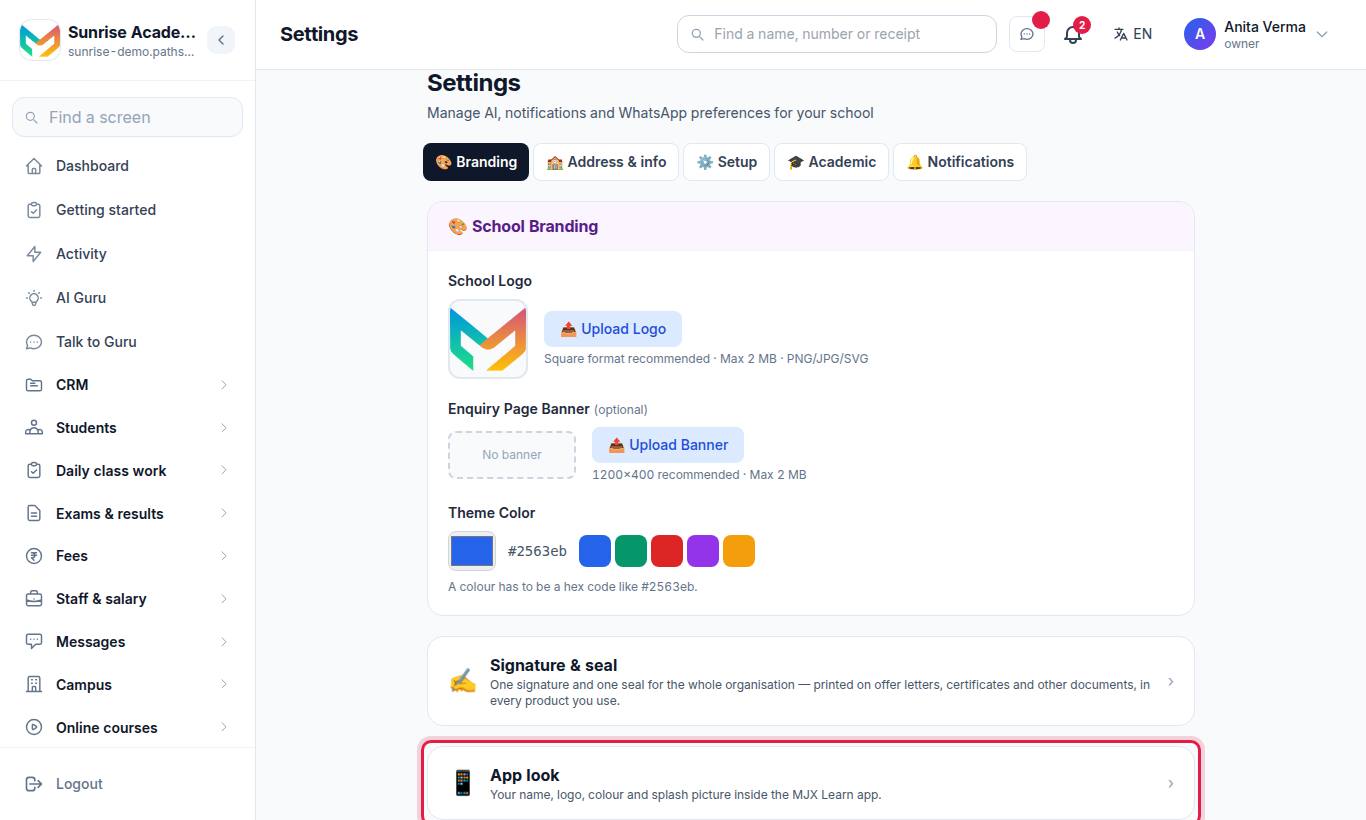
The page App look says: "Learners download the MJX Learn app. As soon as they join you, it shows your name, logo and colour."
| Field | What it does |
|---|---|
| Name in the app | Your name as learners see it |
| Colour | Buttons and the top bar use it |
| Logo | Shown on the home screen and while the app opens. Square works best. |
| Splash picture | Shown full-screen for a moment when the app opens. Tall (portrait) pictures work best. |
Press Save name and colour and check the Preview.
#What is MJX Full Branding?
MJX Full Branding is a paid extra that gives you:
- Your own web address for your portal (custom domain).
- Your own app on the Play Store: "Your app is built by itself, with your name as its name and your logo as its icon. It goes on the Play Store under your own Google Play account — MJX sets up the listing for you. Every update after that reaches your app by itself."
It is part of the MJX LMS Pro plan, or a one-time payment otherwise. On the App look page the ✨ MJX Full Branding card shows Build my app (if included), Upgrade to Pro, or Pay … and build my app. To build the app you enter Your Play developer account email and press Done — I added MJX once you have added MJX to your Play account. Press Ask MJX to call me if you have questions.
Full Branding is not part of the free trial or Forever Free. Prices are on the Pricing page.
#How to set up your own web address (custom domain)
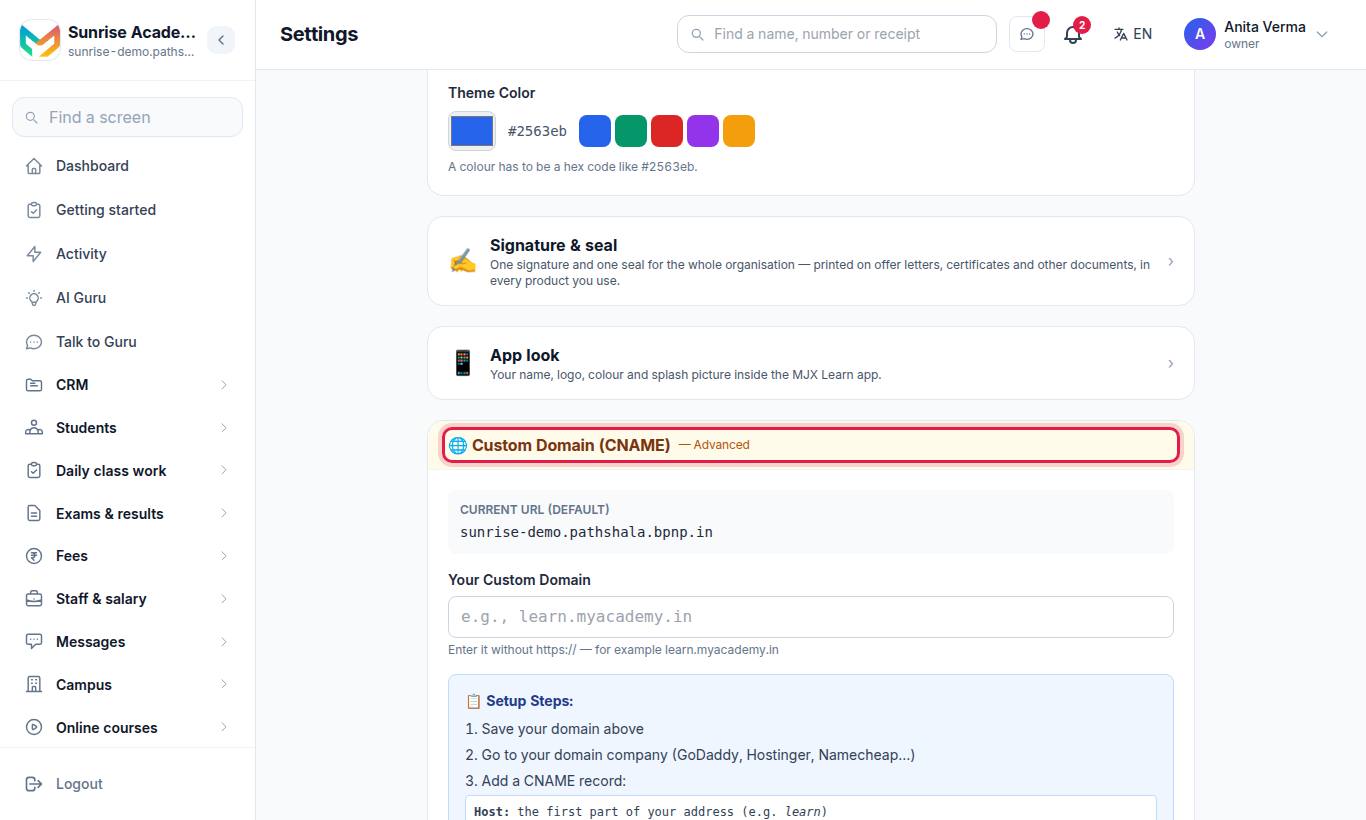
Your Current URL (Default) is yourname.pathshala.mjxtechnologies.com. You can add your own address on top of it.
#Steps to connect your domain
- In Your Custom Domain, enter the address without
https://— for examplelearn.myacademy.in— and press 🌐 Save Custom Domain. You see ✓ Saved! - Sign in to the company where you bought your domain (GoDaddy, Hostinger, Namecheap and so on).
- Add a CNAME record:
| Setting | Value |
|---|---|
| Host | The first part of your address, for example learn |
| Type | CNAME |
| Value | yourname.pathshala.mjxtechnologies.com (your own portal address, shown on the page) |
| TTL | Auto / 3600 |
- Wait a few minutes (sometimes a few hours), then press Check my domain.
- Once it points to MJX, MJX adds the secure certificate and your address goes live.
#What the status means
| Status | Meaning |
|---|---|
| ⏳ Not pointing to us yet | The CNAME is missing, wrong, or has not spread yet. Check the record and try again later. |
| ✓ Pointing to us | MJX is adding the secure (https) certificate — usually within a day. |
| ✓ Live | Your address works over https. Press the link to open it. |
After a check you may see "Your CNAME points to … — it must point to …" (fix the Value) or "We cannot see your address on the internet yet." (wait, or add the record).
#Using a main domain without "www" or a sub-part
A root domain such as myacademy.in cannot take a CNAME. Ask your domain company for A records instead; the check accepts the same A records as your portal address. Contact MJX support if you are unsure.
#Errors when saving
| Message | What to do |
|---|---|
| Enter a web address like learn.myacademy.in — not an IP address. | Type a name, not numbers |
| That is not a web address we can use. Enter it like learn.myacademy.in (no https://). | Remove https:// and any / |
| That address is already one of ours… | You cannot use a pathshala.mjxtechnologies.com address |
| Another institute is already using that address. | Choose another address |
| Save your web address first, then check it. | Press Save before Check |
Only the owner and admin can save and check a custom domain.
#Related
#Questions people ask
Is branding free?
Yes. Your logo, banner and theme colour are free on every plan. On Forever Free they are saved, but MJX's look is shown until you upgrade.
What does a custom domain cost?
Your own web address is part of MJX Full Branding (or the MJX LMS Pro plan), together with your own app on the Play Store. Ask MJX for the price.
What CNAME value do I use?
Point a CNAME record for your address (for example "learn") at your portal, yourname.pathshala.mjxtechnologies.com. Settings shows the exact value.
How long until my domain works?
Usually a few minutes, sometimes a few hours, for the record to spread. After "Check my domain" finds it, MJX adds the secure https certificate — the page says usually within a day.
I use Cloudflare. What should I set?
Set the CNAME record to "DNS only" (grey cloud), not "Proxied" (orange cloud). A proxied record hides where it points.