
Using the shared MJX WhatsApp number
What works on Pathshala's shared MJX WhatsApp number, what needs your own number, and how parents reach your institute on it.
The shared MJX number is a WhatsApp Business number run by MJX that many institutes send on. It works on the day you sign up, with nothing to set up. In Pathshala, the Your WhatsApp number card shows the chip Shared MJX and says: "You are sending from the shared MJX Pathshala number. Nothing to set up — it works today."
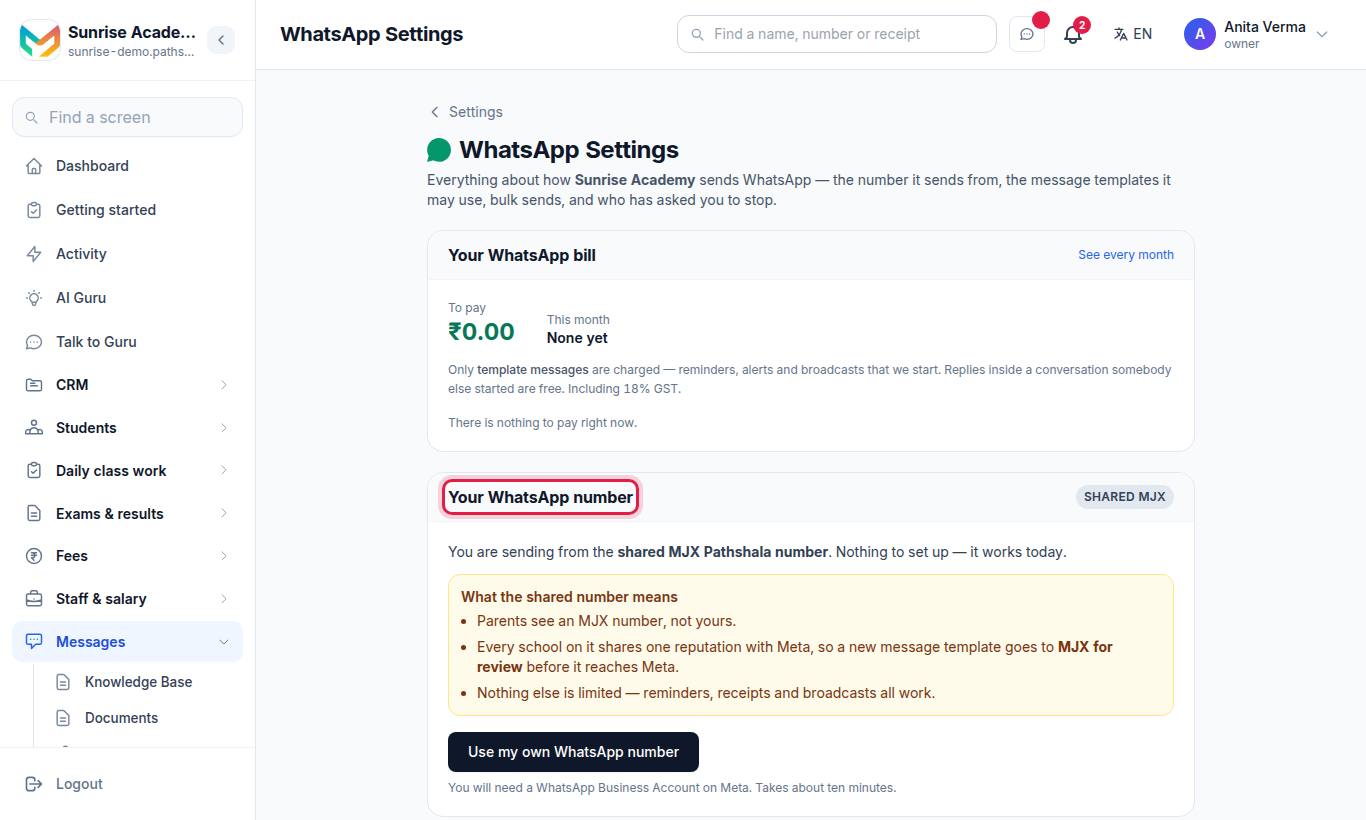
#What works on the shared number?
| Works | Needs your own number |
|---|---|
| AI replies from your knowledge base, in Hindi, English or Hinglish | Your own number, name and display picture |
| Sending your PDFs from the Documents Library | Creating and submitting your own templates |
| Fee reminders, receipts, absence alerts, notices, results, certificates, sign-in codes — on MJX's approved templates | Broadcasts (WhatsApp Broadcasts and CRM broadcasts) |
| WhatsApp Inbox (Basic and Pro): your own enquiry chats | Demo booking and admission forms inside the chat (Automatic replies & booking) |
| STOP and START handled automatically | Free-text replies to chats that arrived on a number no longer in use |
#Who sees what?
- Parents and customers see an MJX number, not yours.
- On the shared number your inbox shows only the messages that belong to your institute. Other institutes never see your chats, and you never see theirs.
#Templates and broadcasts need your own number
On the shared number you cannot request templates or send broadcasts. The Templates and Broadcasts pages say Connect your own WhatsApp number to create templates and send broadcasts and show a Connect your number button. Your earlier templates and broadcast reports stay readable; a template already With MJX for review can still be withdrawn.
Every institute on the shared number shares one reputation with Meta, so one rejected template or reported broadcast would hurt everyone's delivery. That is why your own templates and bulk sends need your own number.
All of Pathshala's own standard templates (fee reminder, absent today, notice, sign-in code, and so on) are already approved on the shared number, so the built-in automatic messages keep working with nothing to set up.
#How does a parent reach my institute on a shared number?
Several institutes share one number, so Pathshala works out who a person means:
- Your WhatsApp enquiry code. A QR from Sidebar › Settings › Integrations & developers › QR codes › 💬 WhatsApp enquiry code opens WhatsApp with a message already typed. Whoever scans it lands in your inbox, even on their first message. See Get started.
- An existing enquiry or student. If the number already belongs to an enquiry or family at your institute, the message comes to you.
- More than one institute. A person known to two institutes gets a numbered list and replies with a number. A welcome line confirms the choice, and they can type
changeat any time to see the list again.
#Can I use the shared number at all?
For schools, coaching centres and other institutes, yes, unless MJX has said otherwise for your account. A business that bought WhatsApp Automation on its own usually must use its own number. In that case the card says:
"This account sends on its own WhatsApp Business number. Nothing can be sent until you connect one."
and the sidebar shows Connect your WhatsApp number. Follow Connect your own number.
#Is the shared number free?
Template messages are charged on both kinds of number, at the same rates, plus 18% GST. Sign-in codes are free — paid by MJX. Replies inside a chat the other person started are free. See Your WhatsApp bill.
#When should I move to my own number?
Move when you want your own name on every message, want to create your own templates, want to send broadcasts, or want families to book demos and start admission inside the chat. You need the Pro plan. See Connect your own number.
#Questions people ask
Will parents see my institute's name?
They see an MJX number, not yours. The message text names your institute, and the AI answers as your institute.
Can I create my own templates on the shared number?
No. Every institute on the shared number shares one reputation with Meta, so your own templates need your own WhatsApp number. Pathshala's standard templates are already approved on the shared number, so your automatic messages keep working.
Can I broadcast on the shared number?
No. Broadcasts need your own WhatsApp number. Fee reminders, sign-in codes, alerts and other automatic messages still go out on the shared number.
What if a parent has enquired at two institutes on the shared number?
They get a short numbered list and reply with a number to choose. They can type "change" at any time to choose again.