
Outstanding dues, defaulters and fee collection reports
See what came in today and this month, who is overdue, upcoming dues, class-wise pending fees, late-payer forecasts and ledger checks in Pathshala.
Pathshala keeps your fee numbers on a few screens: Fee Collection for the day-to-day picture, Invoices for every open bill, Collections for who is likely to pay late, Worth a look for records that do not add up, and the Day-book for one day's money line by line.
#Who can use this?
| Screen | Who | Plan |
|---|---|---|
| Fee Collection | Owner, Admin, staff with View Fee Dashboard (Accountant, Cashier) | Every plan |
| Invoices | Owner, Admin, staff with View Invoices | Every plan |
| Collections | Owner, Admin, staff with View Fee Reports (Accountant) | Pro |
| Worth a look | Owner and Admin only | Pro |
| Day-book and its download | Owner, Admin, staff with View Day Book | Basic and above |
#The Fee Collection dashboard
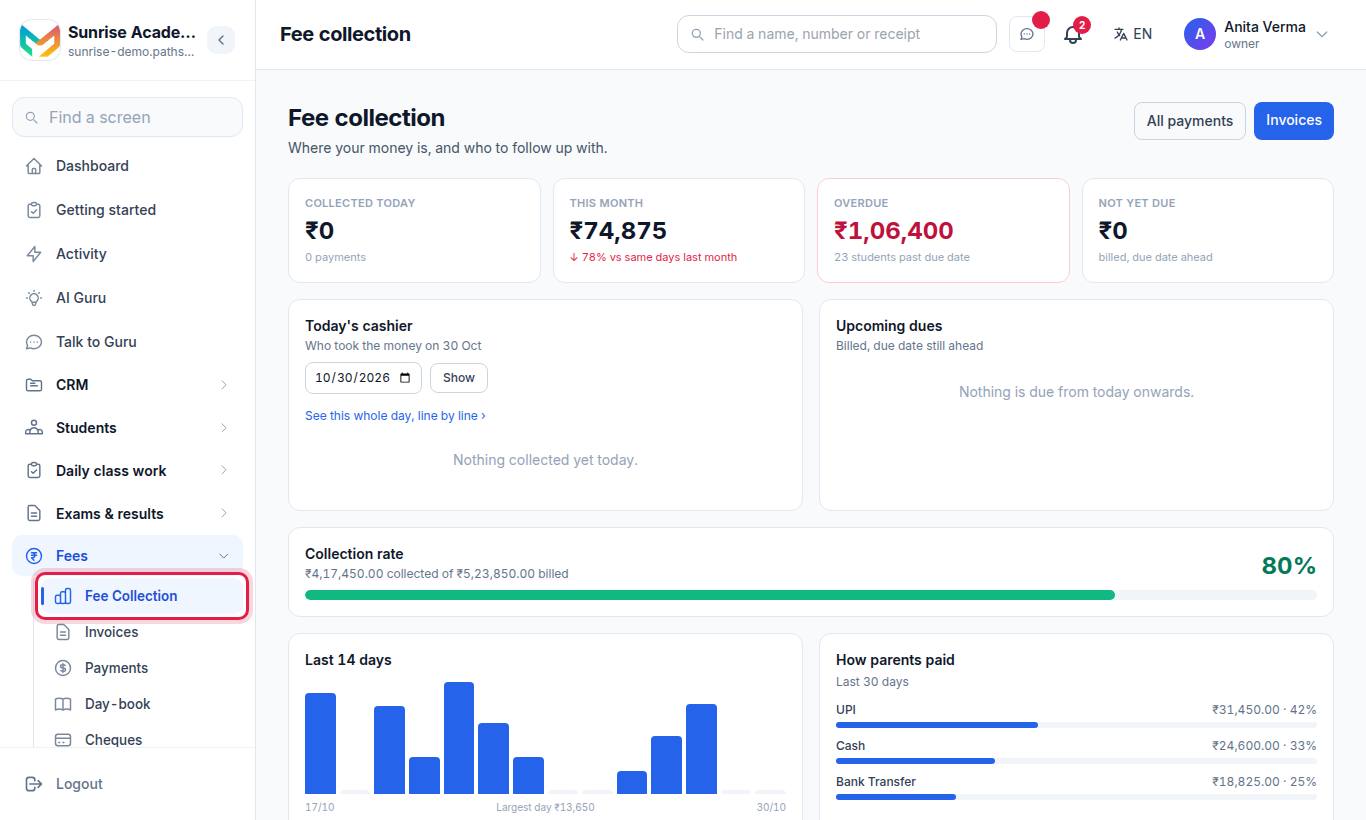
The heading says Where your money is, and who to follow up with. Buttons at the top open All payments and Invoices.
#Cards on the dashboard
| Card | What it shows |
|---|---|
| Payments waiting for you to confirm (banner) | How many parent-reported payments wait in Parent Payments. Press Review → |
| Collected today | Money kept today and the number of payments. If there was a refund, it shows received − refunded |
| This month | Money kept this month, and the change against the same days last month |
| Overdue | Amount past its due date, and how many students |
| Not yet due | Amount billed with the due date still ahead |
| Today's cashier | Who took the money today and how much each. Pick a date under Show collections for and press Show to see another day; Today comes back. A link opens that day in the Day-book |
| Upcoming dues | Bills not yet due, grouped by due date (today, tomorrow, in n days), with the number of students and the amount |
| Collection rate | Money collected out of what was billed, as a percentage |
| Collection plan | If you use instalments: how many instalments are billed to everyone, and per class the next one due |
| Last 14 days | A bar for each day's collection, net of refunds |
| How parents paid | The last 30 days by payment method, with each method's share |
| Follow up | Students past their due date. Each row shows the parent, days overdue, number of invoices, last paid date and the amount, with a call button and a WhatsApp button |
| Pending by class | Each class's pending amount, split into overdue and not yet due |
When Pathshala has enough reminder and payment history, the Follow up card is ordered by who is most worth a call first, and each row shows a suggested action and the reasons (for example read the reminder, not paid, cannot be reached, not asked yet). Otherwise it is ordered by the largest amount first. It shows the 10 most urgent.
#The list of open bills (defaulters)
- Set Payment status to Unpaid or Partial, or Status to Overdue, to see who owes.
- Filter by Class and search by name or admission number.
- The counters at the top give Total Billed, Collected, Pending and Overdue for the whole institute.
- The See all invoices → link on the Follow up card opens this list filtered to unpaid bills.
For one student, open their profile and press the Fees tab: bills, payments received and discounts, and a Fees due tile at the top.
#Collections: who is likely to pay late
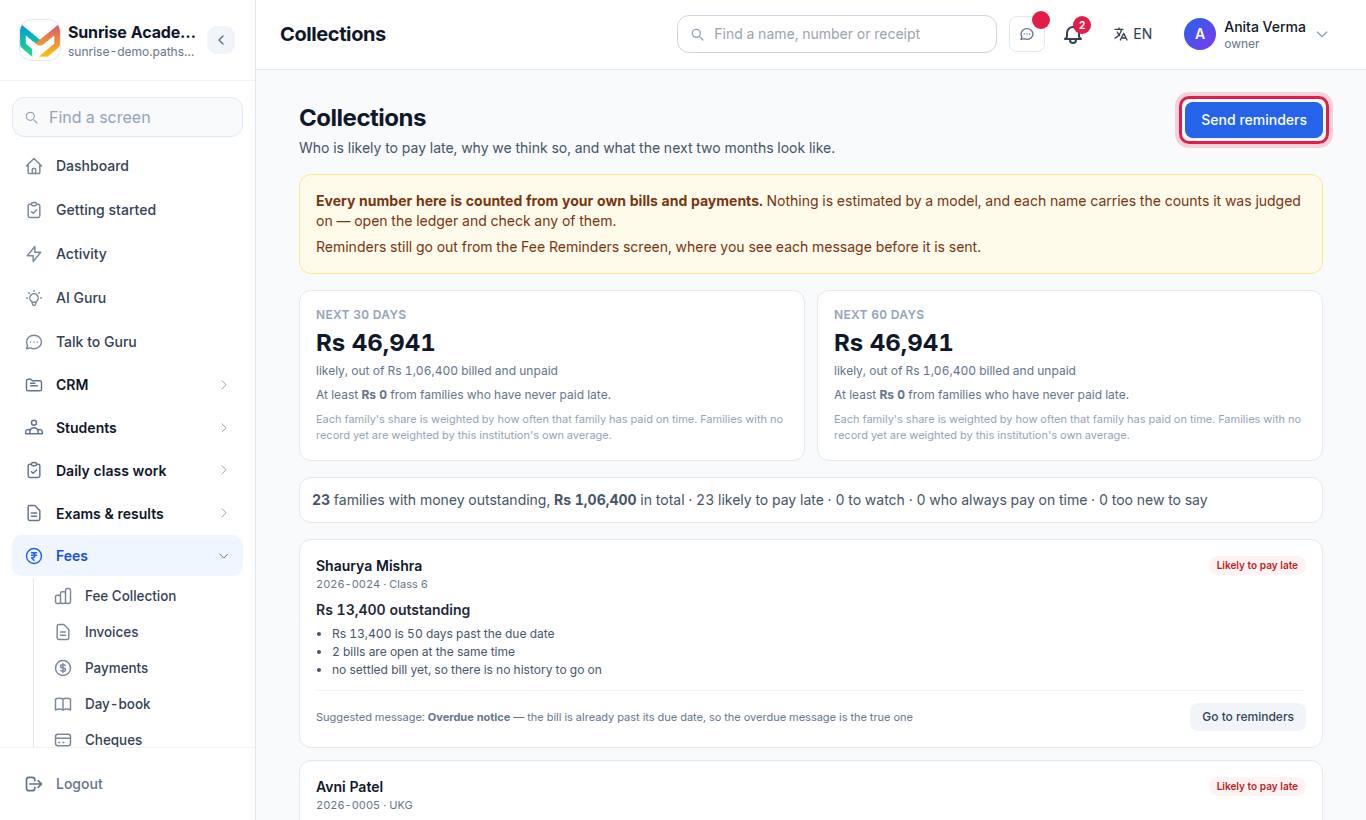
Who is likely to pay late, why we think so, and what the next two months look like. (Fees Pro.)
- Next 30 days and Next 60 days — the money likely to come in out of what is billed and unpaid, and the amount at least expected from families who have never paid late.
- A count line: families with money outstanding, the total, and how many are Likely to pay late, Watch, Pays on time and Too new to say.
- One card per family: the outstanding amount, the reasons (from their own past bills), and a Suggested message — Overdue notice or Fee reminder — with Go to reminders.
Every number here is counted from your own bills and payments; nothing is sent from this screen. The Send reminders button opens Fee reminders.
#Worth a look: records that disagree
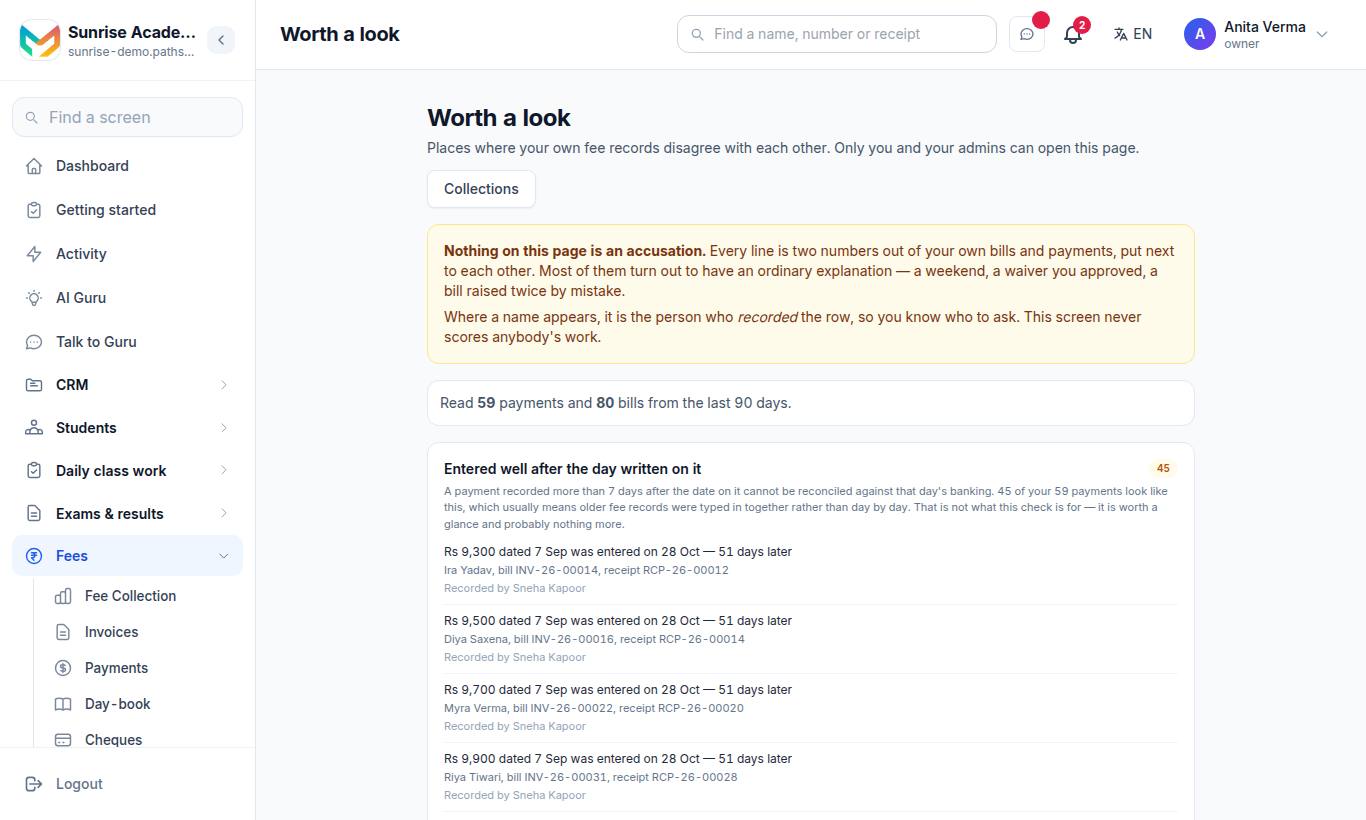
Places where your own fee records disagree with each other. Only you and your admins can open this page. (Fees Pro, owner and admin.)
It reads the last 90 days of payments and bills and runs these checks:
| Check | What it looks for |
|---|---|
| The same reference is on more than one payment | One UPI/bank reference or cheque number used twice |
| Two families hold the same receipt number | A receipt number that is not unique |
| Money is sitting against a cancelled bill | A bill was cancelled but its payment was not |
| Entered well after the day written on it | A payment recorded many days after its payment date |
| A bill has more money against it than it asks for | Overpaid bills |
| A bill and its own payments do not agree | The bill's paid figure does not match its payments |
| A concession far above this institution's own usual | A discount much bigger than your normal ones |
Each finding shows examples and, where there is one, Recorded by — the person who entered the row, so you know who to ask. Checks with nothing found are listed under Also checked, nothing found. Nothing on this page is an accusation; most findings have an ordinary explanation.
#Downloads and exports
| What | Where | Plan |
|---|---|---|
| One day's payments and refunds as a spreadsheet (CSV) | Day-book › Download | Basic |
| One day as Tally vouchers (XML or sheet) | Day-book › Tally (XML) / Tally (sheet) | Basic |
| A whole month as Tally vouchers | Day-book › Change the ledger names › A whole month in one file | Basic |
| An invoice or a receipt as PDF | Invoice › PDF; Payment › Download PDF | Every plan |
See Day-book and Tally.
#Tips
- Open Fee Collection first thing every morning: the Follow up card is your call list.
- Compare This month with last month's same days to catch a slow month early.
- Owners: read Worth a look once a week.
#Questions people ask
Where do I see who has not paid?
On Fee Collection, the Follow up card lists students past their due date, largest or most urgent first. Invoices filtered to Unpaid shows every open bill.
Can I download a collection report?
Yes. The Day-book has a Download button for any day, and the Tally export can give a whole month in one file. Both are in Basic and above.
Why does a cashier see only part of the cashier card?
Staff who are not owner or admin see only the payments they recorded themselves. The day's total is still shown on Collected today.
Is the late-payer forecast done by AI?
It is worked out from your own bills and payments, and every name shows the counts it was judged on, so you can check it in the ledger.
Who can open Worth a look?
Only the owner and admins. It lists places where your money and your ledger disagree and names who recorded each row.