
Promote students and start the new session
Move every student up a class into the new academic year in one go, hold back those who repeat, and undo it if needed.
At the end of the year, Pathshala moves every student up one class into the new session in a single step. The top class passes out, anybody you hold back stays where they are, and the whole move can be undone from the same page.
#Before you start
The new academic year must exist. If it does not, the page says so and points you to Settings, where you add a session (name such as "2027-28", start and end dates). You can also make a new session from the promote page itself.
#Steps to promote and start the new session
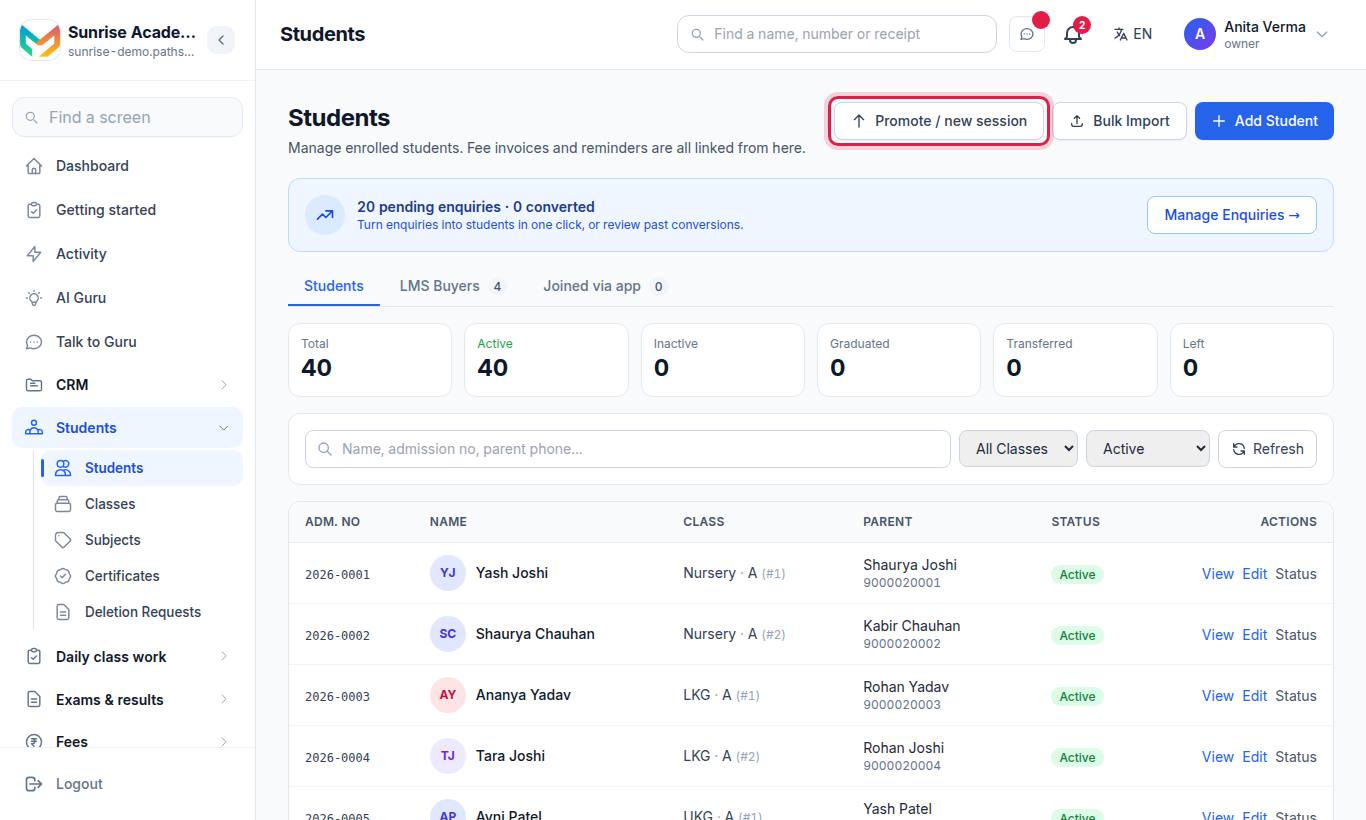
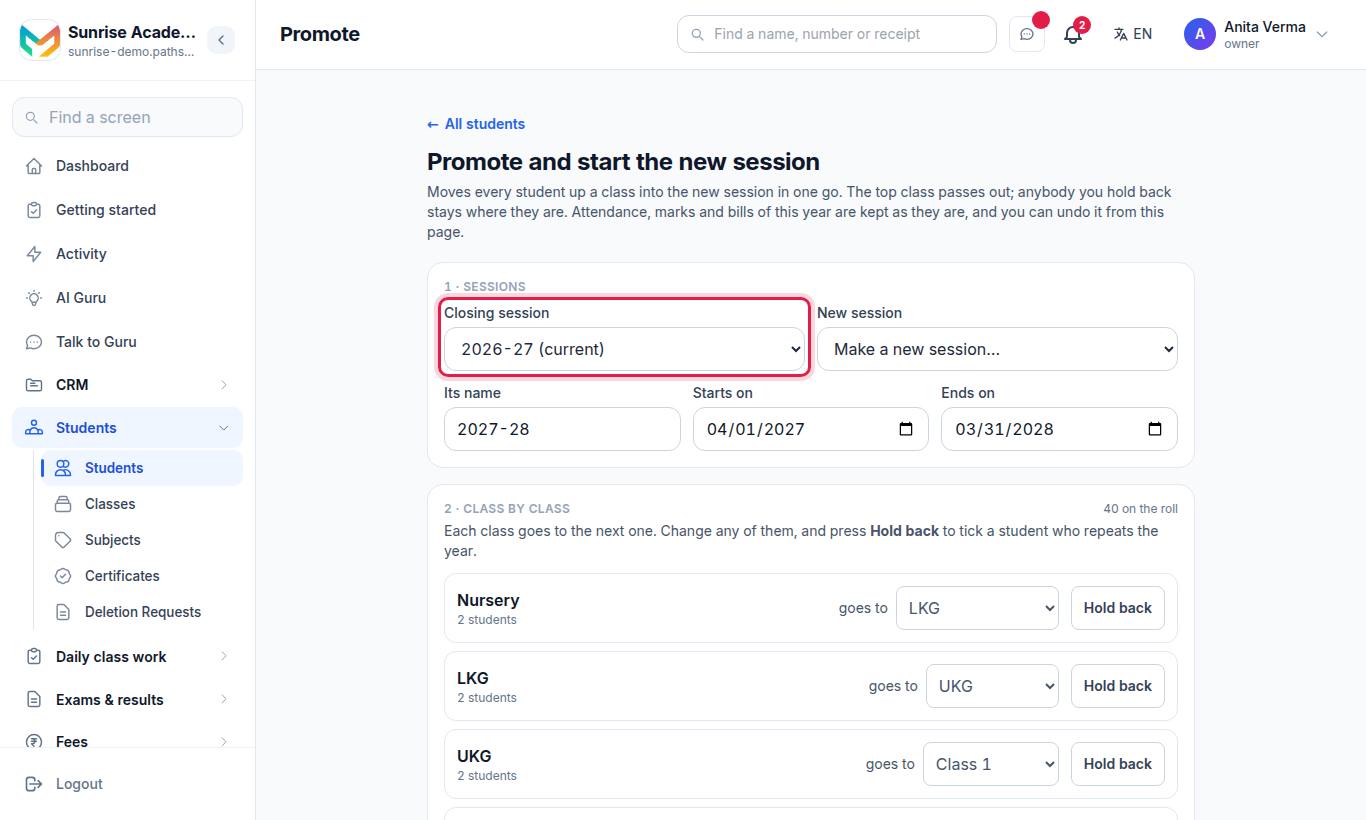
- Sessions. Choose the Closing session and the New session (or pick Make a new session… and give its name, start and end dates).
- Class by class. Each class is shown going to the next one. Change any of them if your classes do not follow in order. Press Hold back to tick a student who repeats the year.
- Also. Tick what you want:
- Copy this year's fee structure into the new session — only if the new session has none. You can change amounts later in Fees › Fee structures.
- Make the new session the current one — registers, bills and exams made from now on belong to it.
- Press Promote.
#How to undo a promotion
- Scroll to Done before on the same page.
- Press Undo on the promotion.
The page tells you how many students were put back, and if any were left alone because they had changed since.
#Who can promote?
Owners and Admins (the same people who can add students). The owner can give it to someone else under Sidebar › Settings › People & roles › Roles & permissions.
#Tips
- Collect or carry forward the old year's dues before you promote. Unpaid bills move with the student, so nothing is lost, but it is easier to start clean.
- After promoting, give roll numbers class by class with Auto-assign Roll Numbers on the Students screen.
- Check "waiting for a section": these students moved up but the new class has no matching section. Edit them or add the section.
#Related
#Questions people ask
Are last year's marks and bills lost when I promote?
No. Attendance, marks and bills of the closing year stay exactly as they are. Unpaid bills go with the student.
Can I undo a promotion?
Yes. Every promotion you make is listed under "Done before" with an Undo button.
Are families told?
No. Nobody is messaged when you promote.
What happens to roll numbers?
They start afresh in the new session. Give them on the Students screen once the move is done.
What about the top class?
The top class passes out. Those students are marked as graduated.