
Embed the MJX CRM enquiry form on your website
Put your MJX CRM enquiry form on any website with a one-line script, an iframe or a plain link, and pick a specific form with ?form=.
Your MJX CRM enquiry form lives at /inquire on your institute's address and can be placed on any website. Every submission becomes a lead in the CRM with the source "Website form" (or the source of the form you chose).
There are three ways to place it, from easiest to most flexible. All three work on every plan and need no API key.
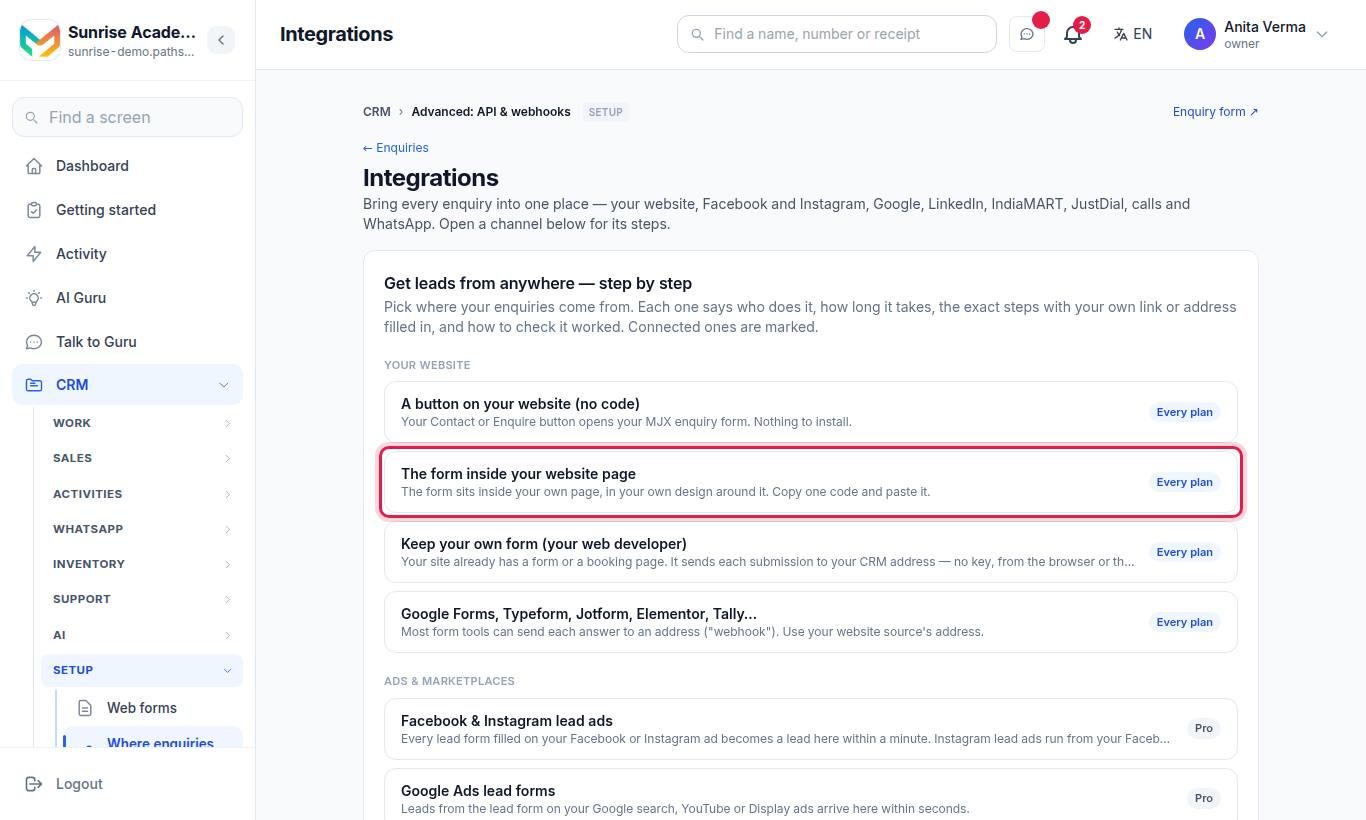
The cards A button on your website (no code) and The form inside your website page show your own link and code with the address filled in. Press Copy form link, Copy the code or Copy the one-line script.
#Option 1 — Link a button
https://<your-code>.pathshala.mjxtechnologies.com/inquireMake your Contact or Enquire button point to this address. The visitor leaves your page for the form, which shows your name and logo.
#Option 2 — The one-line script (recommended)
<script src="https://<your-code>.pathshala.mjxtechnologies.com/inquire/embed.js" async></script>Paste it where the form should appear. The script:
- inserts an iframe of
/inquire?embed=1just before itself (full width, no border, at least 640 px tall); - listens for height messages from the form and resizes the frame, so there is no inner scroll bar;
- accepts messages only from your institute's address.
The script is cached for an hour.
#Option 3 — The iframe
<iframe src="https://<your-code>.pathshala.mjxtechnologies.com/inquire?embed=1"
        style="width:100%;min-height:760px;border:0" loading="lazy" title="Enquiry form"></iframe>
Use this when your builder removes <script> tags. The page served with ?embed=1 allows framing by any site; nothing in it reads a cookie.
#Choosing a specific form: ?form=<slug>
Besides the main form, an institute can make other forms (for example "Hoarding booking" or "Admission enquiry") with their own heading, fields and source.
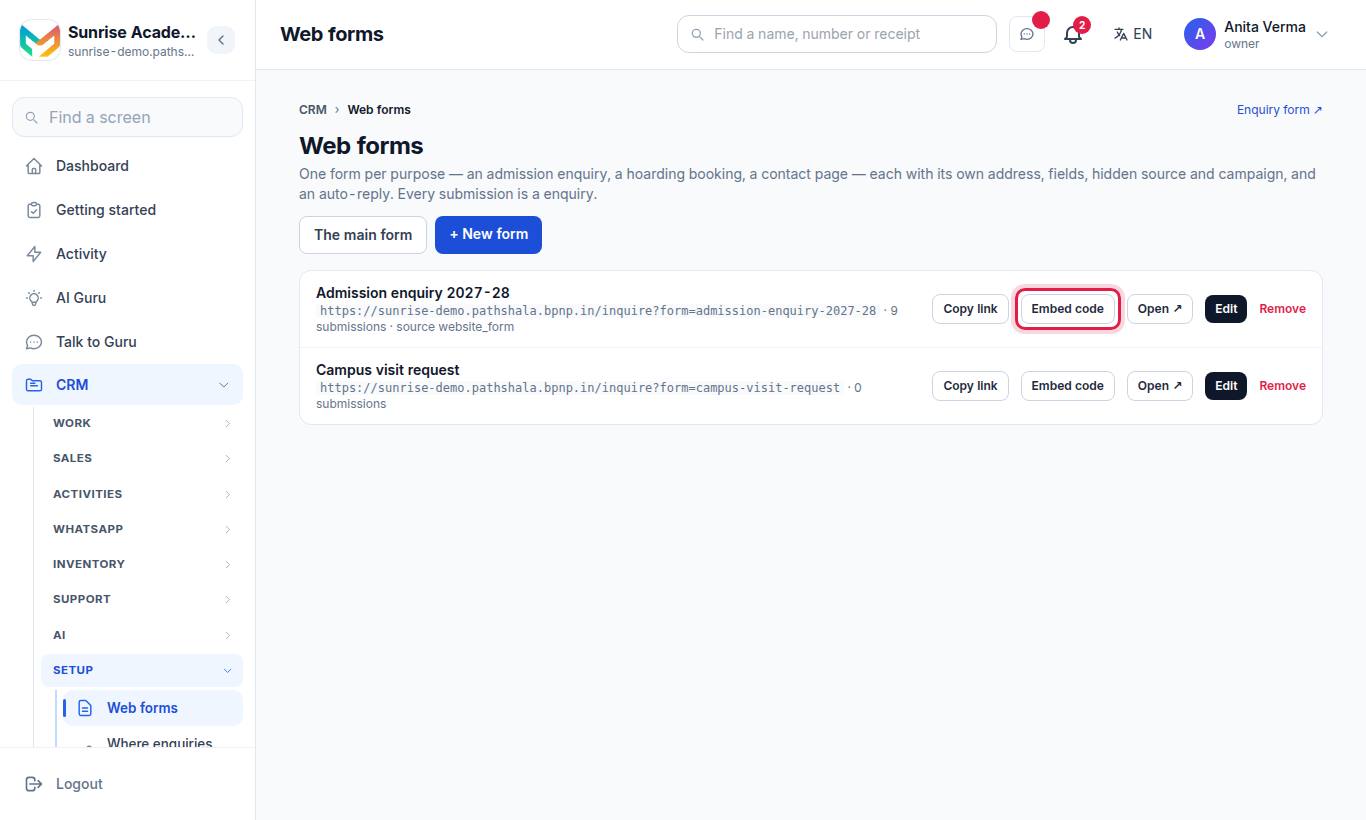
Add the form's slug to any of the three options:
https://<your-code>.pathshala.mjxtechnologies.com/inquire?form=admission-2027
https://<your-code>.pathshala.mjxtechnologies.com/inquire?form=admission-2027&embed=1| Behaviour | Detail |
|---|---|
| Source | The form's own hidden source wins over anything posted |
| Campaign | The lead is linked to the form and its campaign (Promotion), if one is set |
| Unknown slug | An unknown or switched-off slug shows the main form, so an old link never breaks |
The one-line script always loads the main form. For another form, use the iframe with ?form=…&embed=1.
The tracked links made by the Google Maps, Instagram, QR and other guides are forms of this kind (?form=google-maps, ?form=instagram, ?form=qr, ?form=facebook, ?form=whatsapp, ?form=youtube).
#Keep your own form instead
If your site already has a form, do not embed ours. Post your form's fields to a lead source address — from the browser or your server, as JSON, form fields or FormData, with no key. See Lead webhooks.
#Where to paste the code in common builders
| Builder | Where |
|---|---|
| WordPress | Pages › your Contact page › + › "Custom HTML" › paste › Update. With Elementor: the "HTML" widget. |
| Wix | Editor › Add (+) › Embed Code › Embed HTML › Enter Code › paste › Update › Publish |
| Shopify | Online Store › Pages › Contact › Show HTML (<>) › paste › Save |
| Webflow | Add panel › Code Embed › paste › Save › Publish |
| Squarespace | Edit the page › Add block › Code › paste › Apply (Business or Commerce plan) |
| Google Sites | Insert › Embed › Embed code › paste › Next › Insert › Publish |
The form's questions, sections and button are designed in the form builder — see Custom fields and the form builder and Web forms.
#Questions people ask
Which plan do I need to embed the form?
None in particular — the enquiry form, its link and the embed code work on every plan.
Will the form fit my page height?
The one-line script resizes the frame to the form's height by itself. The plain iframe has a fixed minimum height of 760 pixels.
Can I have different forms for different campaigns?
Yes. Make extra forms under Web forms and add ?form=<slug> to the link or the iframe address. Each form stamps its own source.
My website builder strips script tags. What now?
Use the iframe code, or simply link a button to the form.