
MJX CRM quickstart — your first enquiry in 10 minutes
Sign up for MJX CRM, share your enquiry form, add your team, and follow up your first enquiry — step by step, in about ten minutes.
This quickstart takes an owner from sign-up to a first enquiry being followed up in MJX CRM. You need a phone number and an email address.
#Create your account
Open Start free. Pick what best describes you — School, Coaching, Tuition, College, Institute or Business. This choice sets the CRM's words: Enquiries and Admitted for a school, Leads and Won for a business.
Fill in your organisation's name, Your Portal URL (for example sunrise → sunrise.pathshala.mjxtechnologies.com), city, state and PIN code, then your name, phone, email and a password (at least 8 characters). Press Create and Get Portal.
You start on a 14-day free trial with no card.
#Open the CRM
Sign in at your portal address. Press Apps, choose MJX CRM and open CRM home — your day: what is due, new enquiries and your numbers.
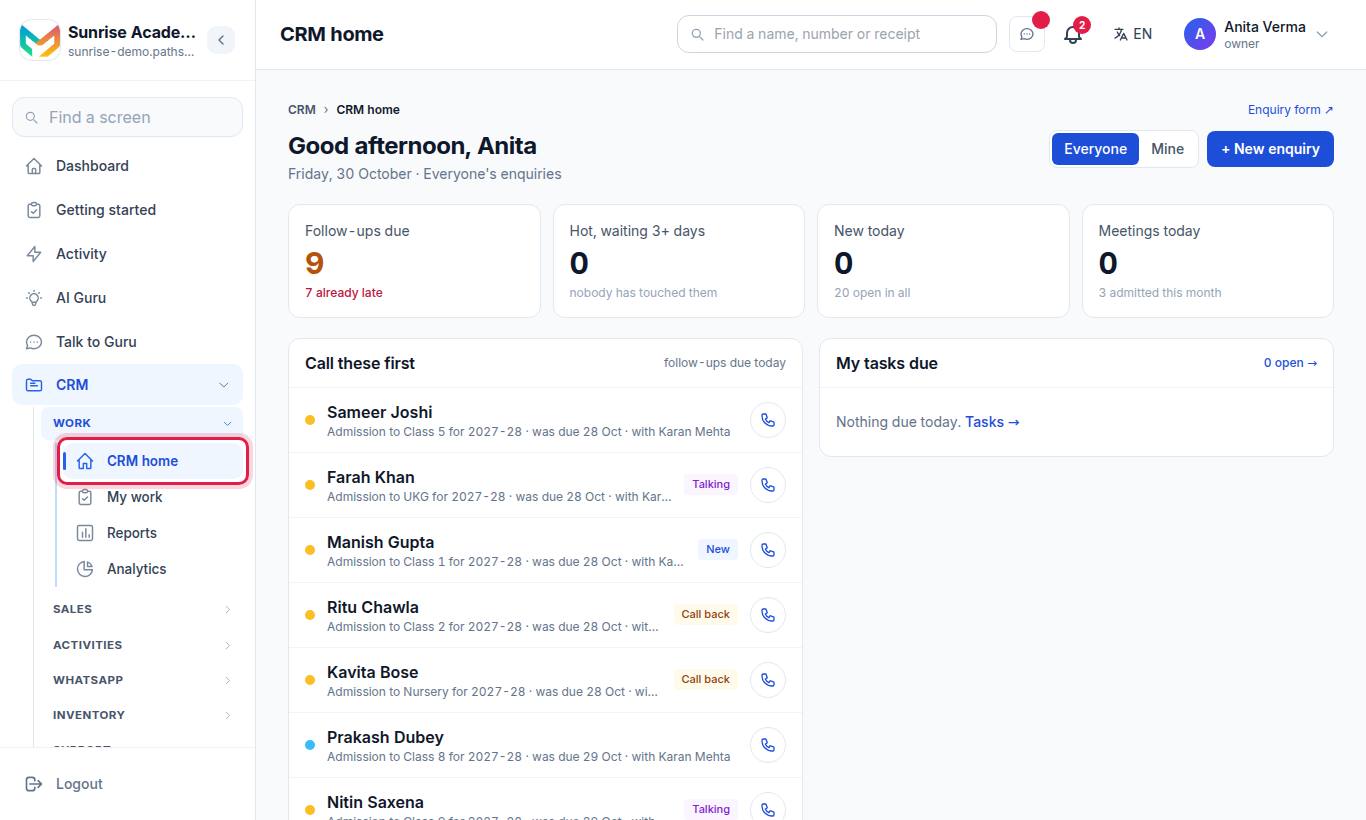
#Share your enquiry form
Your public form is ready. On Apps › MJX CRM › Enquiries, press Copy Form URL and share it on WhatsApp, Instagram or your website. Or put it inside your website — see Web forms.
Fill it once yourself from your phone to see what a parent sees.
#Add a walk-in by hand
Press Add enquiry, type the name and phone, and press Add it. Nothing is sent to them.
#Set your stages and fields
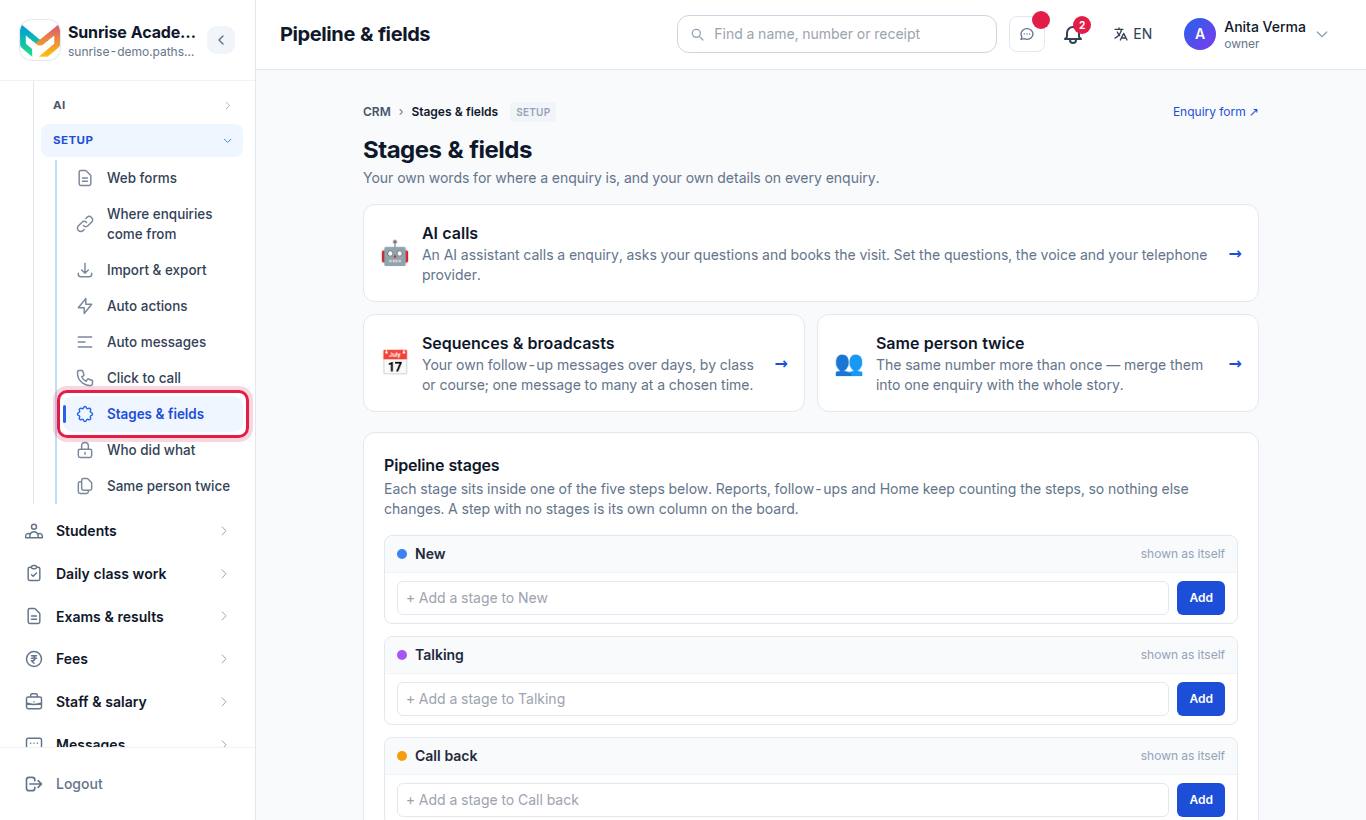
Keep the five stages (New, Talking, Call back, Admitted, Not interested) or add your own, and add the fields you always ask (course, budget, batch). See Custom fields and the form builder.
#Add your team
Add counsellors as staff users with CRM access, then hand them enquiries with Assign. See Agents and access.
#Follow up your first enquiry
Open the enquiry. Press a stage button (for example Talking), + Log a call after you speak, and set a call-back date. It then appears under ⏰ Due today on that day.
#Switch on automatic follow-ups
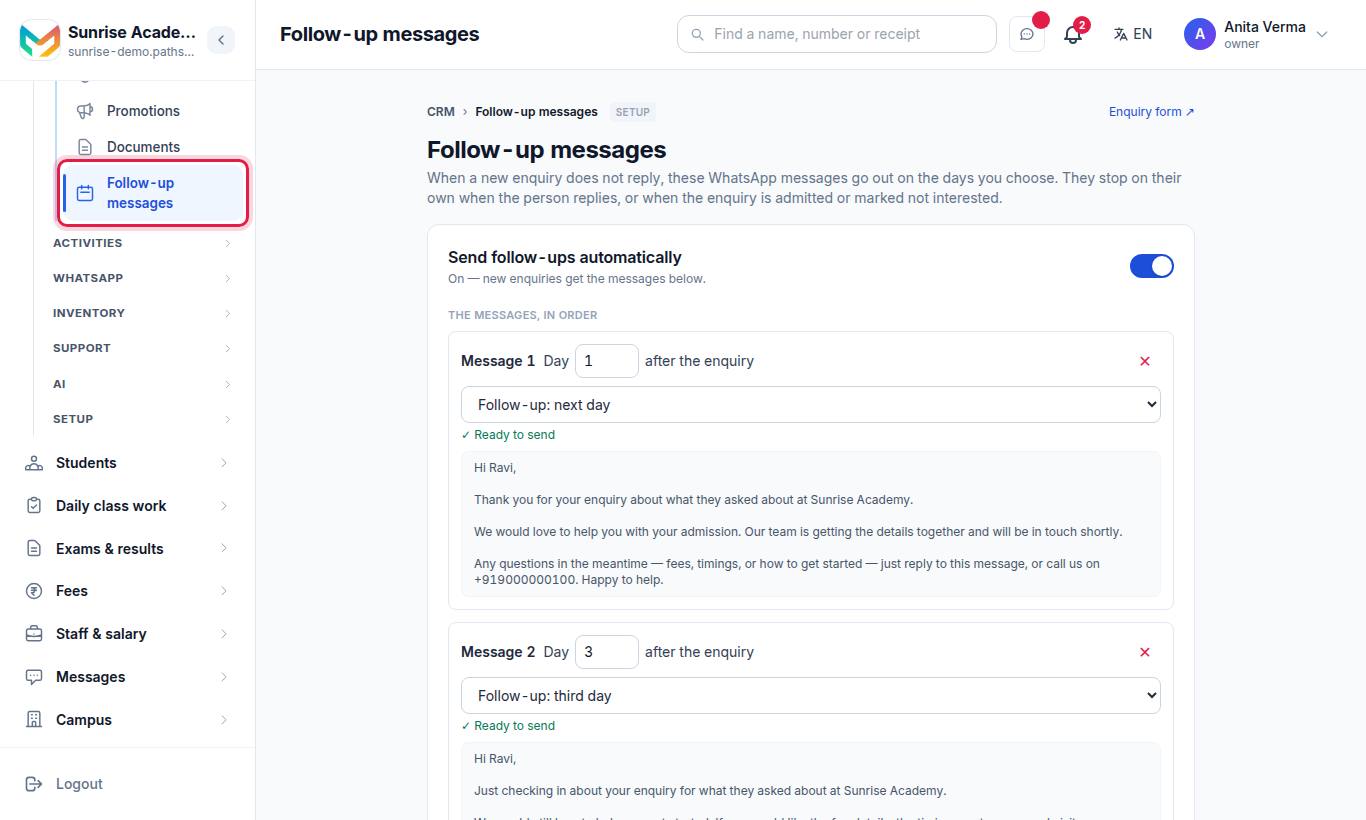
Choose on which days the CRM reminds people who have not replied. See Follow-ups and sequences.
#What next?
Need help? WhatsApp or call 7996837555, or email info@mjxtechnologies.com.
#Questions people ask
Is there a free trial?
Yes. Sign-up gives a 14-day free trial with no card, then a Forever Free plan. Paid plans are on the Pricing page.
Do I need my own WhatsApp number to start?
No. You can start with the form and the CRM screens. Your own WhatsApp number is set up later under Settings › WhatsApp.
Can my counsellors use the CRM on their phones?
Yes. The MJX CRM Android app shows the same enquiries, calls and tasks.