
Library seats and shifts — the seat map
Set up shifts with their own hours and monthly fee, add seats and cabins by room, and see which seats are free in each shift.
In MJX Library a shift is a block of hours with its own monthly fee (Morning 06:00–12:00, ₹500), and a seat is a numbered place in your room. A booking puts a member on one seat for one shift for a number of months. The seat map shows, shift by shift, which seats are free.
#How to open the seat map
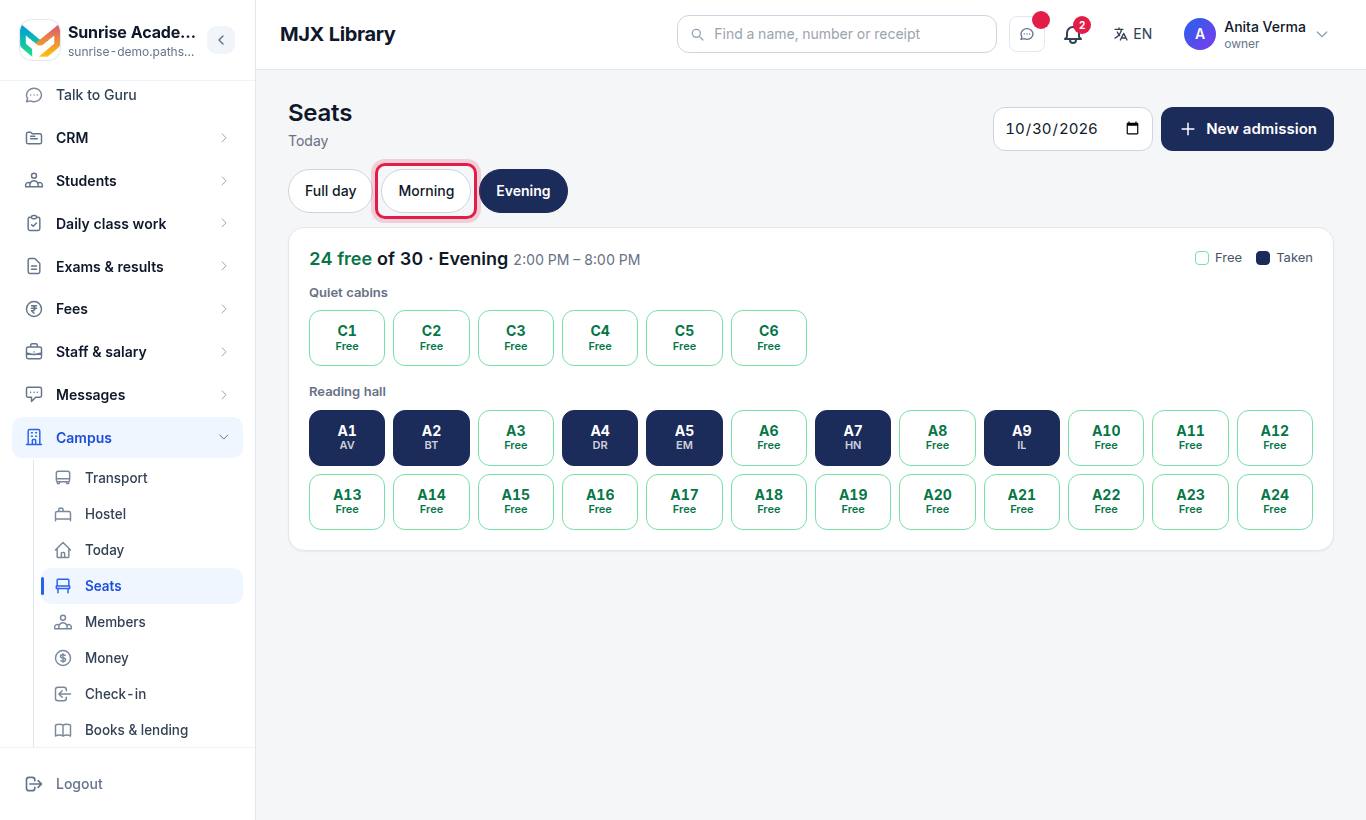
The page opens on the shift that is running right now.
- Shift chips at the top — tap one to see the room for that shift's hours.
- Date box — show the room on another day (for example, to sell a seat that frees up next week).
- The line "*12* free of 40 · Morning 06:00–12:00" and a legend: Free (green outline) and Taken (navy, with the member's initials, or "2 people").
- Seats are grouped by room or row. Seats with no room are shown under Other seats.
#What happens when you tap a seat?
- A free seat shows "Free in Morning" and a Book this seat button. It opens New admission with the shift and seat already filled in.
- A taken seat shows who sits there, their booking and anything they owe, with Renew, Take fee and Open.
#How to set up shifts
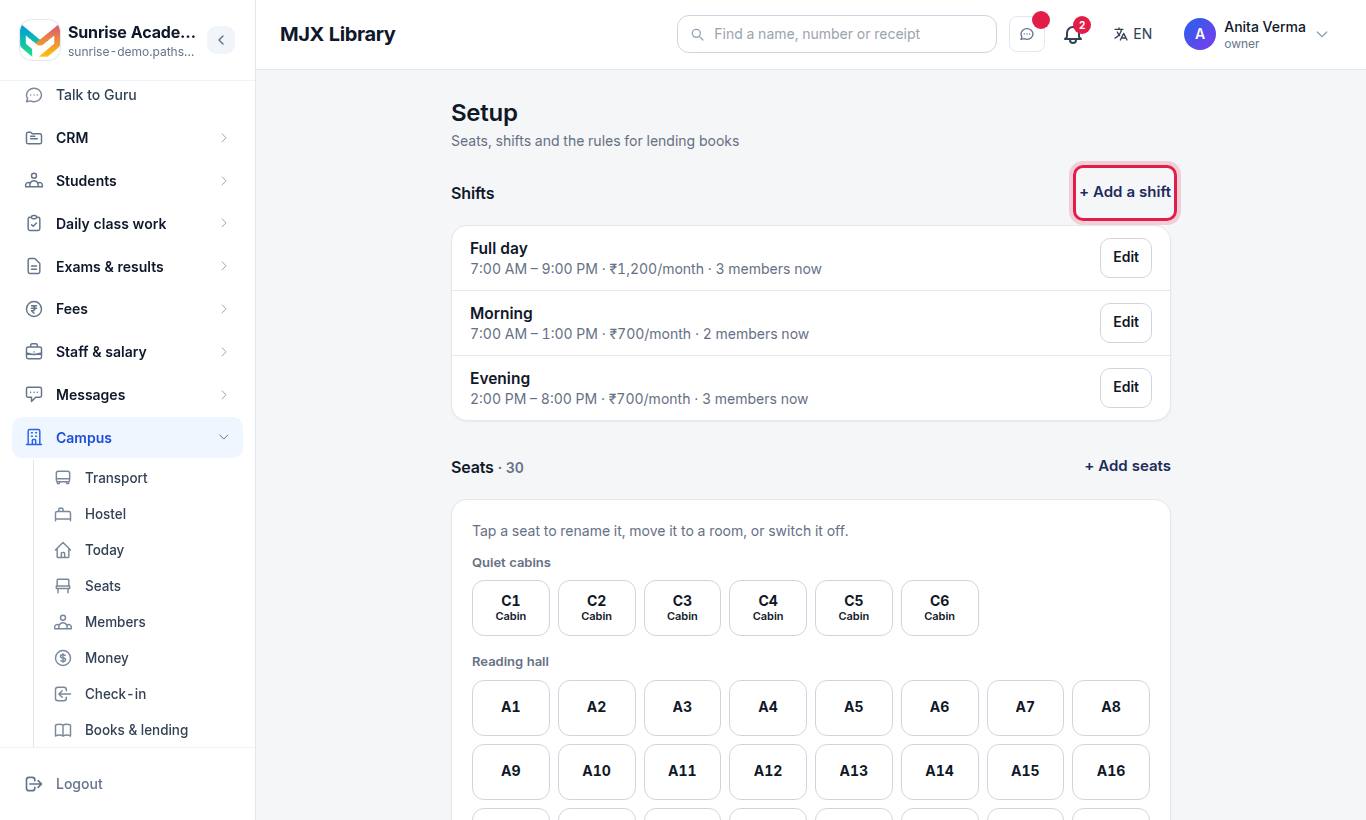
#Steps to add a shift
- Press + Add a shift.
- Type the Name (Morning, Evening, Full day…), From and To, and the Monthly fee (₹).
- Press Add shift.
#Steps to change or switch off a shift
- Press Edit beside the shift. Each row shows its hours, fee per month and how many members are on it now.
- Change the name, hours or fee and press Save.
- Or press Switch off. Members already on it keep it till their booking ends; it is not offered for new ones. Switch on brings it back.
A new fee applies to new bookings and renewals. Bookings already made keep the fee they were sold at.
#How to add seats
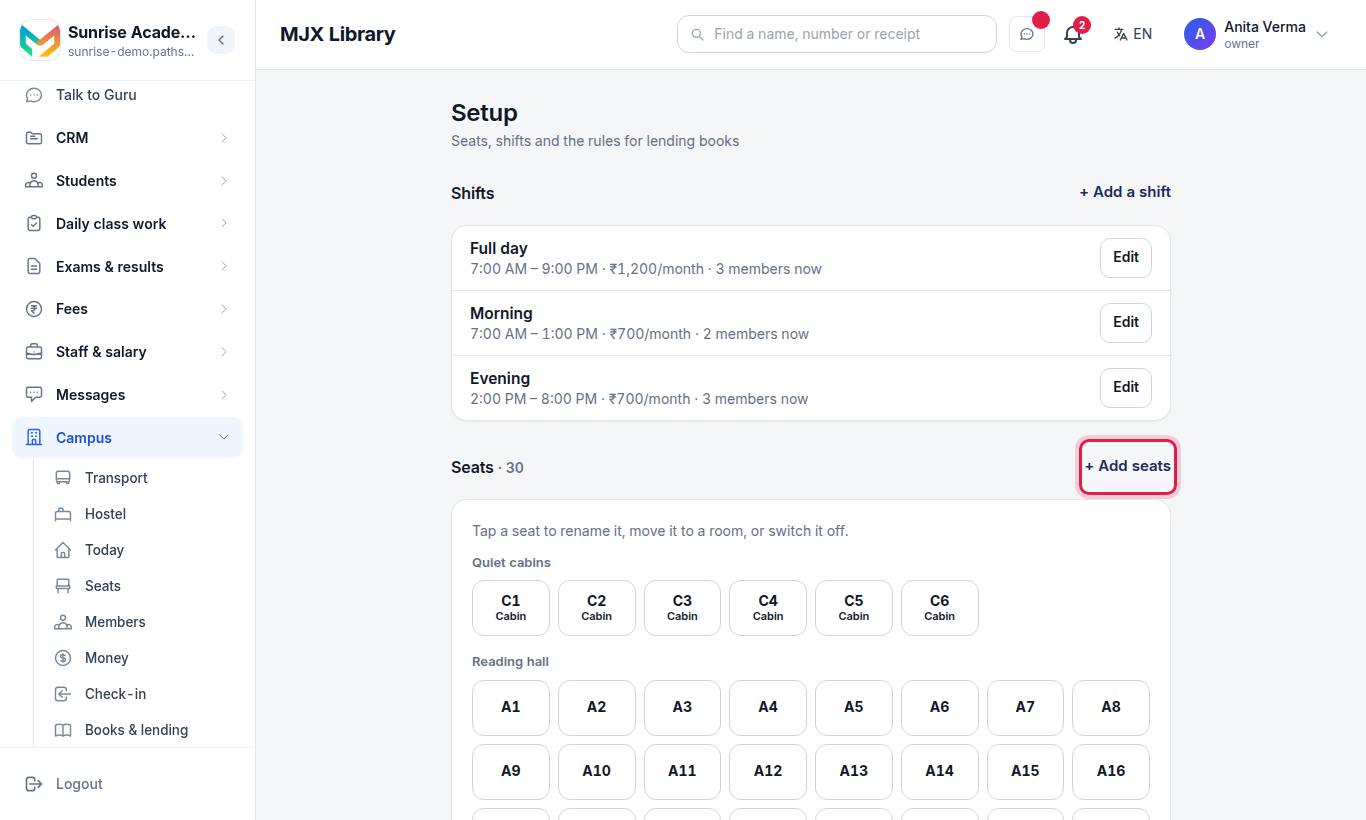
#Steps to add many seats at once
- Press + Add seats.
- Type a Letter (optional, like B), a Room or row (optional, like AC room), and the From number and To number.
- Check the preview, for example "Makes B1, B2 … B20 — 20 seats. Numbers that already exist are skipped."
- Press Add seats.
#Steps to change one seat
- Tap the seat in the Seats section ("Tap a seat to rename it, move it to a room, or switch it off").
- Change the Seat number, Room or row, Kind (Seat or Cabin) or untick In use.
- Press Save — or Remove this seat. A seat that was ever booked is switched off instead.
#Settings explained
| Setting | Where | What it does |
|---|---|---|
| Name | Shift | What the counter and receipts call it |
| From / To | Shift | The hours. A shift must end after it starts. Overlapping hours share no seat. |
| Monthly fee (₹) | Shift | The price for one month. Admission and renewal multiply it by the months chosen. |
| Letter | Seats | Put in front of each number: A1, A2… |
| Room or row | Seats | Groups seats on the map, for example "AC room" |
| Kind | One seat | Seat or Cabin |
| In use | One seat | Untick to stop booking it without losing its history |
#Who can use it?
- Seat map: owner, admin and counter staff.
- Setup (shifts and seats): owner and admin only. Counter staff are asked to "Ask the owner to set up seats and shifts."
- All plans, including Forever Free.
#Moving a member to another seat
On the member's page, open Bookings and press Move seat. Only seats free in that booking's hours can be tapped. Pick No fixed seat to take the seat away without ending the booking. See members and fees.
#Questions people ask
Can two members share one seat?
Yes, when their hours do not overlap. A Morning member and an Evening member can share seat A12. The same seat for overlapping hours and dates is refused, even when two people at the counter try at the same moment.
Why does a seat show as taken in Morning when the member booked Full day?
Full day covers the morning hours too, so the seat is taken for any shift whose hours overlap it.
Can I delete a shift?
No. A shift is switched off instead. Members on it carry on until their booking ends; it is not offered for new bookings, and old bookings still name it.
Can I delete a seat?
A seat that was never booked is removed. A seat that was ever booked is switched off instead, so old bookings still show it.
How many seats can I add at once?
Up to 300 at a time, in the one-minute setup or with Add seats.