
Assignments — set homework, collect it, mark it
Set assignments under a topic in MJX Learn, let learners hand in photos, a PDF or a note, then mark it or send it back to redo.
An assignment in MJX Learn is work you set under a topic of a course. Learners see it on their course page, hand in photos, a PDF or a note, and you mark it out of the marks you set — or send it back to redo.
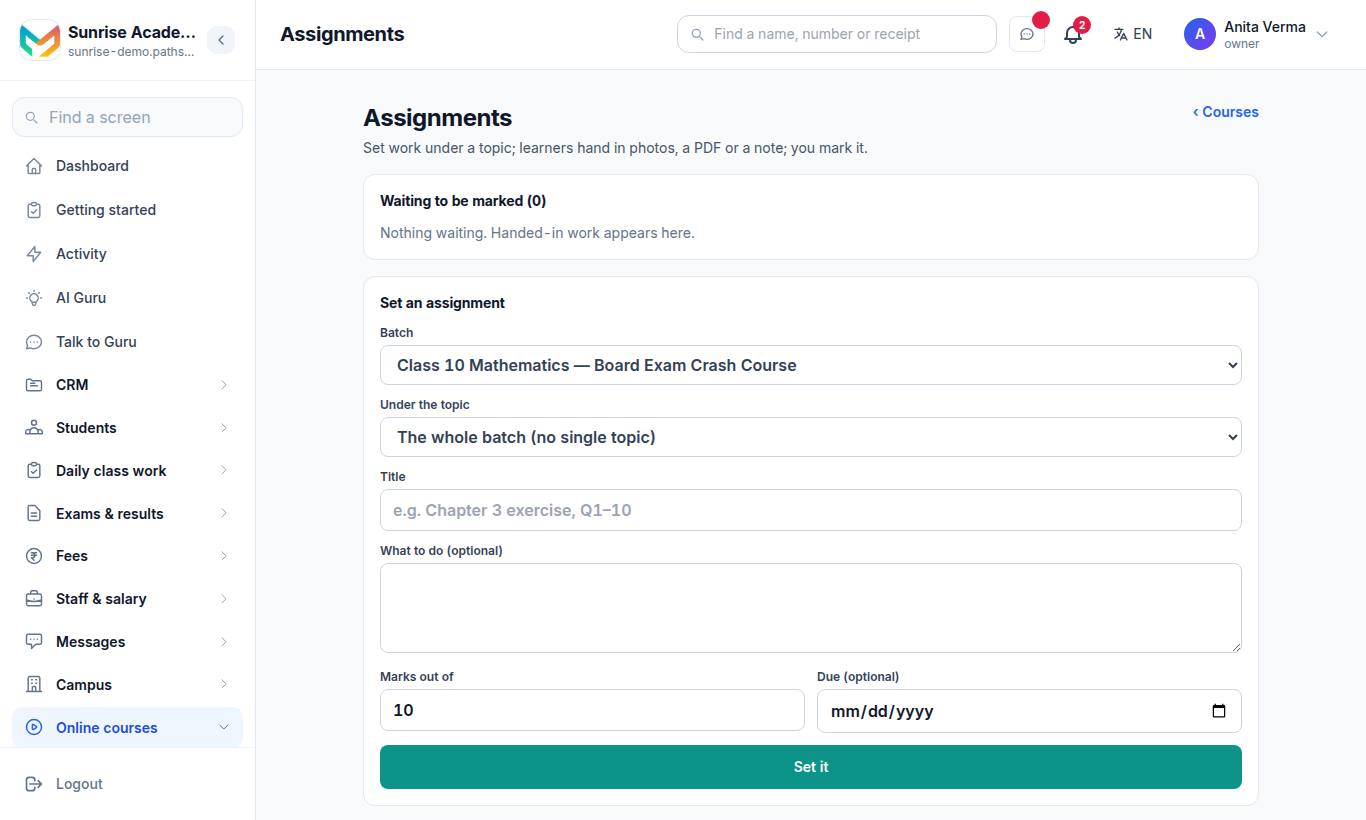
"Set work under a topic; learners hand in photos, a PDF or a note; you mark it." In the app: Teaching › Assignments.
#How to set an assignment
- Under Set an assignment, choose the Batch (course).
- Choose Under the topic — a topic, or the whole batch.
- Type a Title, e.g. "Chapter 3 exercise, Q1–10", and What to do (optional).
- Set Marks out of (10 by default) and, optionally, Due.
- Press Set it.
The assignment appears under Assignments set, with how many are waiting, marked and sent back. In the app you can also Hide from learners or Show to learners.
#What learners do
On the course page the learner sees "You have an assignment to hand in".
- They add Photos of your work (up to 5), or one PDF.
- Optionally A note (optional).
- They press Hand it in (or Hand it in again after it was sent back).
#How to mark work
Handed-in work appears under Waiting to be marked, with the learner's photos or Download the PDF.
- Type the marks (out of the maximum).
- Optionally type a Comment for the learner — it is needed to send work back.
- Press Mark, or Send back to redo.
#Who can use this?
| Who | Can |
|---|---|
| Owner, Admin | Every batch. |
| Teacher | Only the batches they are on — and they are usually who marks. |
| Learners | Hand in work on courses they hold. |
| Plan | Basic and up. |
#Questions people ask
What can a learner hand in?
Photos of their work (up to 5), or one PDF, and an optional note.
Can I ask a learner to redo their work?
Yes. Type a comment and press "Send back to redo". The learner is told what to redo and can hand it in again.
Do teachers see every batch's assignments?
No. Owners and admins see every batch; a teacher sees only the batches they are on.
Which plan includes assignments?
Assignments are part of "Live classes, mock tests and certificates" — MJX LMS Basic and up.