
Course reviews and star ratings
Learners rate your courses out of 5 in MJX Learn. Reply in public, hide a review, or draft a reply with AI — and show stars on your sale page.
Learners who have studied part of a course can give it a star rating out of 5 and a short review. Reviews show on the course's sale page under What learners said, with your replies. You manage them on the Reviews page.
#How learners rate a course
In the app, a course shows Rate once the learner may rate it.
- They choose Your rating out of 5.
- Optionally write What you thought (optional).
- They tap Post my rating (or Update my rating later).
Only a learner who bought the course and has finished 20% of it can rate it. Before that they see "You can rate this course once you are …" with their current percentage.
#How to reply to or hide a review
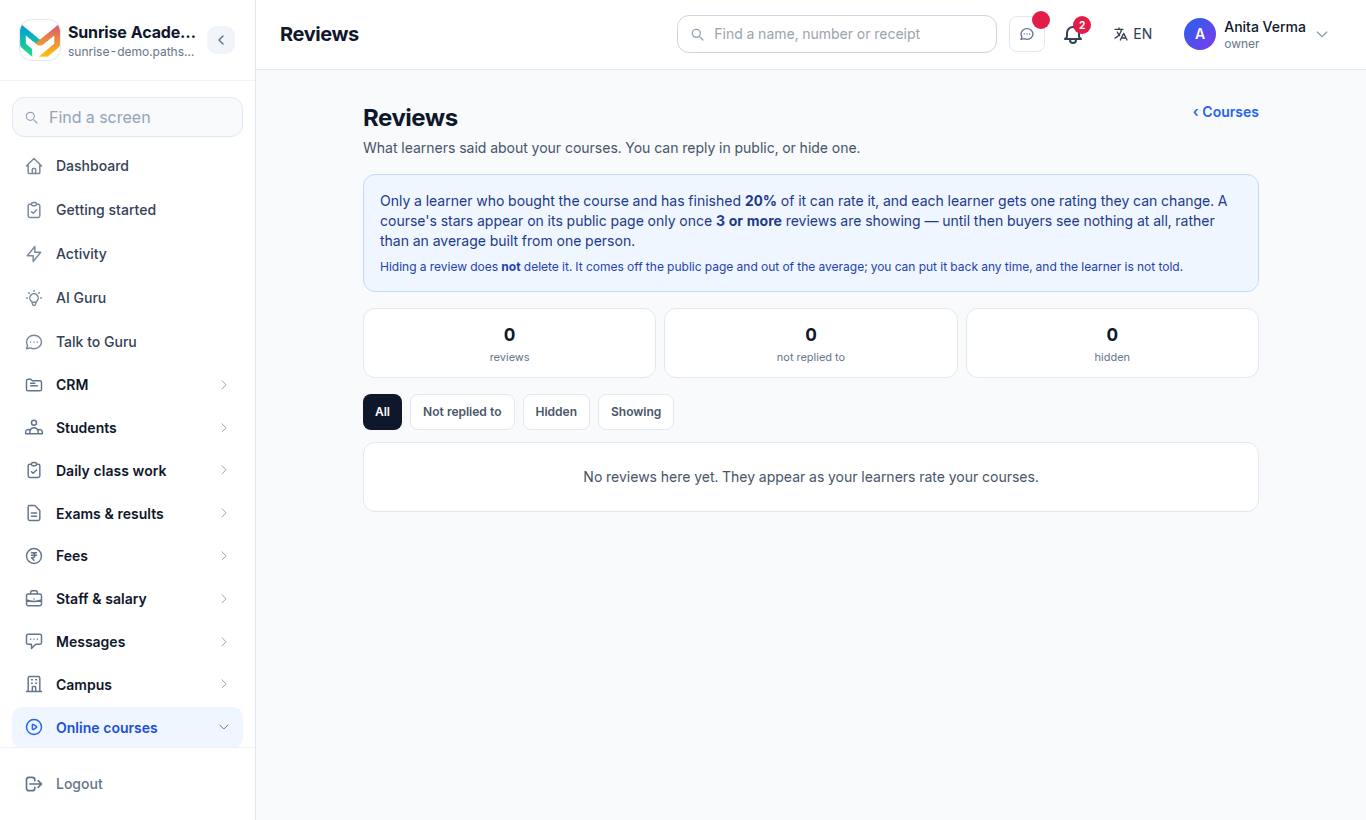
"What learners said about your courses. You can reply in public, or hide one." In the app: Teaching › Reviews.
The top shows how many reviews, how many are not replied to and how many are hidden. By course shows each course with "Showing on the course page" or "Needs more to show publicly".
#Steps to reply
- Type in the reply box — "Answer them. Everyone who reads this course's page will see it."
- Or press a Write it with AI tone: Warm, Short or Sorry to hear it. "Read it before you post it — it is a draft."
- Press Post reply (or Update reply). Use Remove my reply to take it down.
#Steps to hide
- Press Hide from the course page on the review.
- Optionally add a note for yourself.
Hiding never deletes it. The review comes off the public page and out of the average; press Show it again any time, and the learner is not told.
#Rules that keep ratings fair
| Rule | Value |
|---|---|
| Who can rate | A buyer who has finished at least 20% of the course |
| Ratings per learner | One, which they can change |
| Stars shown publicly | Once 3 or more reviews are showing |
#Who can use this?
| Who | Can |
|---|---|
| Owner, Admin | Every course's reviews. |
| Teacher | Reviews of the courses they are on. |
| Plan | Reviews: every plan. AI replies: Pro ("AI course and test builder"). |
#Questions people ask
Who can rate a course?
Only a learner who bought the course and has finished 20% of it. Each learner gets one rating, which they can change.
When do stars appear on my course page?
Once 3 or more reviews are showing. Until then buyers see nothing at all, rather than an average built from one person.
Does hiding a review delete it?
No. It comes off the public page and out of the average; you can put it back any time, and the learner is not told.
Can AI write my reply?
Yes, on MJX LMS Pro. Choose Warm, Short or Sorry to hear it. Read the draft before you post it.