
Post a job and share your careers page
Write a job in MJX Hire, add screening questions, publish it, and share your careers page link or put the jobs on your own website.
In MJX Hire every job gets its own page with an apply form, and all your open jobs together make your careers page. This guide shows how to write a job, add screening questions, publish it and share it.
#How to create a job
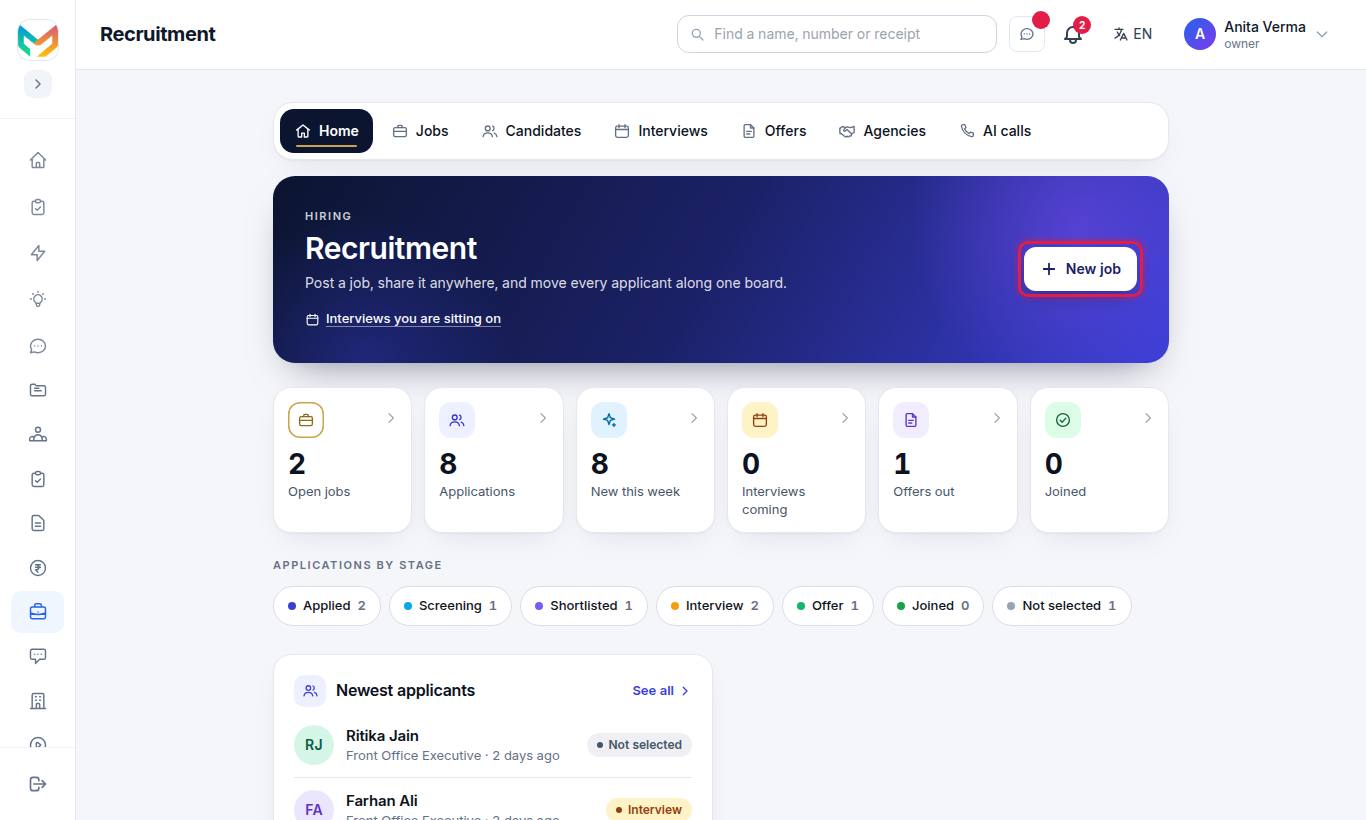
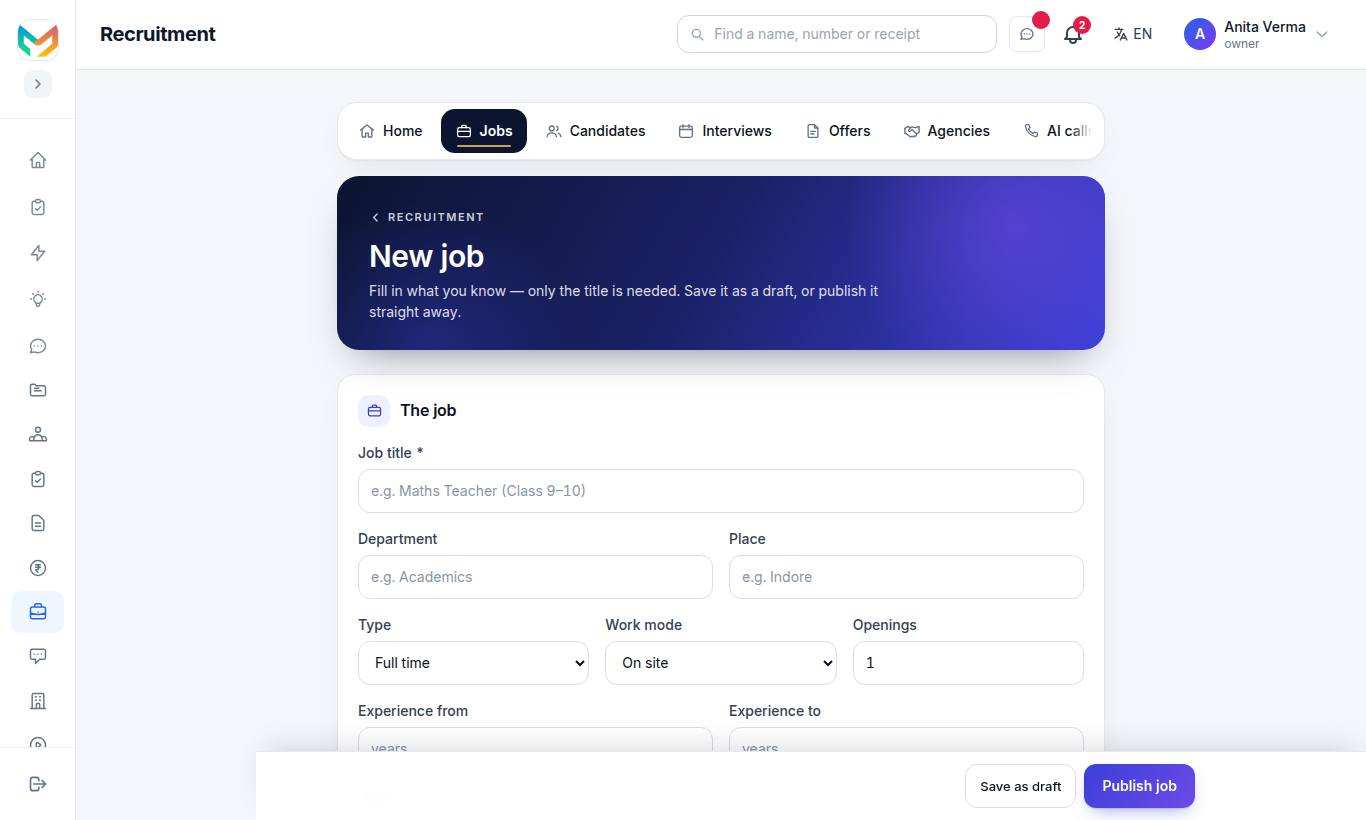
- Press New job (top right on any Recruitment page).
- Under The job, type the Job title (required). This is the only field you must fill.
- Fill in the rest of the job details (see the table below).
- Under What you are looking for, write the Requirements — one per line, each line is a point.
- Write the Job description, or press ✨ Draft with AI (MJX Hire Pro).
- Add Questions for applicants if you want (press + Add).
- Press Publish job to put it live, or Save as draft.
#The job form
| Field | What to put |
|---|---|
| Job title (required) | The role, e.g. "Maths Teacher (Class 9–10)". |
| Department | e.g. Academics. |
| Place | The city or branch, e.g. Indore. |
| Type | Full time, Part time, Contract, Internship or Temporary. |
| Work mode | On site, Remote or Hybrid. |
| Openings | How many people you need. |
| Experience from / Experience to | In years; half years are allowed. |
| Salary | From ₹ and To ₹, per a month or a year. Shown only if you tick Show the salary on the job page. |
| Last date to apply | Optional closing date. |
| Requirements | One per line, up to 20. The ATS match checks each resume against these. |
| Job description | What the person will do. Select words and press B for bold, H for a heading, • List for points. A preview shows how it looks on the careers page. |
#How to add screening questions
Under Questions for applicants, press + Add. You can add up to 10.
| Question type | Extra setting |
|---|---|
| Yes / No | The job needs: Any answer, Yes or No |
| Number | The job needs at least a number (leave empty for any) |
| Pick one | Choices, separated by commas |
| Short answer | — |
Tick Must answer to make a question required.
#How to publish, pause, close or delete a job
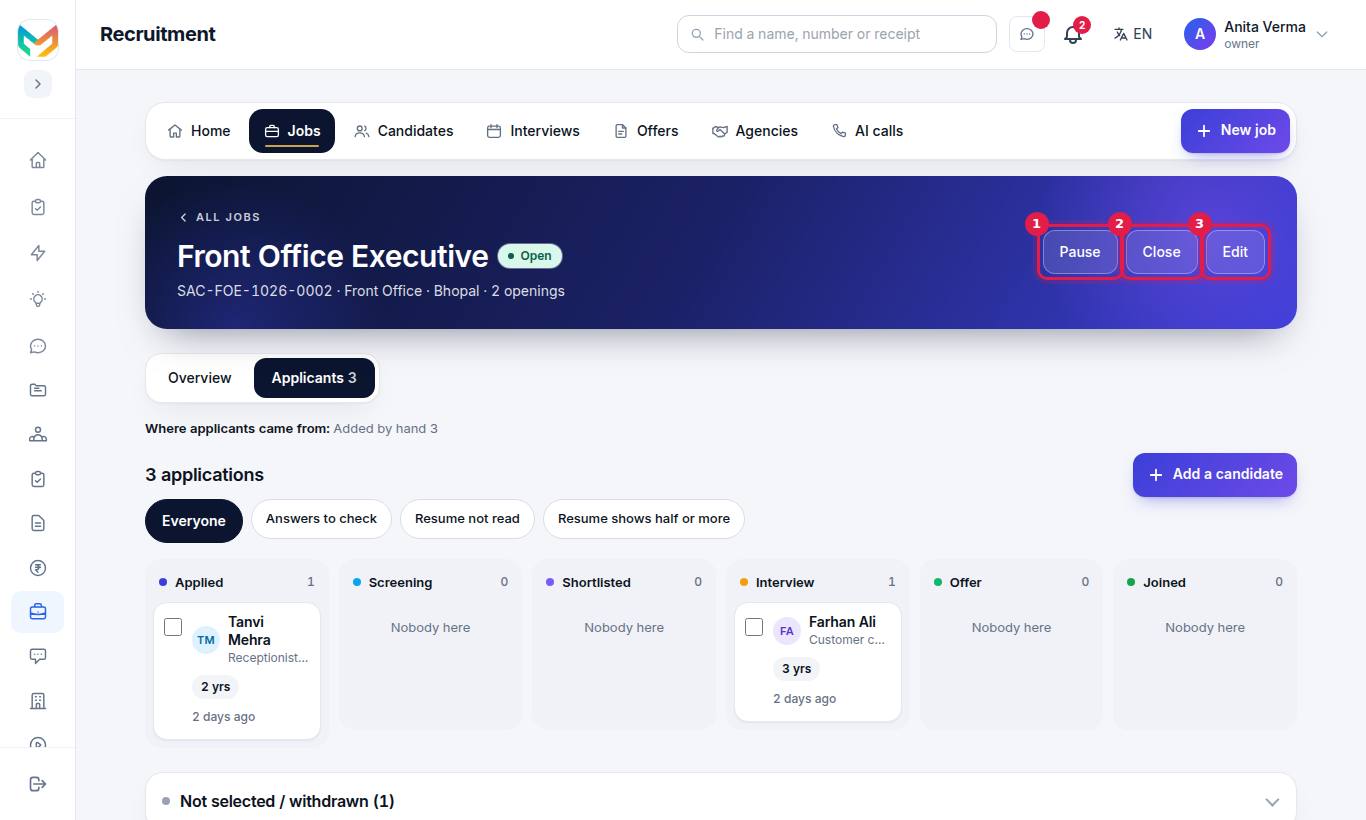
The buttons at the top of a job page change with its status:
| Status | What it means | Buttons you see |
|---|---|---|
| Draft | Not public yet. | Publish, Edit, Delete |
| Open | People can see it and apply. | Pause, Close, Edit |
| Paused | Hidden for now. Nobody new can apply. | Open again, Close, Edit |
| Closed | No more applications. The people who applied stay. | Open again, Edit |
Delete shows only while the job has no applications. Each job also gets a Job ID like JOB-0001.
#Your careers page
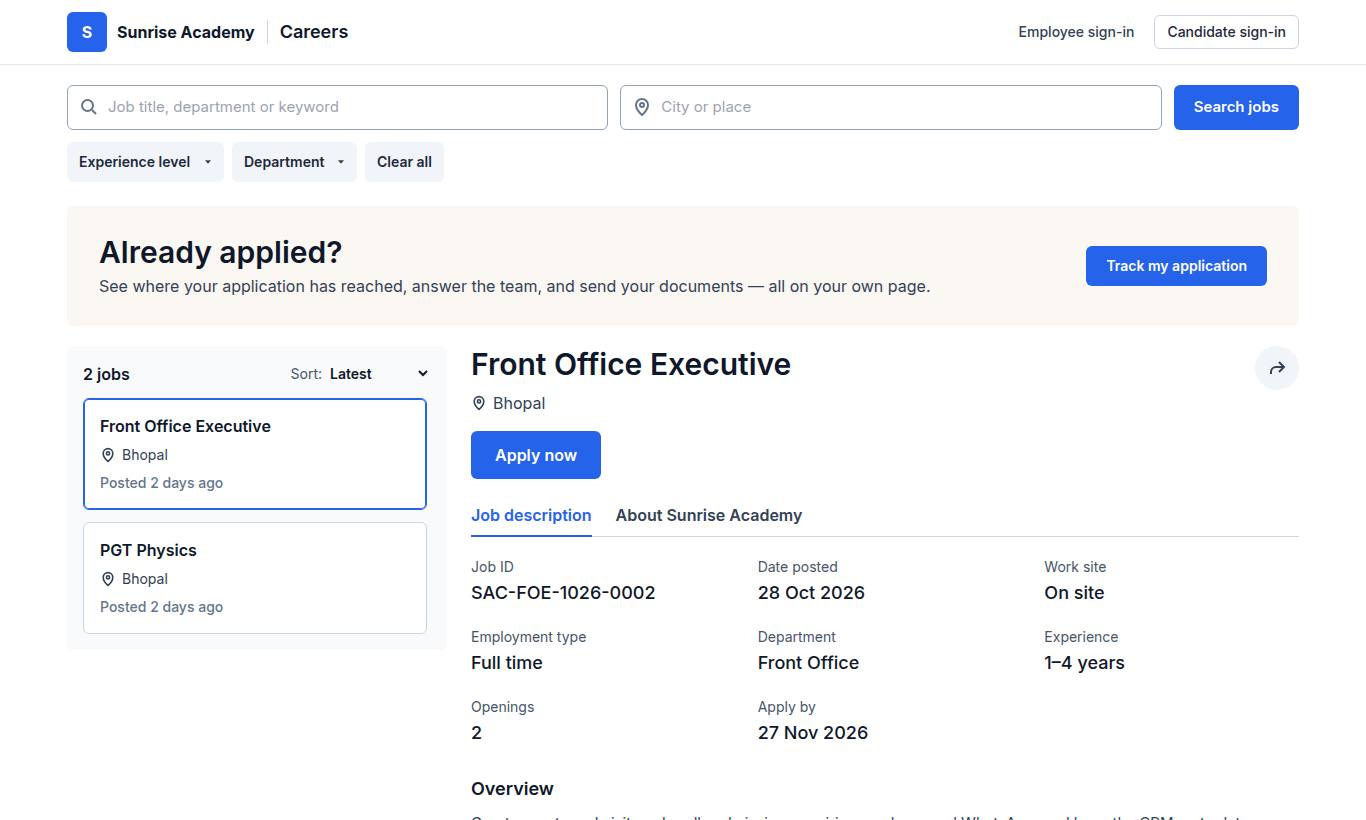
Your careers page lists every open job at https://<your-address>/careers — for example https://sunrise.pathshala.mjxtechnologies.com/careers. Nobody needs to sign in to see it.
On the careers page, job seekers can:
- Search by Job title, department or keyword and City or place, then press Search jobs.
- Filter by Work site, Experience level (Freshers, Up to 2 years, 2 to 5 years, 5 to 10 years, 10 years or more), Department and Employment type.
- Sort by Latest or Job title A–Z.
- Press Apply now on a job, or share it.
- Press Track my application if they already applied (see the candidate's page).
The top of the page also has Employee sign-in and Candidate sign-in, and the foot has Got a letter from us? Check it is genuine → for letter checks.
#The apply form
A job's page has an Apply for this job form. On screen, required fields are marked with a star:
- Full name (required), Email (required), Mobile number (required)
- City, Total experience (years), Current job title, Current organisation
- Current salary (₹ a year), Expected salary (₹ a year), Notice period (days), LinkedIn profile
- A few questions — your screening questions
- Resume (required) (PDF or Word, up to 5 MB)
- Anything you want to add
The applicant presses Send my application. If they already applied for the same job, they see "You have already applied for this job. We have your application."
#How to share a job or put jobs on your website
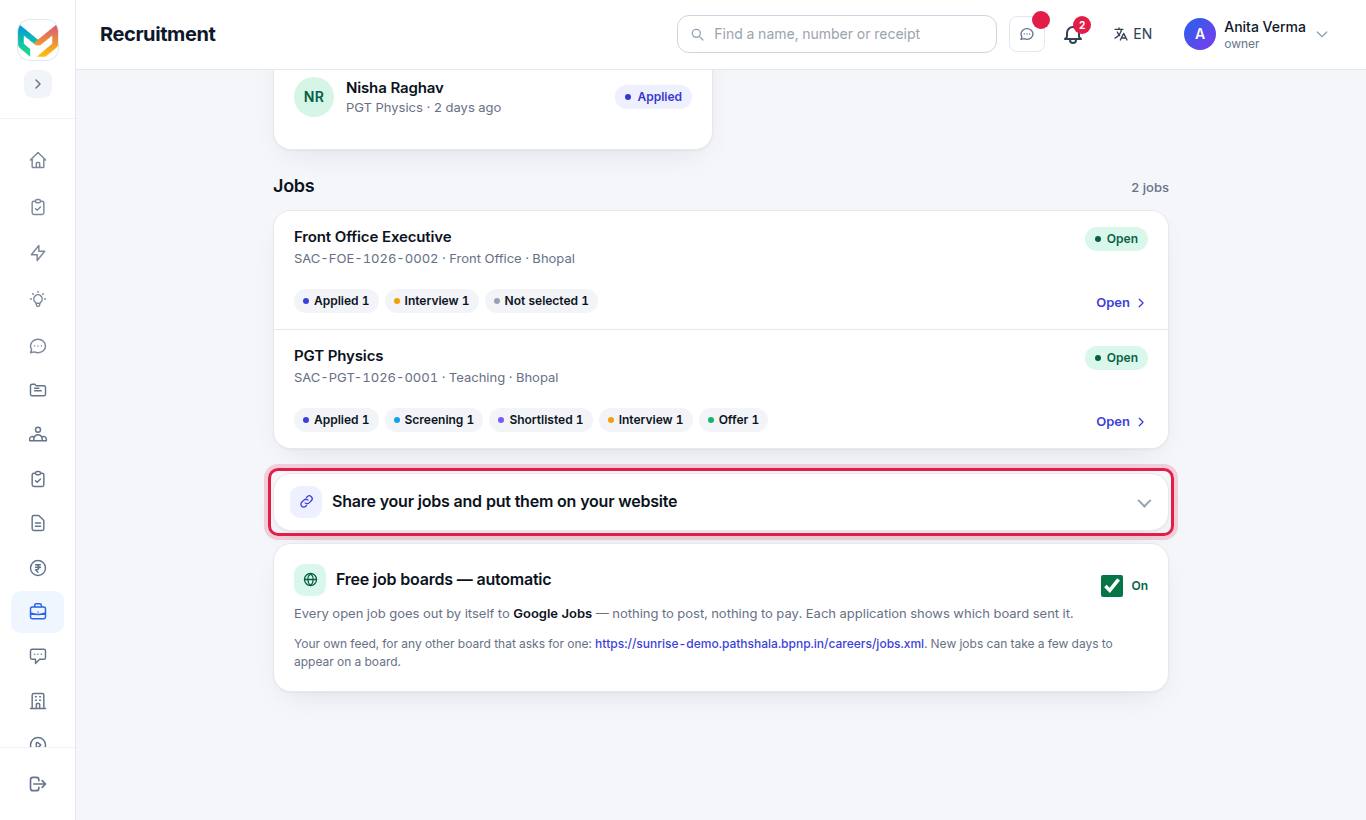
| What | Where | How to use it |
|---|---|---|
| Your careers page — every open job | Recruitment home | Copy the link, Open it ↗, or Share on WhatsApp ↗ |
| Put the jobs on your own website | Recruitment home | Copy the one-line code and give it to whoever runs your website. It shows your open jobs and the apply form on that page. |
| One job only | The job's page | Each job has its own link and website code. Add data-job="…" to the code to show only one job. |
The website code looks like this:
<script src="https://sunrise.pathshala.mjxtechnologies.com/careers/embed.js" async></script>#Who can use this?
- Owner, Admin (where roles were never set up) and anyone with the HR role.
- Open-job limits: Forever Free 1, Basic 10, Pro no limit. When you reach the limit, you see: "Your plan, … allows up to … open jobs. Everything you already have stays — upgrade to add more."
#Related
#Questions people ask
Can I put the jobs on my own website?
Yes. Copy the one-line website code from Recruitment, under "Share your jobs and put them on your website", and give it to whoever runs your website. Applications from it land in MJX Hire.
Do screening questions reject people automatically?
No. If an answer is different from what the job needs, the application is flagged "Answer to check". Nobody is rejected automatically.
Can I delete a job?
Only while nobody has applied. Once people have applied, close the job instead — the applicants stay.
What is the difference between Pause and Close?
A paused job is hidden for now and nobody new can apply; you can open it again. A closed job takes no more applications; the people who applied stay.
How many jobs can be open at once?
Forever Free allows 1 open job, Basic up to 10, and Pro has no limit. Drafts, paused and closed jobs do not count.