
MJX Learn — sell and teach courses online
MJX Learn is the course-selling LMS in Pathshala for coaching centres, tutors and schools. Sell courses, teach live, run tests, get paid.
MJX Learn is the course-selling and teaching part of Pathshala by MJX Technologies. You put your batches, recorded courses, test series and notes online; learners pay on your own course page or in the app, and access opens by itself the moment the payment is complete. You can teach live, set tests and assignments, answer doubts and give certificates — from the website or from your phone.
On the website, press Apps and choose MJX Learn to see its menu. The app that you and your learners install is called MJX Learn.
#Who is MJX Learn for?
- Coaching centres selling JEE, NEET, UPSC or skill batches, crash courses and test series.
- Tutors and tuition classes who teach in person and want attendance, monthly fees and study books on the learner's phone.
- Schools and colleges that want to sell or share recorded classes, notes and tests.
- Learners (students) who buy, watch, ask doubts and sit tests in the MJX Learn app or in a browser.
#What can you do with it?
#How does selling a course work?
- You create a course and add topics — YouTube videos, your own uploaded videos, PDF links or written notes.
- You tick Sell this to anybody with the link and set a price.
- You share the course's own page on WhatsApp, Instagram or a poster, or let people find it on your course store, your public page and Google.
- The learner pays online. Access opens by itself and the link reaches the learner on WhatsApp.
- MJX collects the payment and sends your share to your verified bank account.
#Web or app?
| What | Website (Apps › MJX Learn) | MJX Learn app |
|---|---|---|
| Create courses, chapters and topics | Yes | Yes |
| Upload your own videos (MJX Protected Video add-on) | Yes | Yes |
| Live classes, batches | Yes | Yes |
| Mock tests, assignments, reviews, doubts | Yes | Yes |
| Discount codes, refunds, Invoices & GST, Terms & Privacy | Yes | Yes (owner/admin) |
| Analytics, funnel, abandoned checkouts, nudges, affiliates | Yes | Analytics only |
| Event photo albums | — | Yes |
| Learners: buy, watch, download, ask, test | Browser at /learn | Yes |
Get the app from the MJX Learn page or the Google Play Store (com.mjxtechnologies.app.lms). The iPhone app is listed as "Coming soon on the App Store".
#Plans at a glance
| Plan | What it adds |
|---|---|
| Forever Free | Courses, topics, selling and the app — with limits (by default 50 learners, 2 courses and 1 staff login) |
| Basic | Live classes, mock tests and certificates (also assignments, offline attendance, signature & seal) and Coupons |
| Pro | Everything in Basic, plus Affiliates, referrals and abandoned-cart nudges and the AI course and test builder |
Prices are on the MJX LMS product page under Plans & pricing. See Plans and billing for the details.
#Where to start
#Sign up
Open Start 14-day free trial. MJX Fees Management and MJX LMS are switched on for you.
#Create your first course
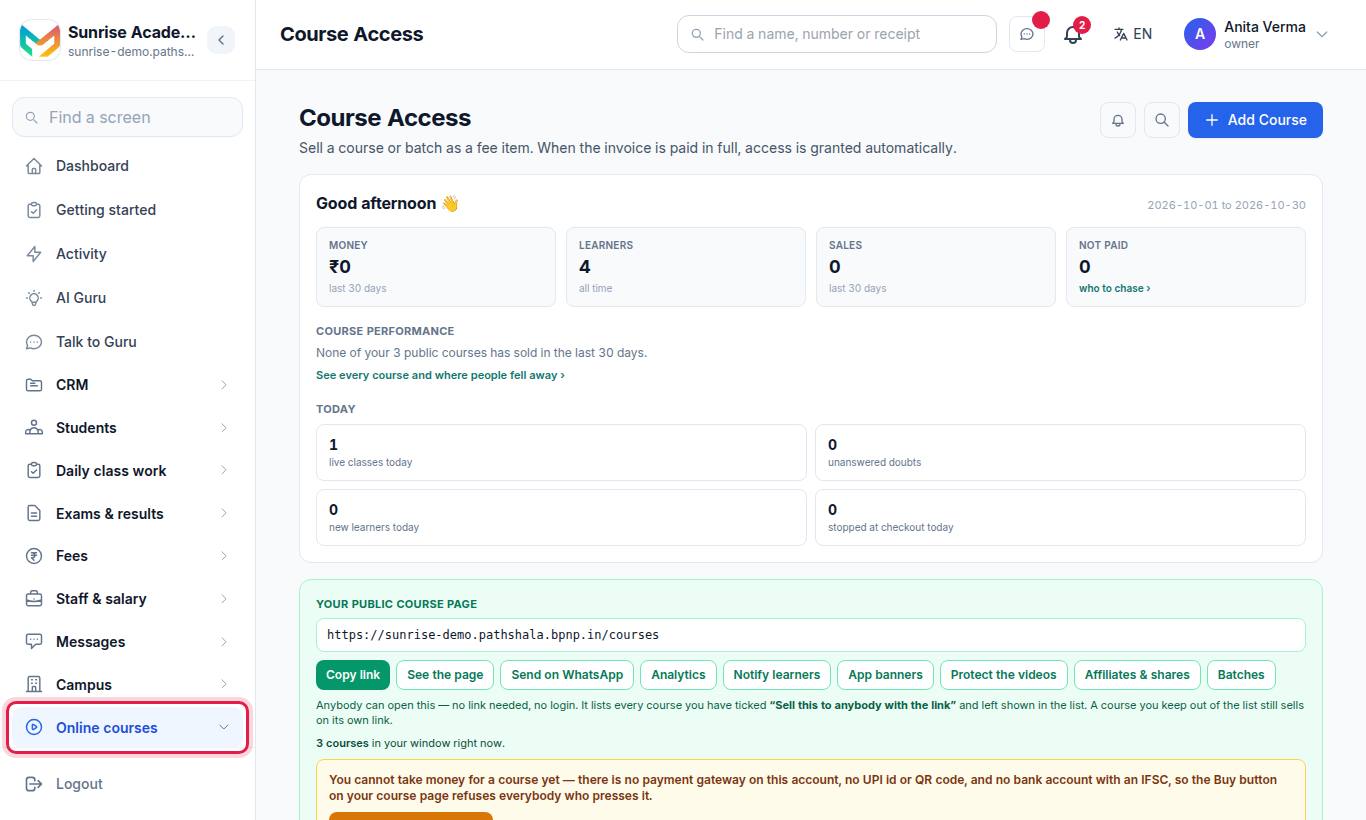
Go to Apps › MJX Learn › Courses and press Add Course.
#Get verified to be paid
Open Getting paid & KYC and add your bank account (step 3), so your share of every sale reaches you.
#Share the link
Copy your course's link and send it on WhatsApp.
Follow the full walk-through in the Quickstart for educators.
#Need help?
WhatsApp or call 7996837555, or email info@mjxtechnologies.com. See also Troubleshooting, FAQ and Best practices.
#Questions people ask
What is MJX Learn?
MJX Learn is the learning management system (LMS) in Pathshala by MJX Technologies. Coaching centres, tutors and schools use it to sell courses, teach recorded and live classes, run mock tests and answer doubts, on the web and in the MJX Learn app.
Is MJX Learn the same as MJX LMS?
Yes. The app is called MJX Learn. On the website it is MJX Learn in the Apps list; older pages may still say MJX LMS.
Do I need a separate fees product?
No. A course is billed and unlocked through MJX Fees Management, so it comes with MJX Learn at no extra cost.
Can I try it for free?
Yes. Every sign-up starts with a 14-day free trial. After that you can stay on Forever Free or move to a paid plan.
Can a learner forward a paid course link to a friend?
They can forward it, but it will not open for anybody else. Opening a course sends a 6-digit code to the learner's own WhatsApp number, and only one device can be signed in at a time.