
Add hostel rooms and beds
Add hostel rooms with their block, floor and beds in Pathshala, add more beds later, and switch off or delete a room.
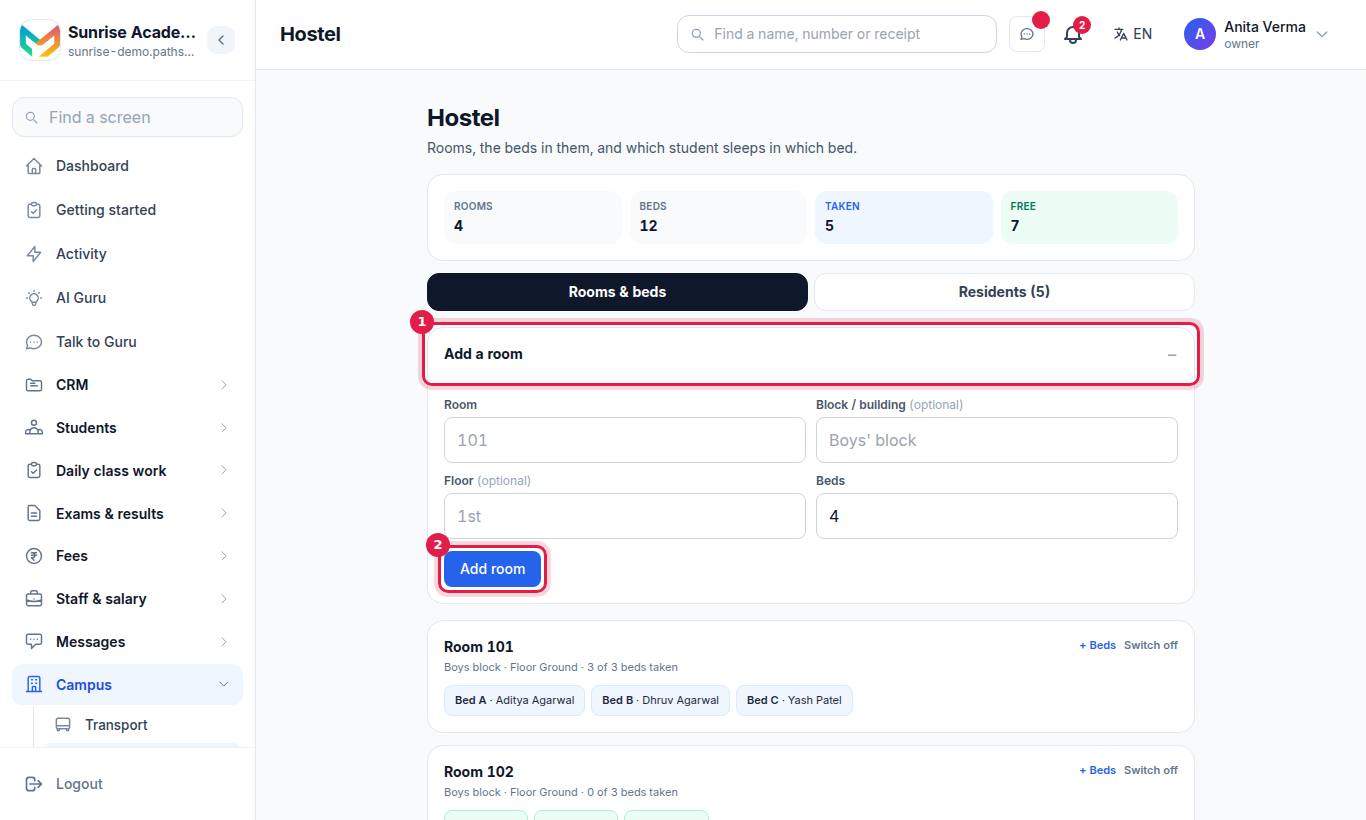
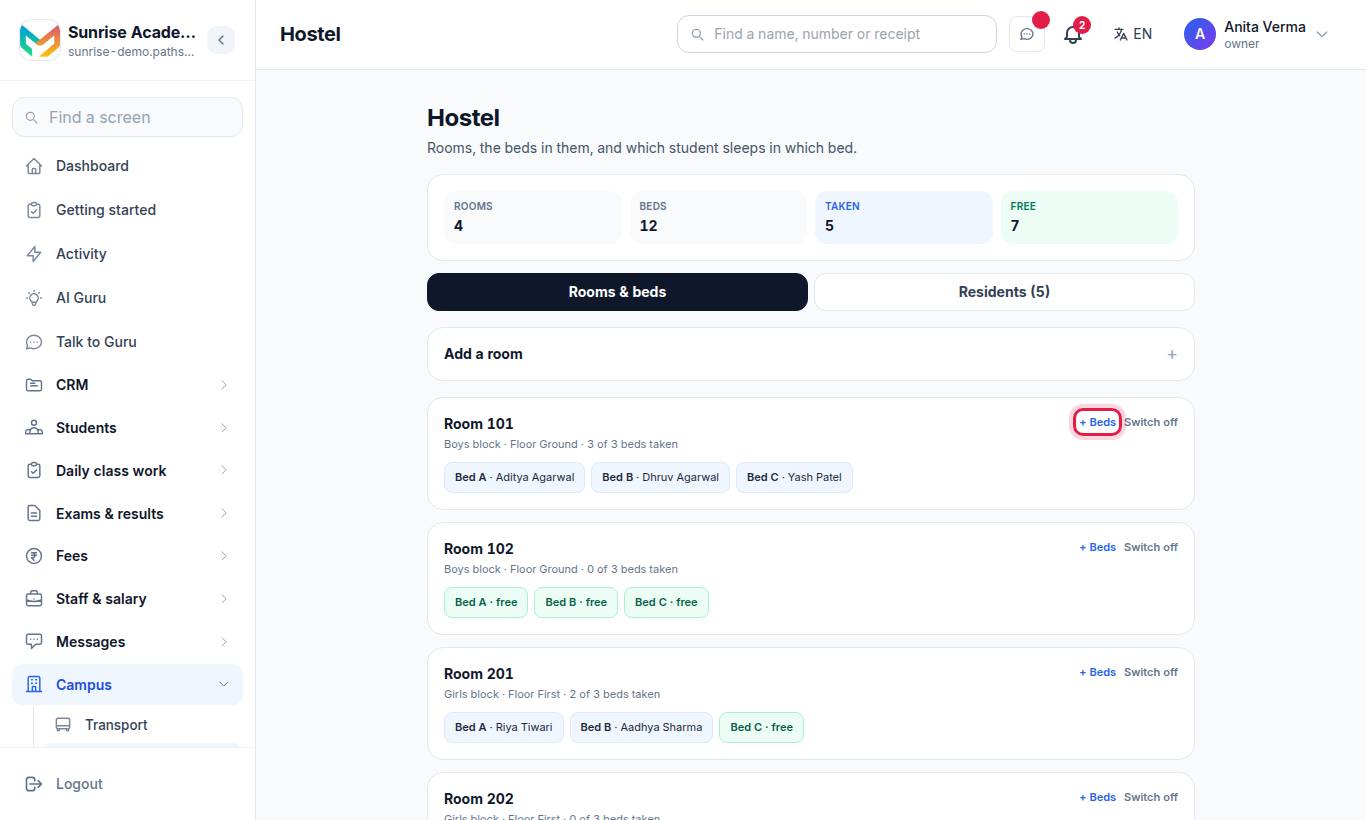
Rooms are the base of MJX Hostel in Pathshala. You add each room with its block, floor and the number of beds in it; the beds are made with the room. Later you can add more beds, or switch a room off when it is not in use.
Only the owner or an admin can change rooms and beds.
#How to add a room
#Steps
- On Rooms & beds, press Add a room to open the form.
- Type the Room name or number, for example 101.
- Optionally type the Block / building (for example Boys' block) and the Floor (for example 1st).
- Type the number of Beds in the room (4 by default, up to 50).
- Press Add room.
A room name that already starts with Room, Dorm, Dormitory, Hall, Suite or Flat is shown as typed; otherwise "Room" is put in front.
#How to add more beds to a room
- Press + Beds on the room.
- Type how many more beds, and confirm.
The new beds continue the numbering. You see Beds added.
#How to switch a room off or on
- Press Switch off on a room that is not in use. It is marked (switched off) and its free beds cannot be given to anyone. A room where somebody still lives cannot be switched off — move them out first.
- Press Switch on to use it again.
#How to delete a room
- Switch the room off.
- Press Delete and confirm.
Only a room nobody has ever stayed in can be deleted. If someone has stayed there, you see Somebody has stayed here, so it cannot be deleted — switch it off instead. Its history is kept.
#Messages you may see
| Message | What to do |
|---|---|
| A room needs a name. | Type the room name or number |
| There is already a room with that name (in …). | Use a different name, or put it in a different block |
| How many beds? Type a whole number. | Type a number such as 4 |
| Add up to 50 beds at a time. | Add the beds in two goes |
| Somebody still lives in this room. Move them out first. | Move the residents out before switching it off |
| Your plan, …, allows up to n beds. Everything you already have stays — upgrade to add more. | Your plan's bed limit is reached; upgrade to add more beds |
| Only an owner or an admin can change the hostel. | Ask the owner or an admin |
#Tips
- Use the Block / building field for boys' and girls' blocks — residents' lines then read Boys' block · Room 101 · Bed 2.
- Add every bed that physically exists, even if empty, so Free is a true count.
#Questions people ask
How are beds named?
Beds are numbered 1, 2, 3 and so on when you add a room. Beds added later continue the numbering.
How many beds can I add at once?
Up to 50 beds at a time. Your plan may also set a limit on the total number of beds.
Can I delete a room?
Only a room nobody has ever stayed in, and only after switching it off. A room with history stays, switched off, so past stays are kept.
Can two rooms have the same name?
Not in the same block. "101" can exist once in the Boys' block and once in the Girls' block.