
Allot a hostel bed and move a student out
Put a student in a free hostel bed in Pathshala, find any resident by name or room, and move a student out while keeping their stay in history.
Residents are the students living in your hostel. In Pathshala you put a student in a bed by tapping a free bed, and you move them out from the Residents tab. One student has one bed; one bed has one student.
#Who can use this?
| Action | Who |
|---|---|
| See residents and search them | Everyone who signs in to the institution |
| Put a student in a bed, move a student out | Owner and Admin only |
#How to put a student in a bed
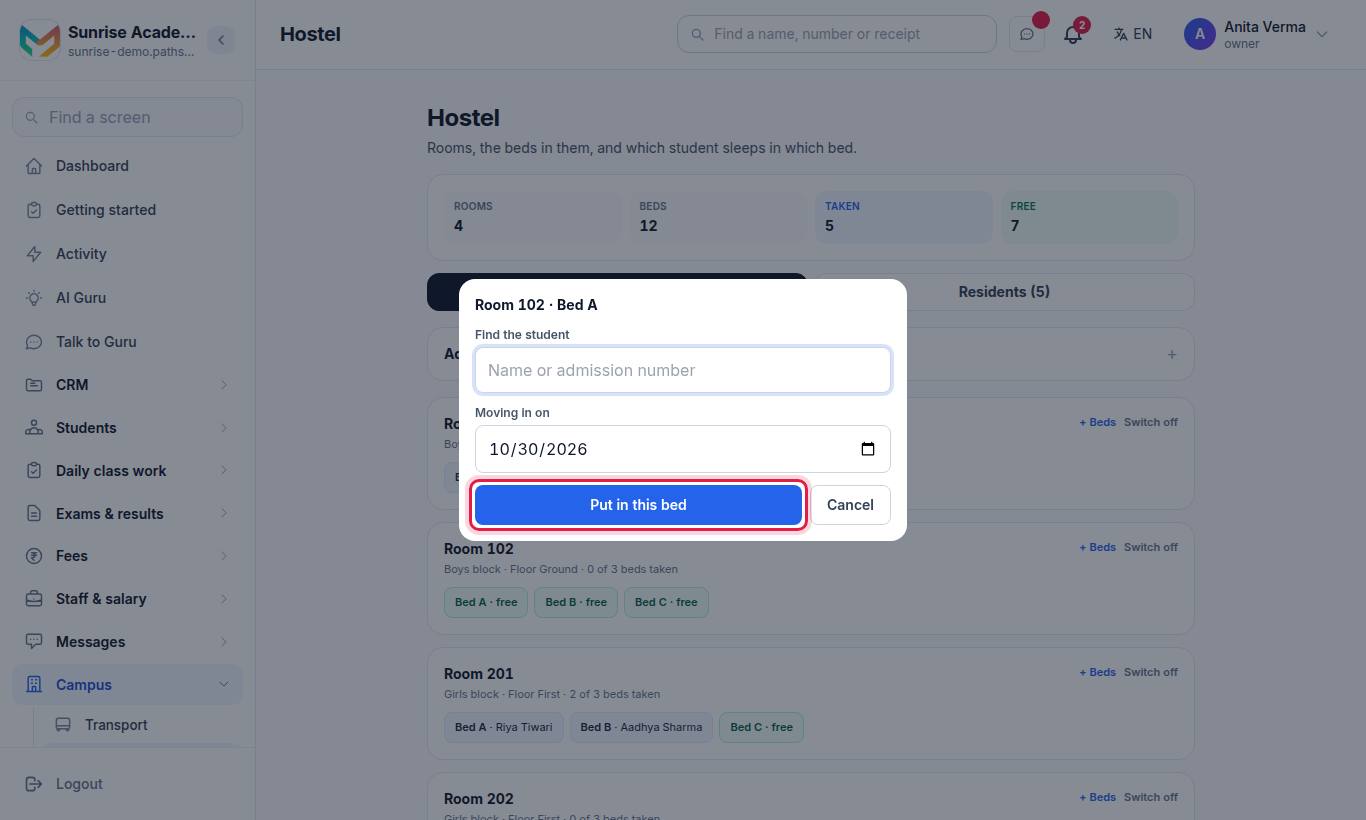
#Steps
- Find the room and tap a bed marked free (for example Bed 2 · free).
- Under Find the student, type at least two letters of the name, or the admission or roll number.
- Tap the student in the results. A student who already has a bed shows already in ….
- Check Moving in on (today by default).
- Press Put in this bed.
#How to find a resident
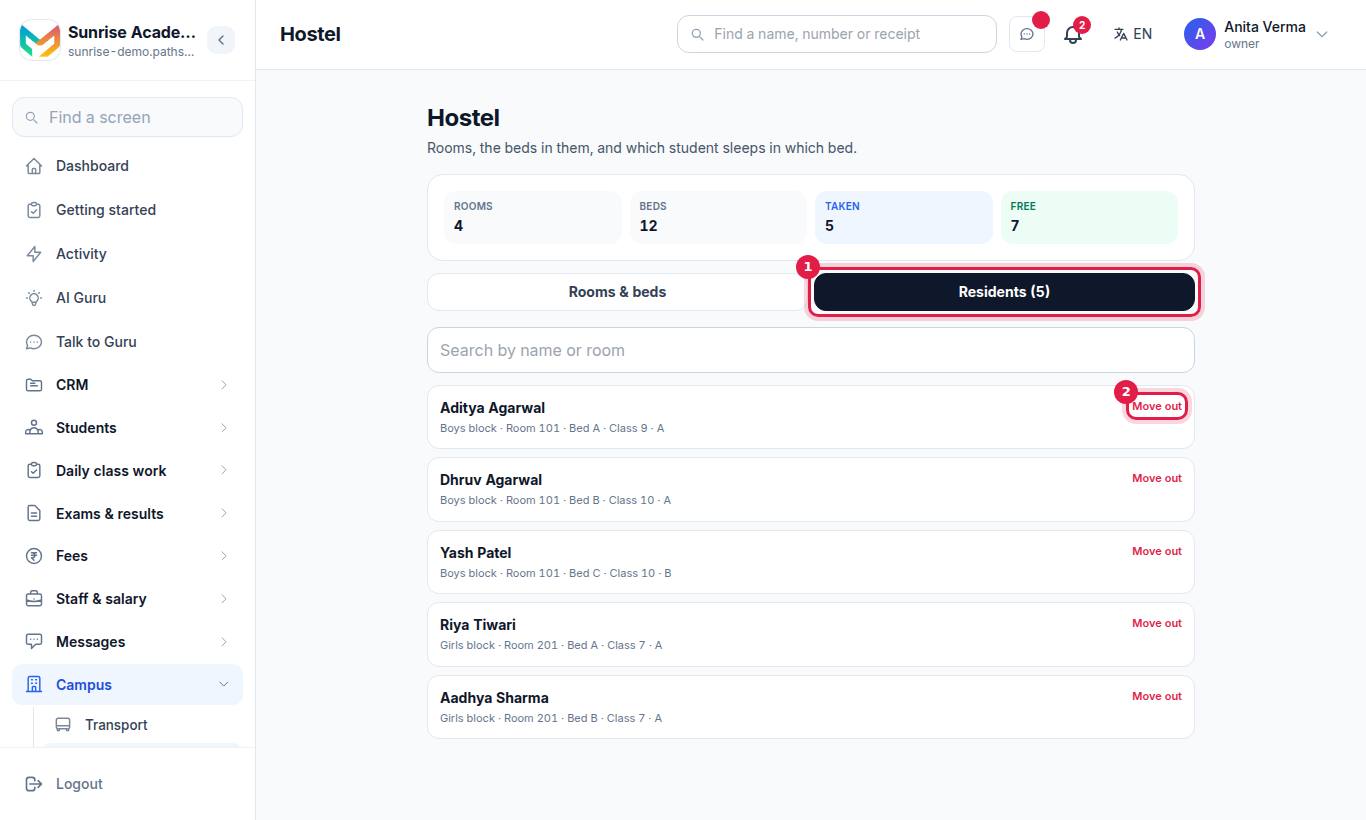
Type in Search by name or room. Each resident shows their name, their room line (for example Girls' block · Room 204 · Bed 1) and their class. A student who is no longer active shows their status in brackets.
The same room and bed, with the date they moved in, appear on the student's profile under the More tab.
#How to move a student out
#Steps
- Open Residents and find the student.
- Press Move out.
- Confirm. The stay ends today and is kept in the history.
#How to move a student to another bed
- Move them out of their current bed.
- On Rooms & beds, tap the free bed in the new room and put them in it.
#Messages you may see
| Message | What to do |
|---|---|
| Search and tap the person first. | Tap the student in the search results before saving |
| Nobody by that name. | Try part of the name, or the admission number |
| (Name) already has a bed (…). Move them out of it first. | Move them out of the old bed |
| Somebody is already in that bed. Choose a free one. | Someone took it a moment ago; choose another bed |
| That bed is switched off. Choose another. | The room is switched off; switch it on or use another room |
| They have already moved out. | Nothing to do — refresh the page |
| The move-out date cannot be before the move-in date. | Check the dates |
#Tips
- Do the move-ins on the day students arrive, and move-outs on the day they leave, so Free is always right for new admissions.
- Hostel fees are not charged from this screen. To bill only the students who stay, set up a hostel activity (Fees Pro) and enrol them — a fee head in a class's structure would bill every student of that class.
#Questions people ask
Can a student have two beds?
No. A student can be in one bed at a time, and a bed holds one student. Move them out of the old bed before giving a new one.
How do I move a student to another room?
Move them out of their current bed, then tap the free bed in the new room and put them in it.
Is the stay deleted when a student moves out?
No. Moving out ends the stay today and keeps it in the history.
Can I choose the move-in date?
Yes. The Moving in on date is today by default and can be changed before you save.