
HR letters on your letterhead — appointment, experience, relieving
Issue numbered appointment, experience, relieving, salary and other HR letters as PDFs, filled in from the person's record, and checkable online.
HR letters in MJX HR are filled in from the person's profile and salary structure, numbered, and issued as a PDF on your letterhead. In Pathshala, the person can open their own letters on My HR, and anyone can check a letter is genuine on your verification page.
#Kinds of letter
Appointment letter · Confirmation letter · Experience certificate · Relieving letter · Salary certificate · Employment verification · Salary revision (increment) letter · Warning letter · Other letter.
#Steps to issue a letter
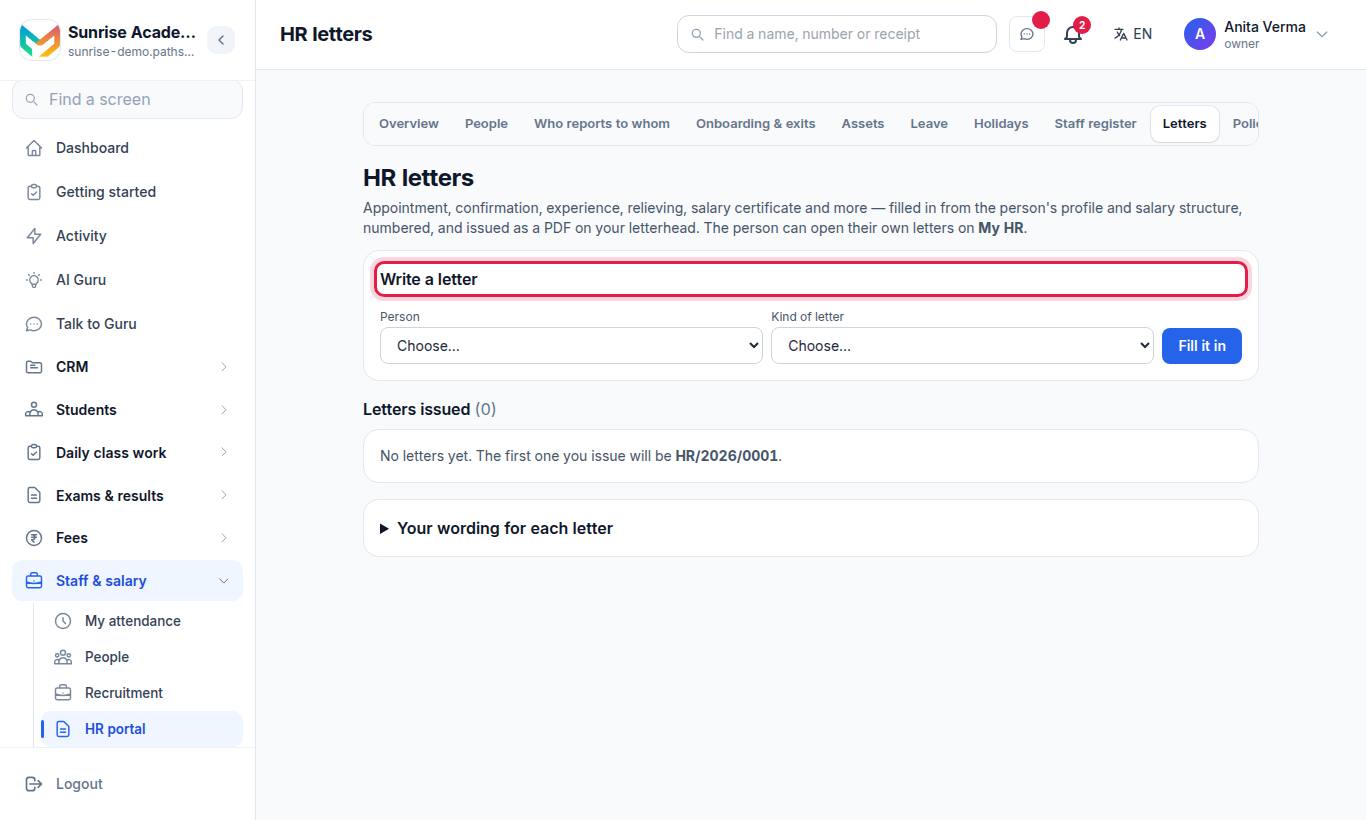
- Under Write a letter, choose the Person and the Kind of letter.
- Press Fill it in. The Subject and The letter are filled from their record. If something is missing, the screen says "Not on (name)'s profile yet:" and lists it.
- Read the letter and change anything you want. A blank line starts a new paragraph. Replace every
[FILL: …]. - Optional (MJX HR Pro): under ✨ Ask AI to reword it, type what you want — for example make it more formal · shorter — and press Reword. It is a draft only: it keeps your names, dates and amounts, and you still read it.
- Leave Show this letter to the person on their My HR page ticked, or untick it.
- Press Issue letter and confirm.
#Answering an Ask HR request with a letter
When an employee asks for a letter on My HR, Requests shows Write the letter. It opens this screen with the person and kind chosen and says "Answering (name)'s request. Issuing the letter closes the request and puts the letter on their My HR."
#Your own wording for each letter
Under Your wording for each letter:
- Choose the kind of letter and press Show the wording.
- Change the Subject and body. Words in
{{double braces}}are filled in for each person — The words that are filled in lists them (name, job title, department, joining date, last working day, notice period, monthly and yearly gross salary, revision figures, today's date and more). - Press Save wording. Every new letter of that kind uses it.
- To undo, press Go back to the built-in wording.
#Salary letters and increments
Salary figures come from MJX Payroll's salary structure. A Salary revision (increment) letter uses the increment that was approved, not the salary table as it stands today, and names any arrears it owes.
#Who can use it?
| Who | Plan |
|---|---|
| Owner, Admin, the HR job | MJX HR Basic and Pro |
| AI reword | MJX HR Pro (shows 🔒 on Basic) |
| The employee | Opens their own letters on My HR |
#Questions people ask
Can I change a letter after issuing it?
No. Once issued, a letter gets its number and cannot be changed — only withdrawn with a reason, which is kept on the record.
Where does the salary in a letter come from?
From the person's salary structure in MJX Payroll. For an increment letter, from the increment that was approved, so the letter still says what was agreed after a later raise.
Can the employee download their letter?
Yes, if Show this letter to the person on their My HR page is ticked. It appears under Your name (top right) › My profile › My letters.
How can a bank or BGV agency check a letter?
Every letter prints the link to your letter verification page, where anyone can check it by its reference number.
Which plan has HR letters?
MJX HR Basic and above. Asking AI to reword a letter is MJX HR Pro.