
API keys and authentication for MJX CRM
Make an MJX CRM API key, choose read or read-and-write, send it as a Bearer token, and revoke it when it is no longer needed.
Every call to the MJX CRM API and the MCP server carries an API key. In Pathshala, the key itself says which institute you are — the address you call and the body you send cannot change that.
#What does a key look like?
A key starts with mjx_live_ followed by 40 letters and digits, for example:
mjx_live_AbCdEfGhIjKlMnOpQrStUvWxYz0123456789AbCdThe list on the Integrations page shows only its first 13 characters (mjx_live_AbCd…) so you can tell keys apart.
#How to make an API key
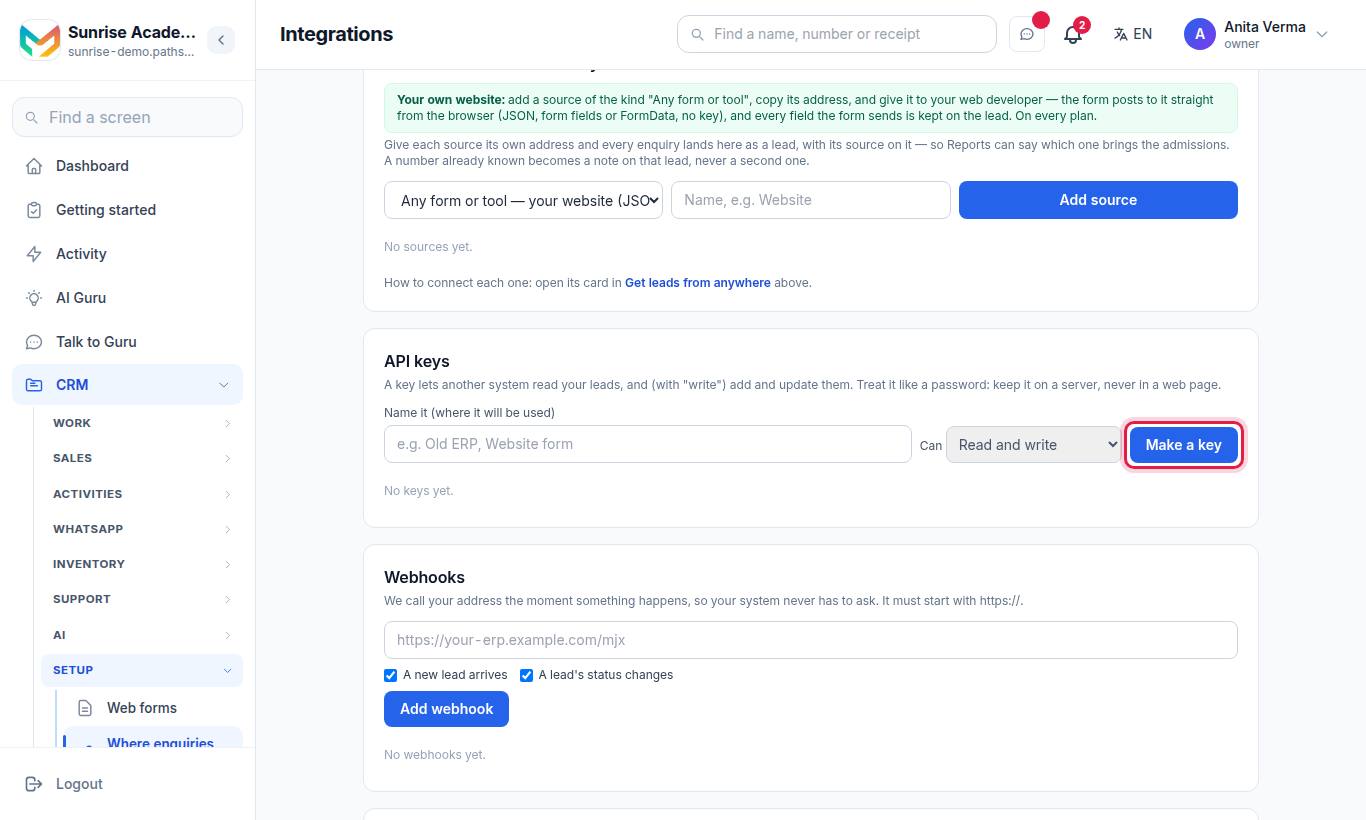
- Sign in as the Owner or an Admin.
- Open the Integrations page and scroll to API keys.
- In Name it (where it will be used), type a name such as "Old ERP" or "Zapier".
- In Can, pick Read and write or Only read.
- Press Make a key.
- Copy the key from the box that says "Copy this key now — it will not be shown again." Press Copy, then I have copied it.
#Scopes: read and write
| Scope | Label on screen | What it allows |
|---|---|---|
read | Only read | GET /me, GET /leads, GET /leads/{id}, GET /tags; MCP tools search_leads, get_lead, list_tags, crm_summary |
read + write | Read and write | Everything above, plus POST /leads, PATCH /leads/{id}, POST /leads/{id}/notes; MCP tools create_lead, update_lead, add_note |
A read-only key that tries to write gets 403 with: "This key is read-only. Make a key with "write" to add or change leads."
There is no delete scope. No key can delete a lead.
#How to send the key
Send it in the Authorization header as a Bearer token:
curl https://sunrise.pathshala.mjxtechnologies.com/api/v1/crm/me \
  -H "Authorization: Bearer mjx_live_…"
Or in the X-API-Key header:
curl https://sunrise.pathshala.mjxtechnologies.com/api/v1/crm/me \
  -H "X-API-Key: mjx_live_…"
If both are sent, the Authorization: Bearer header is used.
#What is checked on every call?
- A key was sent. If not:
401"Send your API key: "Authorization: Bearer mjx_live_…"." - The key exists and is not revoked. If not:
401"That API key is not valid, or it was revoked." - MJX CRM is switched on for the institute. If not:
403"MJX CRM is not switched on for this institute." - The institute is on MJX CRM Pro. If not:
403"The API comes with MJX CRM Pro." (on the MCP server: "The MCP connection comes with MJX CRM Pro.") - For a write, the key has the
writescope.
The Pro check runs on every request, not only when the key was made. A key keeps working the moment the institute is back on Pro.
#How to revoke a key
- Find the key in the list.
- Press Revoke.
The key stops working at once. The row stays in the list with "revoked" and the date. Revoking works on every plan, even after a move to Basic.
#Limits on keys
| Limit | Value |
|---|---|
| Keys at a time (not revoked) | 20 — "An institute can have 20 keys at a time. Revoke one first." |
| Key name length | 80 characters (empty becomes "My key") |
| Calls per key | 120 a minute (see Rate limits and errors) |
#Who can manage keys?
Only the Owner or an Admin. Anyone else gets "Only the owner or an admin can manage integrations." Making a key needs CRM Pro; on Basic the page shows a lock and the buttons are greyed out.
#Tips
- Name each key after the system that uses it. The "used" time tells you which keys are still alive.
- Use Only read for reporting tools and AI assistants that only need to look.
- The same key works for the REST API and the MCP server.
#Questions people ask
Can I see my API key again later?
No. The key is shown once, when you make it. We keep only a fingerprint (hash) of it. If you lose it, revoke it and make a new one.
How many keys can an institute have?
Up to 20 keys that are not revoked, at the same time.
What happens to my keys if we move from CRM Pro to Basic?
The keys are kept, but every call is refused with "The API comes with MJX CRM Pro." until you are on Pro again. Revoking still works on any plan.
Can I put the key in my website's JavaScript?
No. A key reads your whole list of leads. Keep it on a server. For a website form, use a lead source address instead — it needs no key.