
WhatsApp in MJX CRM — chat, reply, drafts and quotes
See each enquiry's WhatsApp chat, reply by hand, let the AI draft a reply, send quotes and fee quotes, and reach the inbox, templates and broadcasts.
MJX CRM is WhatsApp-first: every enquiry (lead, for a business) has its WhatsApp chat on its page, and you can reply, send files, send a quote, or let the AI draft a message. The full shared inbox, templates and broadcasts belong to MJX WhatsApp Automation and appear in the CRM menu when you have it.
#WhatsApp rows in the CRM menu
| Row | Opens | Needs |
|---|---|---|
| WhatsApp inbox | /whatsapp/inbox — every chat in one place | WhatsApp Automation, feature "inbox" |
| WhatsApp templates | /whatsapp/templates — your own templates for Meta approval | WhatsApp Automation, feature "templates" |
| WhatsApp broadcasts | /whatsapp/broadcasts — WhatsApp broadcasts | WhatsApp Automation, feature "broadcasts" |
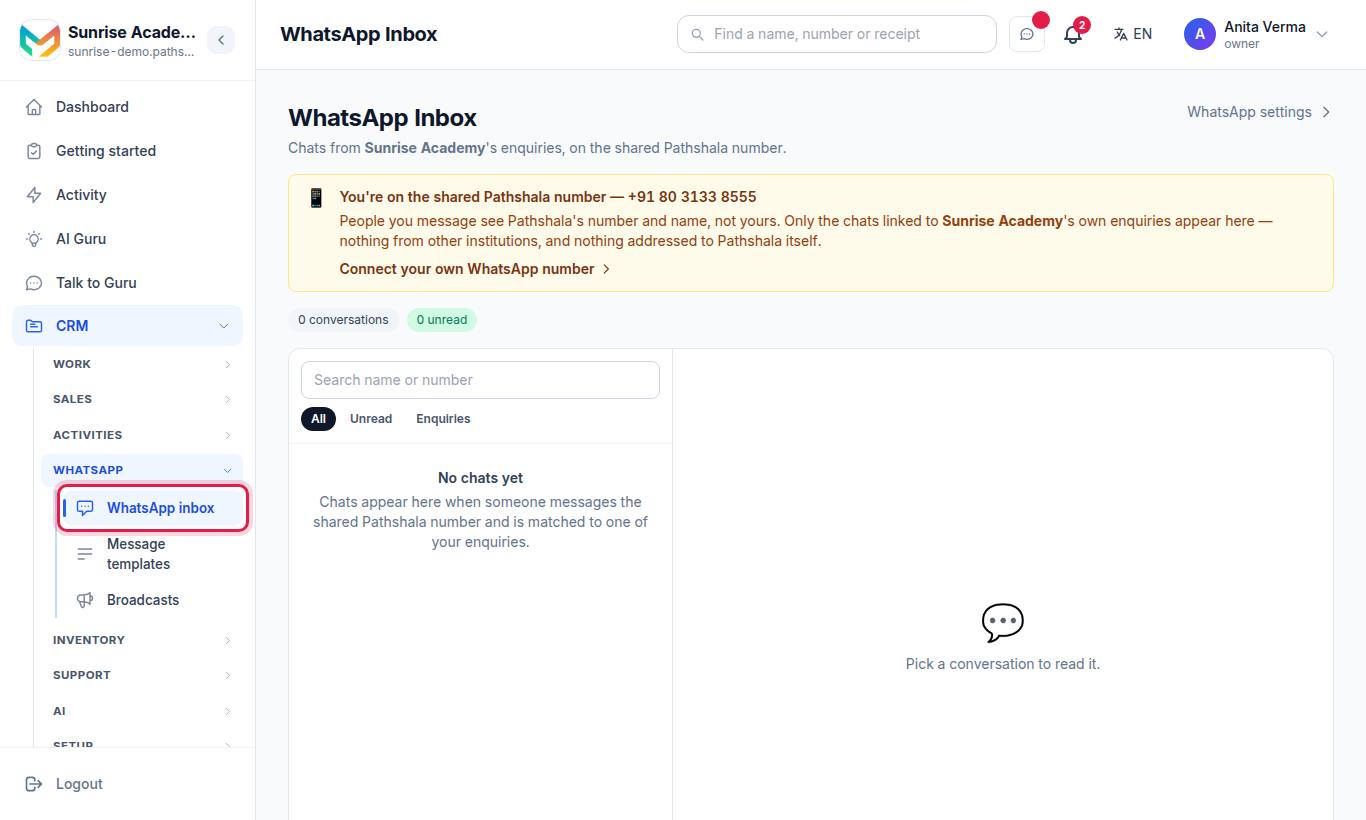
If your plan does not include one of these, its row shows a lock. The CRM's own scheduled broadcasts to enquiries by step or tag are on Auto messages.
#The chat on an enquiry
Open an enquiry and choose the WhatsApp Chat tab. The newest messages are at the bottom. Each message shows who sent it — the AI, a template, or 👤 You for a message typed by staff.
#How to reply by hand
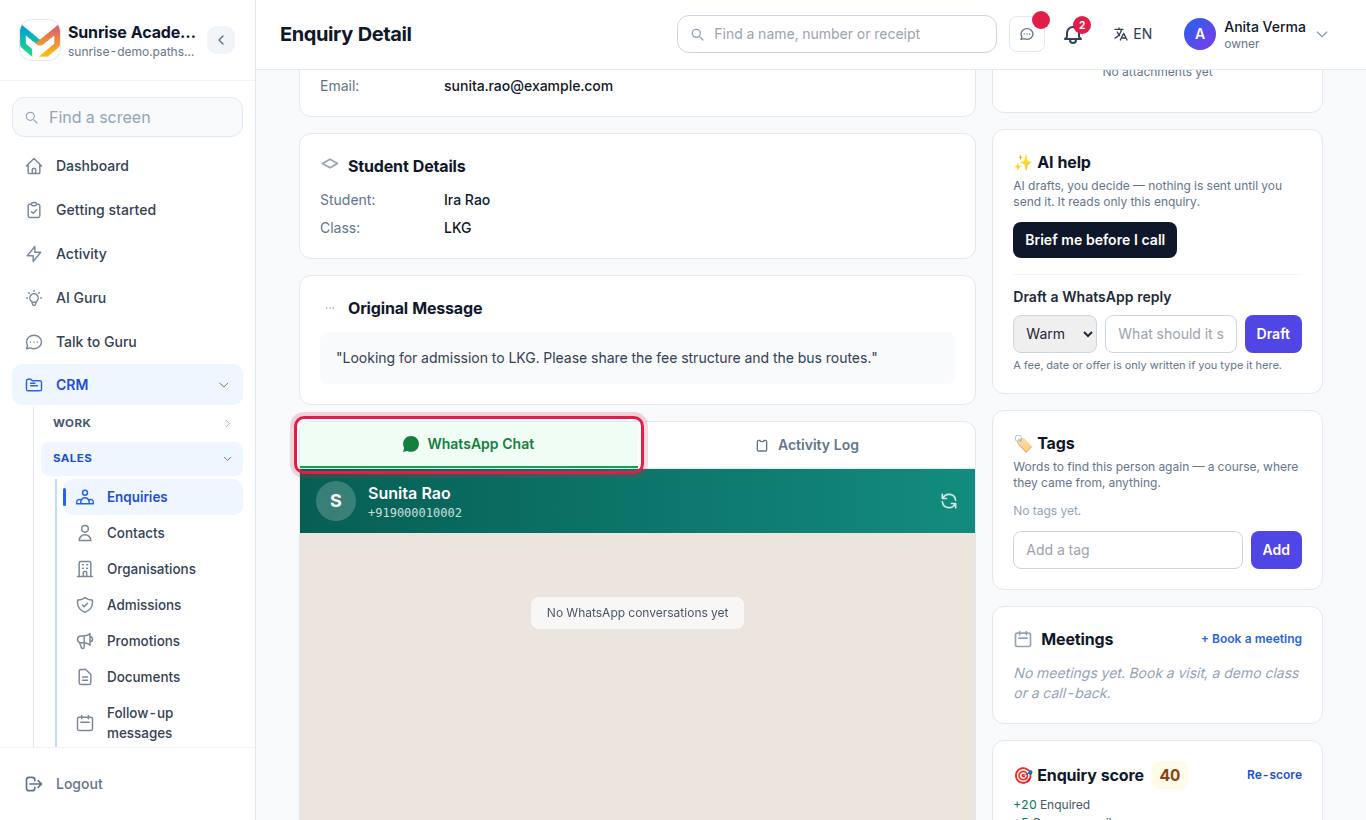
- Type in Type a reply....
- To send one of your saved files, press the file button next to the box.
- Press Send.
When staff reply, the chat changes from 🤖 AI Active to 👤 Manual Mode ("AI paused (owner is replying)"). Press Resume AI to let the AI answer again.
| Limit | Value |
|---|---|
| Message length | 4,096 characters |
| Photo | Up to 5 MB ("A photo can be at most 5 MB on WhatsApp. Send a smaller one.") |
The WhatsApp button at the top of an enquiry opens a chat with that number in your own WhatsApp app instead.
#Let the AI draft a reply
The ✨ AI help card on an enquiry has Draft a WhatsApp reply:
- Pick a tone: Warm, Short or Formal.
- Say what it should say, e.g. "invite them for a demo on Saturday 5 pm".
- Press Draft.
- Edit the draft, then press Put in the reply box, Open in WhatsApp or Copy.
"AI drafts, you decide — nothing is sent until you send it. It reads only this enquiry." A fee, date or offer is only written if you type it. The same card has Brief me before I call, a short summary before a call.
#Send a quote or fee quote on WhatsApp
| From | Button | What is sent |
|---|---|---|
| An enquiry (schools and institutes with MJX Fees) | 💰 Send fee quote → Send on WhatsApp | The fee quote for what they asked about |
| A quote under Quotes / Fee quotes | Send on WhatsApp | The quote's lines to the phone on the lead or the account |
If the message cannot be sent, you see why ("Not sent: …") and can use Open in WhatsApp to send it yourself. A quote needs at least one line ("Add at least one line first.") and a phone number. See Accounts, deals and quotes.
#WhatsApp that runs by itself
| Feature | Where | Plan |
|---|---|---|
| New WhatsApp contacts become enquiries | Automatic | Every plan |
| Follow-up messages on chosen days | Follow-ups and sequences | CRM Basic |
| Sequences and broadcasts | Follow-ups and sequences | CRM Pro |
| Template sent by a rule | Automation | CRM Pro |
| Meeting invites and reminders (you press send) | Tasks and meetings | Every plan |
#Who can use it?
Anyone who can open an enquiry can see its chat. Replying by hand comes with MJX CRM Basic and above. The inbox, templates and broadcasts rows need MJX WhatsApp Automation.
#Tips
- Reply inside 24 hours whenever you can — after that only approved templates go through.
- Get two or three templates approved before admission season so you can always reach people.
- Hand the chat back with Resume AI after you have answered, so night-time questions still get a reply.
#Questions people ask
Does every WhatsApp message become an enquiry?
Yes. A new number that messages your WhatsApp becomes an enquiry (lead) by itself, with the source WhatsApp, and the chat shows on its page.
Why does my typed reply fail?
WhatsApp lets a typed message reach only people who wrote to you in the last 24 hours. After that, send an approved template.
Does the AI keep answering when I reply by hand?
When you reply, the chat switches to manual mode and the AI pauses. Press "Resume AI" to hand it back.
Why can't I see WhatsApp inbox in the CRM menu?
The WhatsApp rows show only when your organisation has MJX WhatsApp Automation. Inbox, templates and broadcasts are its own features.