
School ERP overview
What the Pathshala school ERP does for schools, colleges and coaching centres, who uses it, and where to start.
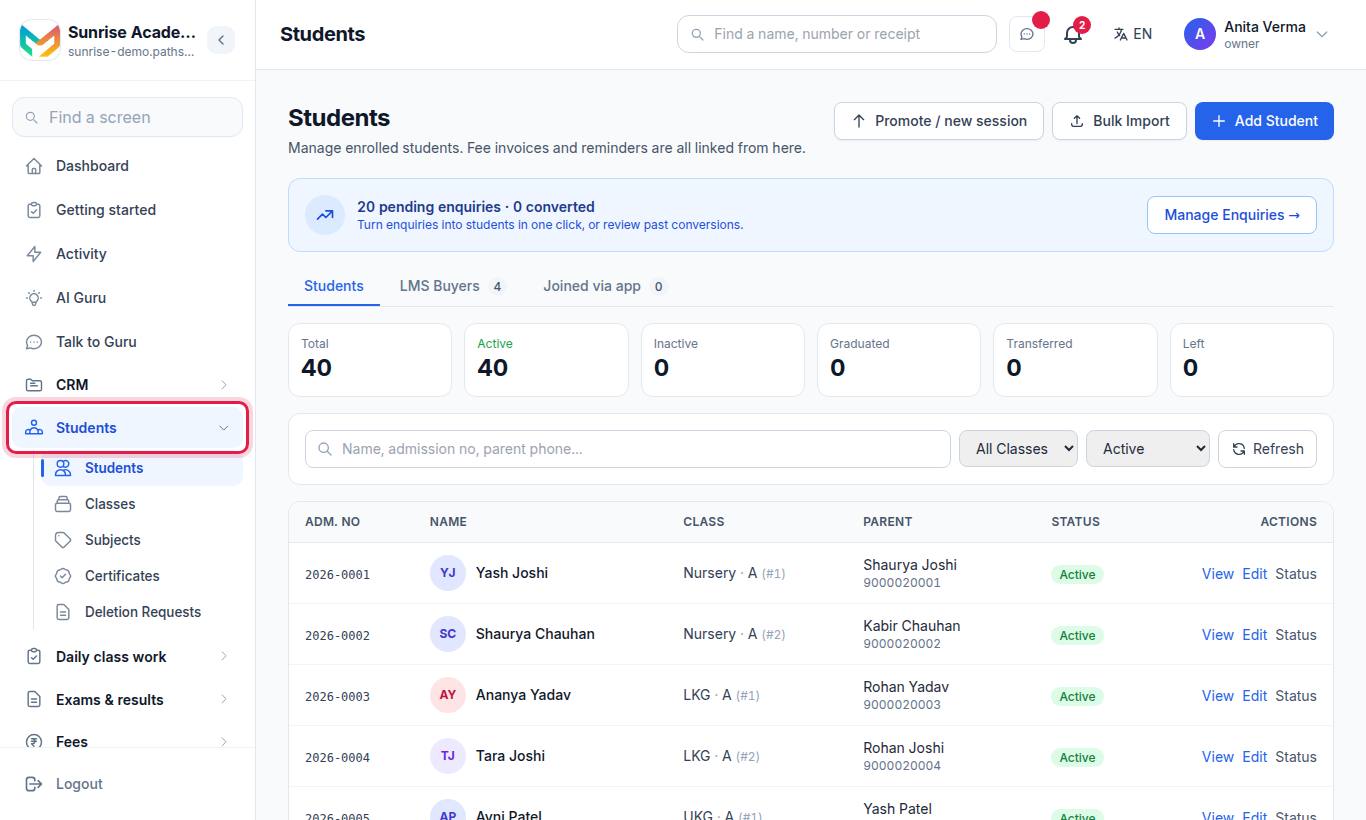
The Pathshala school ERP is the office side of your institution: the student register, classes and sections, daily attendance, notices to families, the calendar, transport, hostel and certificates. In Pathshala, everything hangs off one student record, so a child added once shows up in the register, the fee bills, exams and the parent app.
#Who is it for?
Pathshala is built for Indian schools, colleges, coaching centres, tuition classes and skill institutes. You choose your type when you sign up. The screens then speak your language:
| Thing | School | Coaching centre | Tuition classes | College | Skill institute |
|---|---|---|---|---|---|
| Person enrolled | Student | Student | Student | Student | Learner |
| Top level | Class | Target Exam | Grade | Branch (inside a Course) | Course |
| Level under it | Section | Batch | Batch | Section | Batch |
| Teacher | Teacher | Faculty | Tutor | Professor | Trainer |
| In charge of a class | Class teacher | Lead faculty | Lead tutor | Lead faculty | Lead trainer |
| Head | Principal | Director | Owner | Dean | Head |
| Joining | Admission | Enrollment | Enrollment | Admission | Enrollment |
In these docs we use the school words. If you run a coaching centre, read "Class" as "Target Exam" and "Section" as "Batch".
#What can you do?
For timetable, homework, exams, report cards and the question bank, see Academy.
#Where is it in the menu?
The menu shows one product at a time. Press Apps (top left) and choose School & Academics:
| Where | What is in it |
|---|---|
| The menu | Students, Attendance, Timetable, Homework, Syllabus, Lesson plans, Exams, Exam report, Notices |
| School settings (foot of the menu) | Classes, Subjects, Certificates, Deletion requests, Study material, Question bank, Calendar |
| Other products in Apps | MJX CRM (enquiries and visits), Fees, WhatsApp, Transport, Hostel, MJX Library … |
| Settings (foot of the menu) | Organisation details, people and roles, billing |
A teacher's School menu starts with class work, and the first product in a teacher's Apps list is School & Academics; an accountant's is Fees. The Find a screen box at the top of the menu searches every product you have.
#Which modules does each screen need?
| Screen | Needs |
|---|---|
| Students, Classes | Every institution account |
| Subjects, Calendar, Certificates | MJX Academic |
| Attendance | MJX Academic or MJX Attendance |
| Notices | The Communication module (included in MJX ONE and MJX Academic plans) |
| Transport | The Transport module |
| Hostel | The Hostel module |
Prices and plan contents are on the Pricing page. Transport and Hostel are not yet on public sale as products of their own; if you need them, ask MJX support to switch them on.
#Who can do what?
Every login has a role: Owner, Admin or Staff. Until the owner sets up custom roles, these defaults apply:
| Task | Owner | Admin | Staff |
|---|---|---|---|
| See the student list and profiles | Yes | Yes | Yes |
| Add or edit a student, import, promote | Yes | Yes | No |
| Add or rename classes | Yes | Yes | No (can see the list) |
| Add subjects | Yes | Yes | Yes |
| Mark the attendance register | Yes | Yes | Yes (their own classes) |
| Change the shortage percentage | Yes | No | No |
| Write and publish notices, calendar entries | Yes | Yes | No |
| Issue or cancel certificates | Yes | Yes | No |
| Edit transport and hostel | Yes | Yes | No (can look up) |
The owner can widen or narrow any of this under Sidebar › Settings › People & roles › Roles & permissions by giving a person a job such as Principal, Accountant or Class teacher.
#Where to start
#Add your classes
Open Apps › School & Academics › School settings › Classes and press Add all to add the usual classes, or add your own.
#Add your subjects
Open Apps › School & Academics › School settings › Subjects and add what you teach.
#Add students
Add one by hand with Add Student, or bring your list in with Bulk Import.
#Mark the register once
Open Apps › School & Academics › Attendance, pick a class and press Save.
#Publish your first notice
Open Apps › School & Academics › Notices and press Write a notice.
The Getting started page (the Getting started row at the top of the menu, for owners and admins) keeps this list for you and ticks each step off as you do it.
#Web and app
Everything here works in the browser on a phone or a computer. Teachers can also use the MJX Teacher app, and families the MJX Parent app.
#Need help?
WhatsApp or call MJX on 7996837555, or email info@mjxtechnologies.com.
#Questions people ask
Is Pathshala only for schools?
No. It works for schools, colleges, coaching centres, tuition classes and skill institutes. You pick your type at sign-up and the screens use your words, for example "Batch" instead of "Section" for a coaching centre.
Do I need to buy every module?
No. Each product is sold on its own. The student list and the class list come with every institution account; attendance, exams, transport, hostel and the rest appear when your plan includes them.
Can a teacher see everything?
No. A teacher sees the classes they are responsible for on the register and reports. The owner decides who can do what under Settings › Roles & permissions.
Where do parents see all this?
In the MJX Parent app and the parent web page. Attendance, homework, notices, the calendar, results and fees reach families there.