
Letter verification for background checks (BGV)
Give banks, employers and BGV agencies a page to check your offer letters and experience certificates are genuine, by reference number.
Every letter you issue in MJX HR prints a link to your verification page. In Pathshala, anybody — a bank, a new employer, a background-verification (BGV) agency — can check there that an offer letter, experience certificate, relieving letter or other letter is genuine, by its reference number and the name on it.
#Set up your verification page
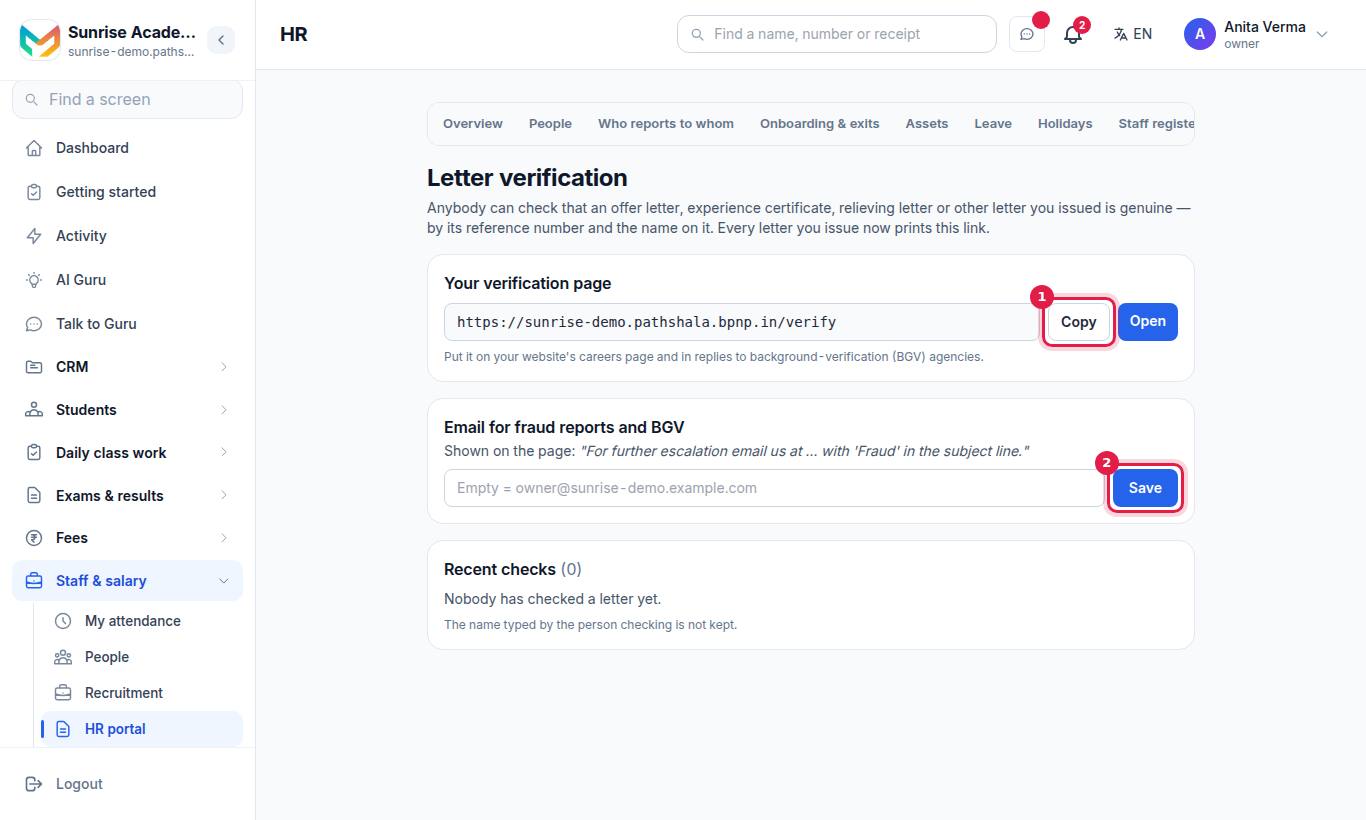
- Under Your verification page, press Copy to copy the link (your organisation's address followed by
/verify), or Open to see it. - Under Email for fraud reports and BGV, type the email to show on the page and press Save. The page prints "For further escalation email us at … with 'Fraud' in the subject line."
#What a checker does
The public page is called Fake letter detection.
- Type the Reference number (required) printed on the letter — for example
OFR/2026/1A2B3C4DorHR/2026/0012. - Optional: Name on the letter (optional) — as printed.
- Optional: Also check the PDF itself (optional) — choose the file (up to 20 MB).
- Press Verify.
#What they may see
| Result | Meaning |
|---|---|
| ✓ Genuine — this letter was issued by us | Found, with Reference number, Date issued, Issued by, and where it applies Employed from / Employed until |
| This letter was issued by us, but it is no longer valid | It was withdrawn |
| We did not find this document | No letter has this reference; it could be a suspicious or fraudulent document |
| The name you typed does not match the name on this letter… | Compare it with the paper — it may have been altered |
| ✓ The PDF you chose is exactly the file we issued… | Not one character has been changed |
| ⚠ The PDF you chose is NOT the file we issued… | It may have been altered, or it is a signed or scanned copy |
Without a name, the name is shown in part. Typing the name printed on the letter shows it in full, with the position.
#Recent checks
The settings screen lists Recent checks. If some checks were for letters you never issued, it warns: "Somebody may be using fake letters in your name." The name typed by the person checking is not kept.
#Who can use it?
| Who | What |
|---|---|
| Owner, Admin, HR job | Set the email, see recent checks (MJX HR Basic) |
| Anyone, no login | Use the public page |
#Questions people ask
Does the verification page show salary?
No. It only confirms what is on the letter. It never shares salary, contact details or personal information.
Do checkers pay to verify a letter?
No. Employers and verification agencies can check any letter at any time, free of charge.
Can it tell if a PDF was edited?
Yes. The checker can choose the PDF; only its digital fingerprint is compared with the one kept when the letter was issued, so even one changed word is caught. The file stays on their device.
Which letters can be checked?
HR letters (reference like HR/2026/0012) and MJX Hire offer letters (reference like OFR/2026/1A2B3C4D).
Which plan has letter verification?
MJX HR Basic and above, together with HR letters.