
School timetable — periods, weekly grid and teacher cover
Set your periods, fill the weekly timetable per class, see each teacher's week, find empty periods and arrange cover for an absent teacher.
The Timetable in Pathshala shows what each class does, period by period, for the whole week. You set your day's periods once, fill the grid per class, and every teacher sees their own week under My week.
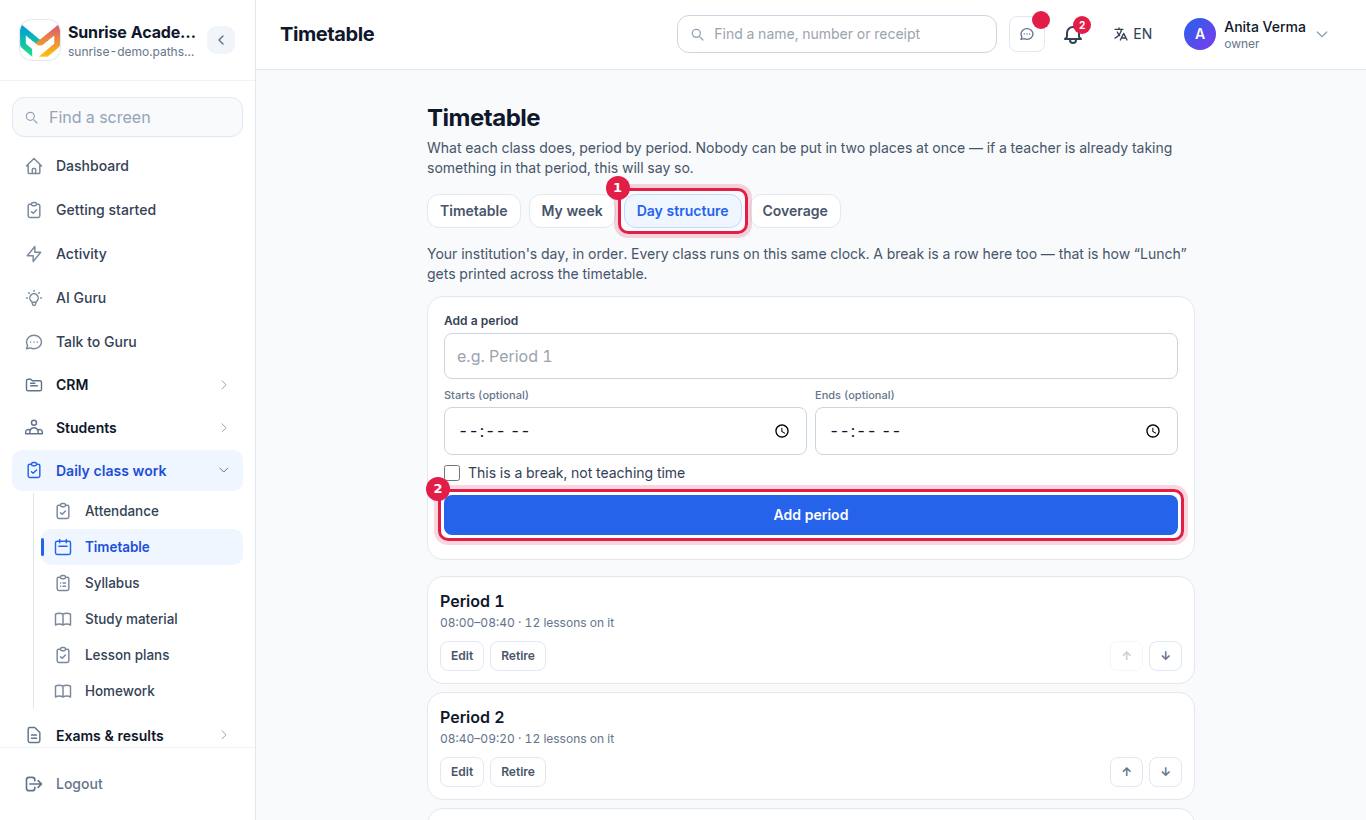
The screen has four tabs: Timetable, My week, Day structure and Coverage (Coverage is shown to the office only).
#Steps to set up your day (Day structure)
A timetable needs to know your day first: how many periods, what they are called and when the breaks are.
- Open Timetable and tap the Day structure tab.
- Under Add a period, type the name (for example "Period 1"), and the Starts (optional) and Ends (optional) times.
- For lunch or recess, tick This is a break, not teaching time. The break is then printed across the timetable.
- Press Add period. Repeat for every period of the day.
- Use the up and down arrows to put them in order.
#How to fill the timetable for a class
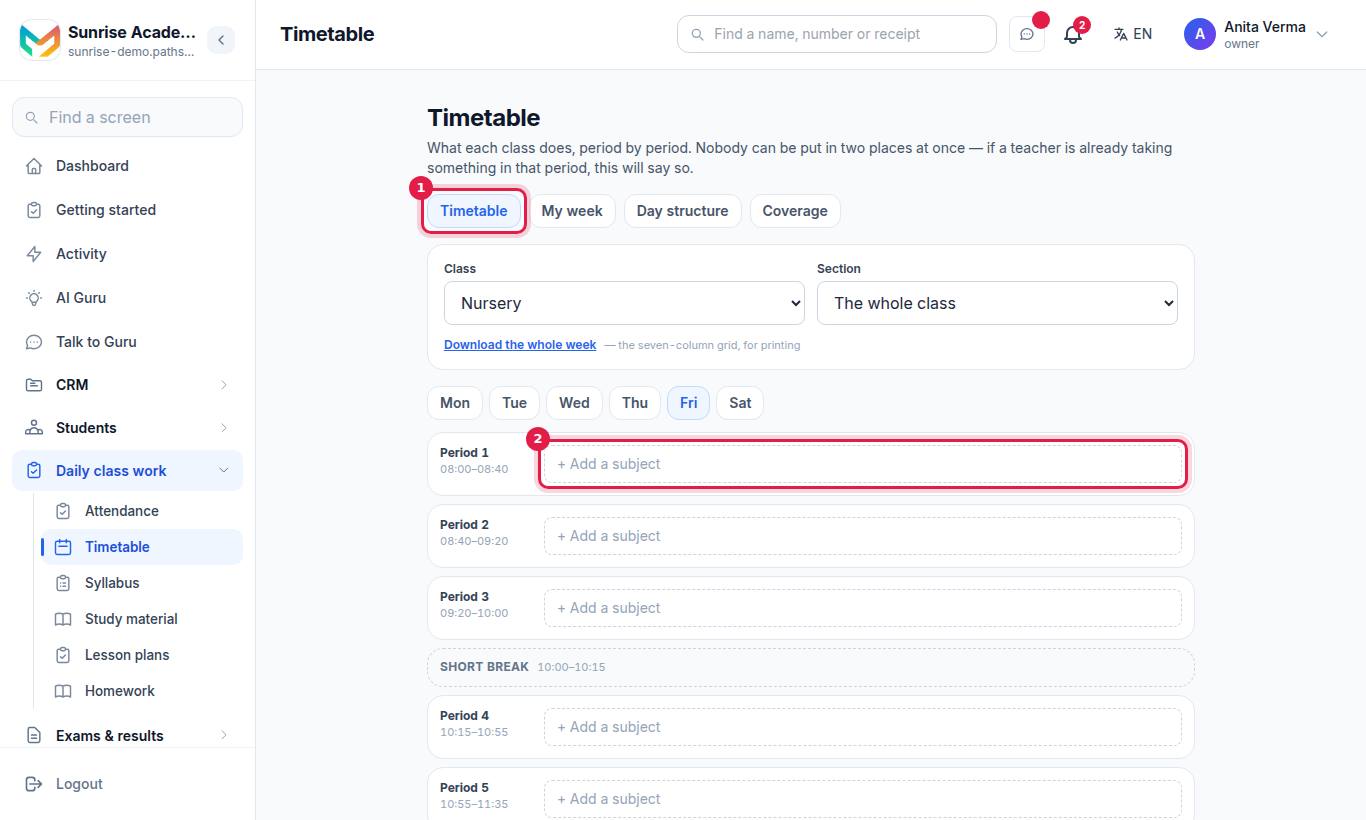
- On the Timetable tab, choose the Class and, if you have them, the Section.
- Tap an empty cell (a day and a period).
- In Set a period, choose the Subject, and optionally the Teacher and a Note (for example "Lab 2").
- Press Save. To empty a cell, open it and press Clear.
If the teacher you choose is already taking another class in that period, the timetable warns you. Nobody can be in two places at once.
#Print or download the week
Press Download the whole week to get the seven-column grid of the class, ready to print.
#What does a teacher see on "My week"?
My week shows everything a teacher is down to take, across every class. It shows only their own lessons. If nothing is there yet, it says "Nothing is timetabled to you yet" — the office has not put their name against a period.
#How to find empty periods (Coverage)
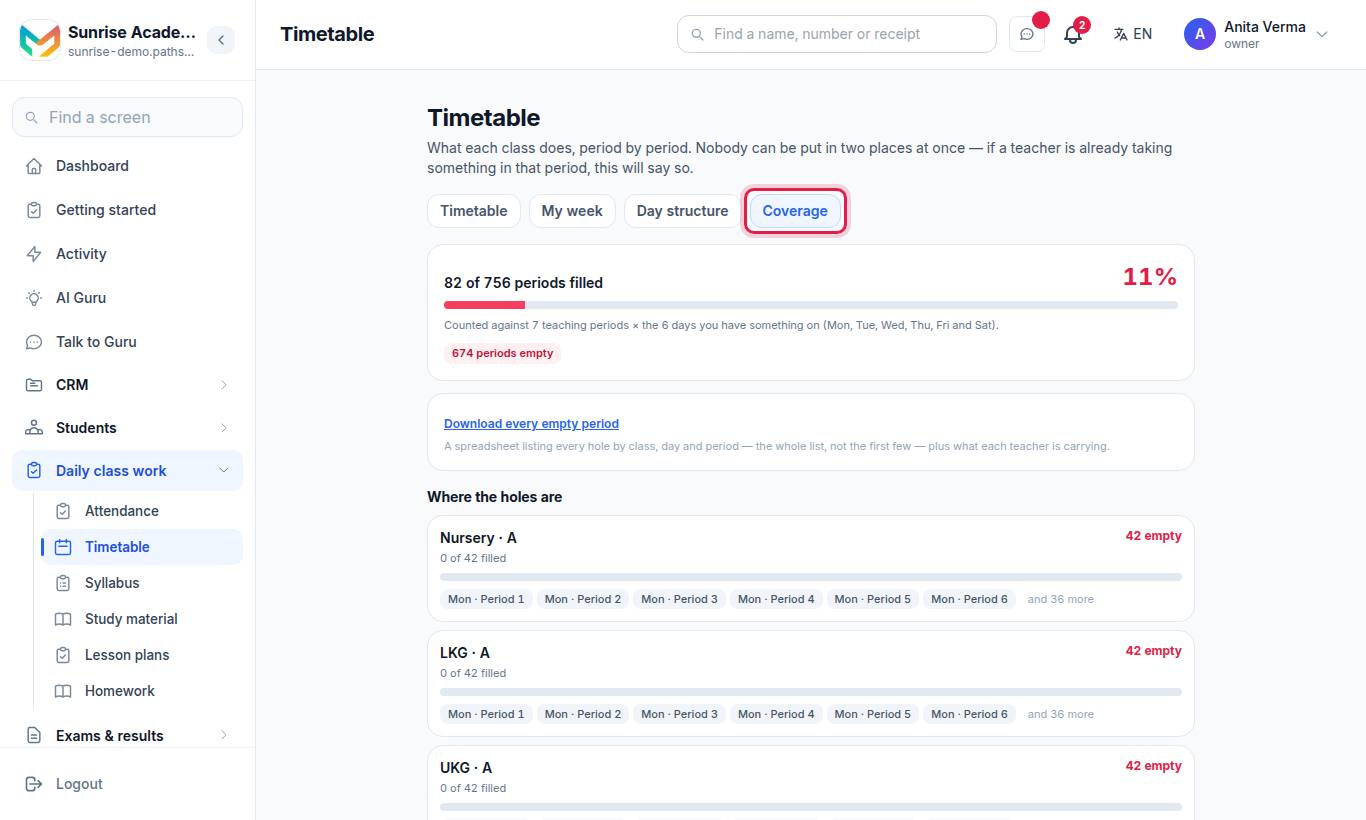
Coverage counts what is on the grid and changes nothing. It shows:
- Where the holes are — every empty period by class, day and period.
- What each teacher is carrying — periods a week, with each teacher's busiest day beside it.
Press Download every empty period for a spreadsheet of every gap plus each teacher's load.
#How to arrange cover for an absent teacher
When a teacher is away, write down who is standing in. The covering teacher's attendance register then opens on that class.
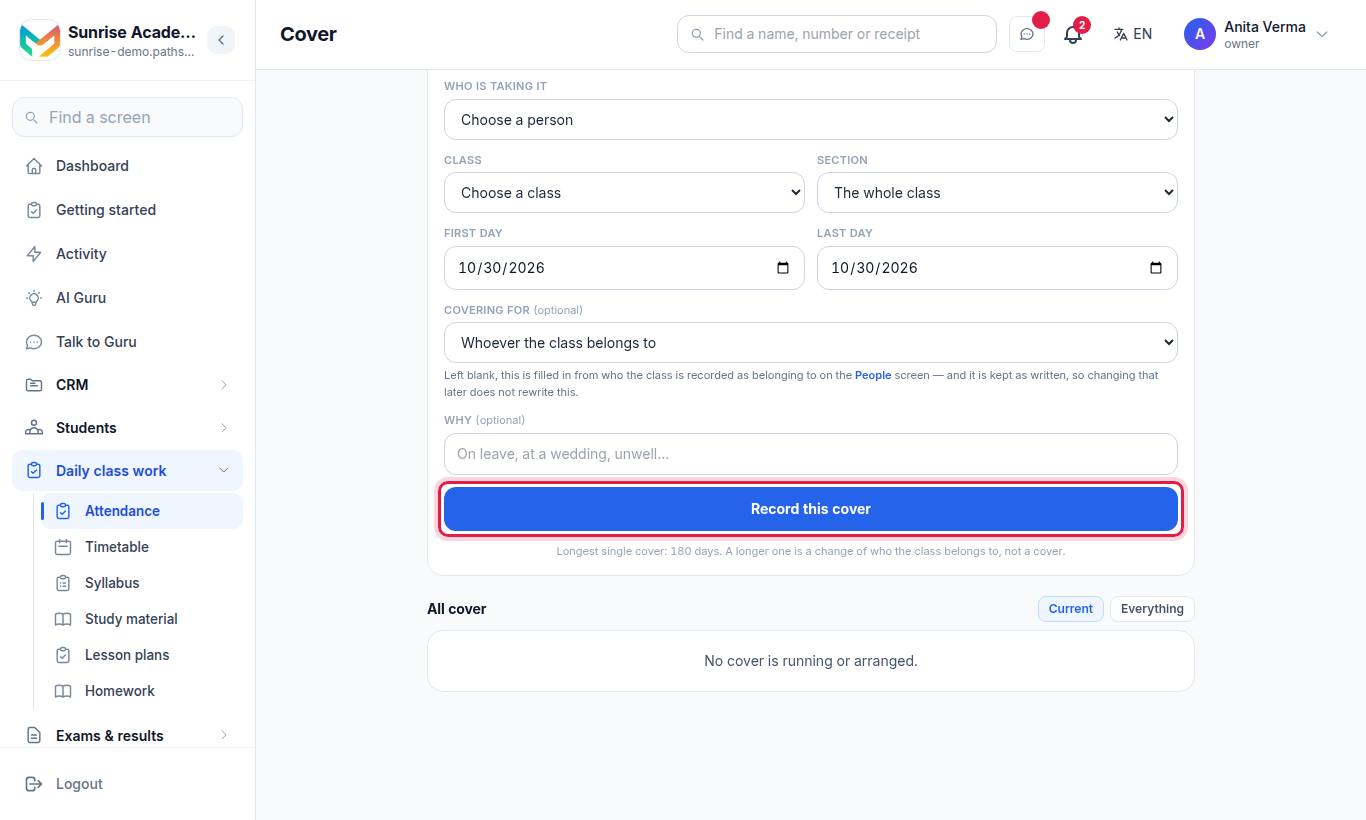
- Open Attendance and tap the Cover tab.
- Under Arrange cover, choose Who is taking it (the covering person).
- Choose the Class and the Section (or The whole class).
- Set the First day and Last day.
- Optionally choose Covering for (left blank, Pathshala fills in the class's own teacher) and type Why (for example "On leave").
- Press Record this cover.
The longest single cover is limited to a set number of days, shown on the screen. A longer change means the class belongs to someone else — change that on the Staff screen instead.
The list at the bottom has two views: Current and Everything.
#Who can use the timetable?
| Task | Who |
|---|---|
| See the timetable and My week | Owner, Admin, Staff |
| Day structure, filling the grid, Coverage | Owner, Admin |
| Arrange cover | Owner, Admin |
Plan: the timetable is in every MJX Academic plan, including Forever Free. Cover needs Basic or above.
#Tips
- Set the day structure before anything else; an empty clock is better than a wrong one.
- Put the teacher on every cell. That is what fills each teacher's My week and the Coverage load.
- Check Coverage after every change to make sure no class has an empty period.
#Questions people ask
Can a teacher be put in two classes in the same period?
No. When you choose a teacher who is already taking something in that period, the timetable says so.
Does Pathshala make the timetable automatically?
No. You fill the grid yourself. The Coverage tab then shows every empty period and how many periods each teacher is carrying.
Where do Games, Assembly or Library periods come from?
Add them as an Activity on the Subjects screen. An activity appears on the timetable and nowhere else.
Can I print the timetable?
Yes. Use Download the whole week for the seven-column grid of a class.
How do I tell the register who is covering a class today?
Record it on Attendance › Cover. The covering teacher's register then opens on that class.