
Mock tests with ranks, and quizzes under a topic
Build timed mock test series with negative marking, ranks and percentiles in MJX Learn, draft questions with AI, and add quick quizzes to topics.
MJX Learn has two kinds of tests. A mock test is a timed test inside a test series on a course, with marks, negative marking, a rank list and percentiles. A quiz is a few quick questions under one topic, to check understanding after a video.
#How to start a test series
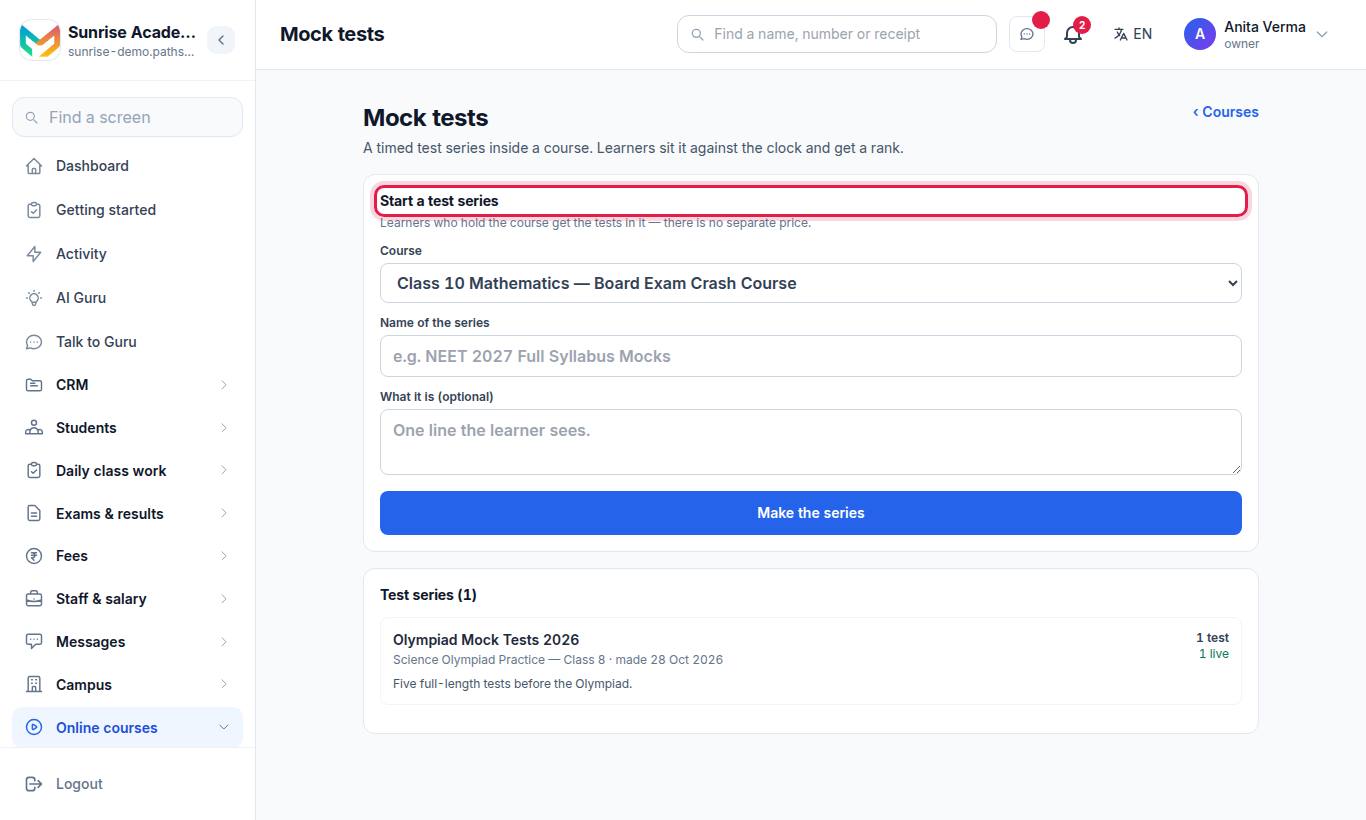
"A timed test series inside a course. Learners sit it against the clock and get a rank."
- Under Start a test series, choose the Course.
- Type the Name of the series, e.g. "NEET 2027 Full Syllabus Mocks", and What it is (optional).
- Press Make the series.
Learners who hold the course get every test in it.
#How to add a test
Open the series, then under Add a test:
| Field | What it means |
|---|---|
| Name of the test | e.g. "Full Mock 1". |
| How many minutes | The time limit (60 by default). |
| Marks off for a wrong answer | 0 means no negative marking. |
| Show the right answers | As soon as they submit, Only after the test closes, or Never. |
| Opens (optional) / Closes (optional) | When learners may sit it. |
| Instructions the learner reads first (optional) | Shown before they start. |
Press Add the test. A new test is a draft — press Publish when it is ready, or Take it back to draft to hide it again.
#How to add questions
Under Add a question, choose the Type:
- Multiple choice — one right answer
- Multiple choice — more than one right answer
- Answer is a number (with an allowed ± range)
Type The question, fill the options and tick the right one(s). Leave an option blank to use fewer — two is the least, six the most. The tick is the right answer; this is the only screen that shows it.
In the app's test editor you can also group questions into sections with New section, and see a test's Rank list.
#Write questions with AI (Pro)
- Under Write questions with AI, type the Topic or syllabus.
- Choose the Type, How many (up to 15) and Marks each.
- Press Write a draft.
- Untick any you do not want, then press Add the ticked questions — or Throw this draft away.
#Rank list
Press Rank list on a published test. It shows Rank, Learner, Score, Percentile, Right / wrong / blank, Time and Handed in. Only each learner's first attempt is ranked, once handed in.
#What learners see
On the course (app: Tests; web: /learn/…/tests), each test shows its time, marks and whether answers are shown.
- The learner presses Start the test. "Once you start, the clock does not stop."
- They move with Back, Mark for review and Next, or jump using All questions.
- They press Hand in the test. If time runs out it is handed in for them with every saved answer.
- The result shows the score Section by section, the correct answers (if you allowed it) and their percentile once enough learners have sat it.
A learner can sit it again for practice; "Only your first attempt counts for ranking." In the app: Start test, Resume test, Try again, See result.
#Quizzes under a topic
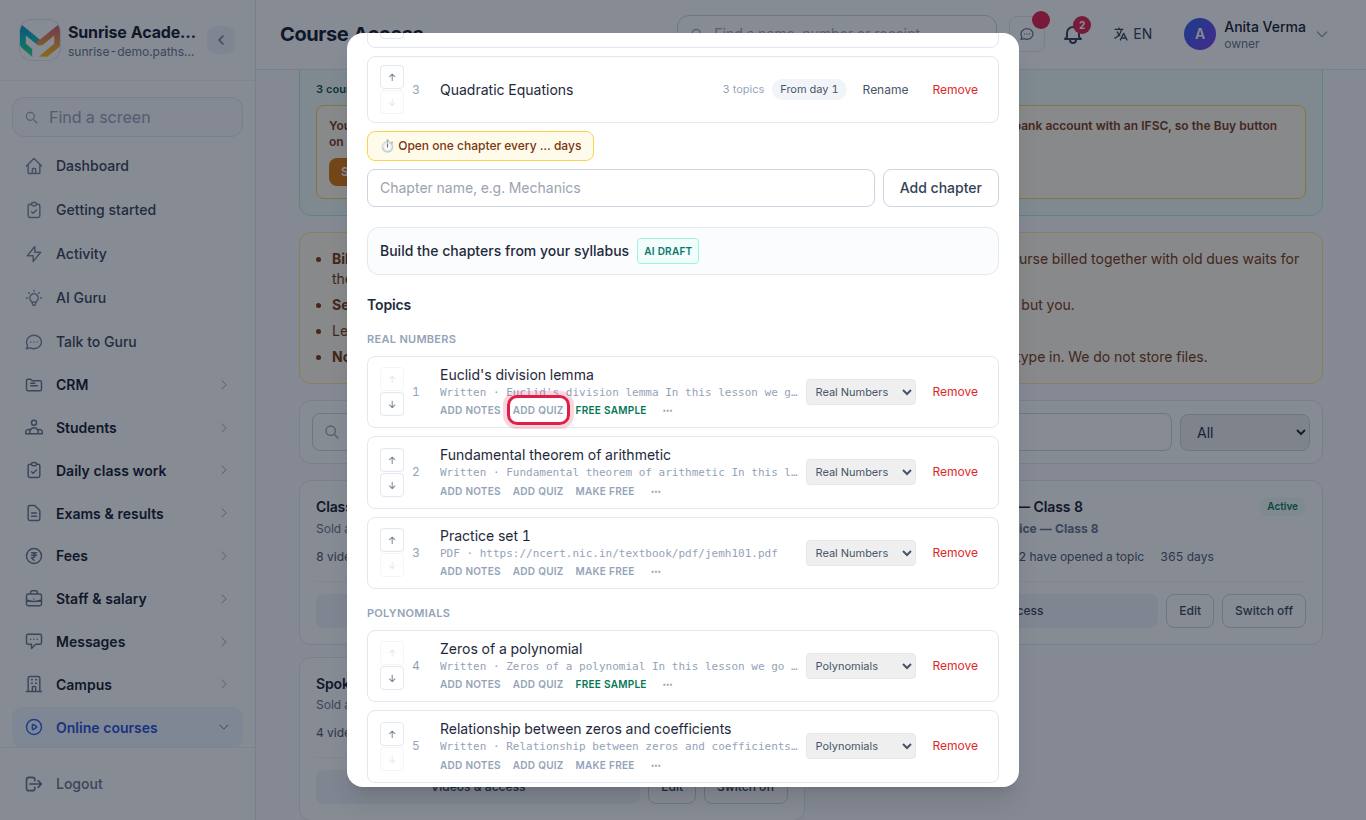
- Open the topic's notes and quiz panel (Add quiz).
- Press Write a quiz with AI — it writes from the topic's material.
- Read every question; edit or delete any.
- Press Publish to learners.
No learner sees a question until you publish. Editing or deleting a question takes the quiz off their page until you publish again, and the learner is never sent the right answer until they have answered. Use Take down or Remove quiz to withdraw it. The row shows Quiz draft or Quiz live.
#Who can use this?
| Who | Can |
|---|---|
| Owner, Admin | Every course's tests. |
| Teacher | Tests on the courses they are on. |
| Learners | Tests on courses they hold. |
| Plan | Mock tests: Basic and up. AI test questions: Pro. |
#Questions people ask
Do learners pay separately for a test series?
No. Learners who hold the course get the tests in it — there is no separate price. To sell tests on their own, make a course of the kind "Test series".
Which attempt counts for the rank?
Only each learner's first attempt, once it has been handed in. Practice attempts after the first never change anybody's rank.
When do percentiles show?
Once enough learners have sat the test — out of fewer than that, a percentile moves too much to mean anything.
Does the clock stop if the learner closes the app?
No. Once started, the clock keeps running even if the page is closed or the internet drops. Answers are saved as they go, and the test is handed in automatically when time runs out.
Can AI write the questions?
Yes, on MJX LMS Pro. Type the topic or syllabus line, choose the type and how many, and press "Write a draft". Nothing is added until you tick the questions you want.