
Data, privacy and security in Pathshala
What Pathshala stores, how sensitive data like bank details and ID numbers is encrypted, where data is hosted, how to export all your records and how to close your account.
Pathshala keeps your institute's records in India, keeps each institution's data apart, encrypts all traffic, and adds a second layer of encryption to the most sensitive items — bank details, ID-document numbers, payment-gateway keys and location. This page explains what is stored and what you can do with it, in plain words. The legal text is in the Privacy Policy and Terms.
#Who owns the data?
- Your institution owns the records you keep: enquiries, students, parents, fees, staff. You decide what they are used for; MJX processes them for you.
- MJX is responsible for account security, fraud prevention, the MJX apps and running the service.
- MJX does not sell personal data and does not use it for third-party advertising.
#What does Pathshala store?
| Whose | What |
|---|---|
| Your institution and staff | Name, address, portal address, and the name, mobile, email and password of the owner and each staff member. KYC papers and their result. |
| Enquiries, students, parents | What you or your enquiry forms enter — names, mobile numbers, class and admission details |
| Messages between your institution and enquirers, parents or learners, to keep the conversation history | |
| Learners (MJX Learn) | Name, mobile, email, device identifier, learning activity, payment records. Location at sign-in and while the app is open, for account security only. |
| Uploads | Files you choose to upload — logo, KYC papers, certificates, signature and seal |
| Technical | IP address, device type, timestamps and error reports, for security and fixing faults |
Card, UPI and bank credentials used to pay are entered directly with the payment provider (Razorpay) and are not received or stored by MJX.
#How is sensitive data protected?
- All traffic is encrypted (TLS / https).
- Extra encryption at rest for the most sensitive items:
- your payment-gateway keys (for example your Razorpay secret),
- bank account numbers and PAN of sellers and staff,
- identity-document numbers and verified addresses from DigiLocker,
- candidate documents in MJX Hire (PAN card, relieving letter, cheque),
- Google, Zoom and Microsoft connection tokens,
- learner location data.
- Aadhaar: MJX does not store the full Aadhaar number. DigiLocker keeps only the last 4 digits; HR asks only for a masked copy.
- Seller bank details are never logged, never written to an audit record and never sent to a browser.
- PAN and driving-licence numbers from DigiLocker are shown to your institution only in masked form.
#Where is the data hosted?
- On servers located in India.
- Each institution's data is logically isolated from every other institution's.
- Daily backups are kept for 30 days.
#What about cookies and visitor counting?
- The product uses only necessary cookies: your session, a device identifier (one device at a time for learners), your language choice, and protection against forged requests.
- No tracking or advertising cookies.
- The public website counts visits (page, approximate city, device, where you came from). It never asks for your location to count a visit and does not store your IP address or position.
#How do I export all my data?
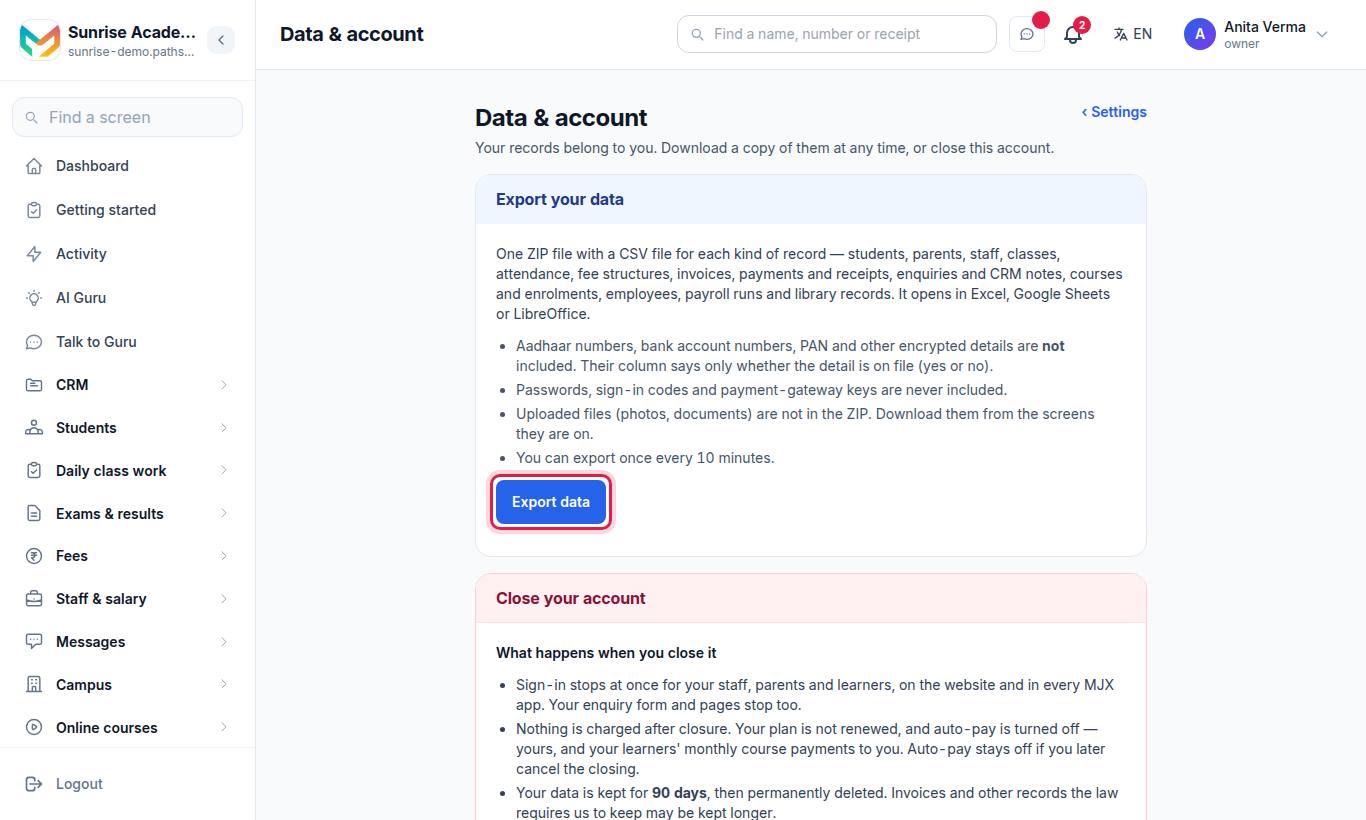
Only the owner sees this page.
- Open Settings, go to the Address & info tab and press Data & account.
- Under Export your data, press Export data.
- Wait while the file is made — a minute for a large institute. Your browser downloads a ZIP named after your portal address and the date.
| In the ZIP | What it holds |
|---|---|
organisation.csv | Your organisation's name, address and contact details |
students.csv, guardian_links.csv, contacts.csv, learners.csv | Students (every field of the student form), parent links, contacts, MJX Learn learners |
staff.csv, staff_profiles.csv | Staff logins and employee details |
academic_years.csv, classes.csv, sections.csv, subjects.csv | Your academic set-up |
student_attendance.csv, staff_attendance.csv | Attendance |
fee_heads.csv, fee_structures.csv, fee_invoices.csv, fee_payments.csv, fee_receipts.csv | Fees, bills, payments and receipts |
enquiries.csv, crm_notes.csv, crm_accounts.csv, crm_deals.csv | Enquiries / leads and CRM records |
courses.csv, course_enrolments.csv, exams.csv, exam_marks.csv | Courses, enrolments, exams and marks |
payroll_runs.csv, library_members.csv, library_books.csv, library_loans.csv | Payroll runs and library records |
Only the files for the products you use have rows. Columns ending in _id link the files to each other.
You can export once every 10 minutes. The page lists your recent exports — who made each one and when.
#Exports on each screen
Most screens also have their own export, for one list at a time:
| Area | Export |
|---|---|
| Enquiries / leads | ⬇ Export to Excel |
| Attendance | Download CSV (month, shortage, risk, staff punches) |
| Exams | CSV of results and marks |
| Timetable, syllabus, question bank | CSV |
| Payroll | Salary register, bank advice sheet, professional tax CSV, 24Q Excel |
| Library | Excel |
| Online courses | Payments, funnel and progress CSVs |
| Invoices & GST (your receipts) | Download CSV — Send a month to your accountant |
| QR codes | Scans CSV |
#How do I close my account?
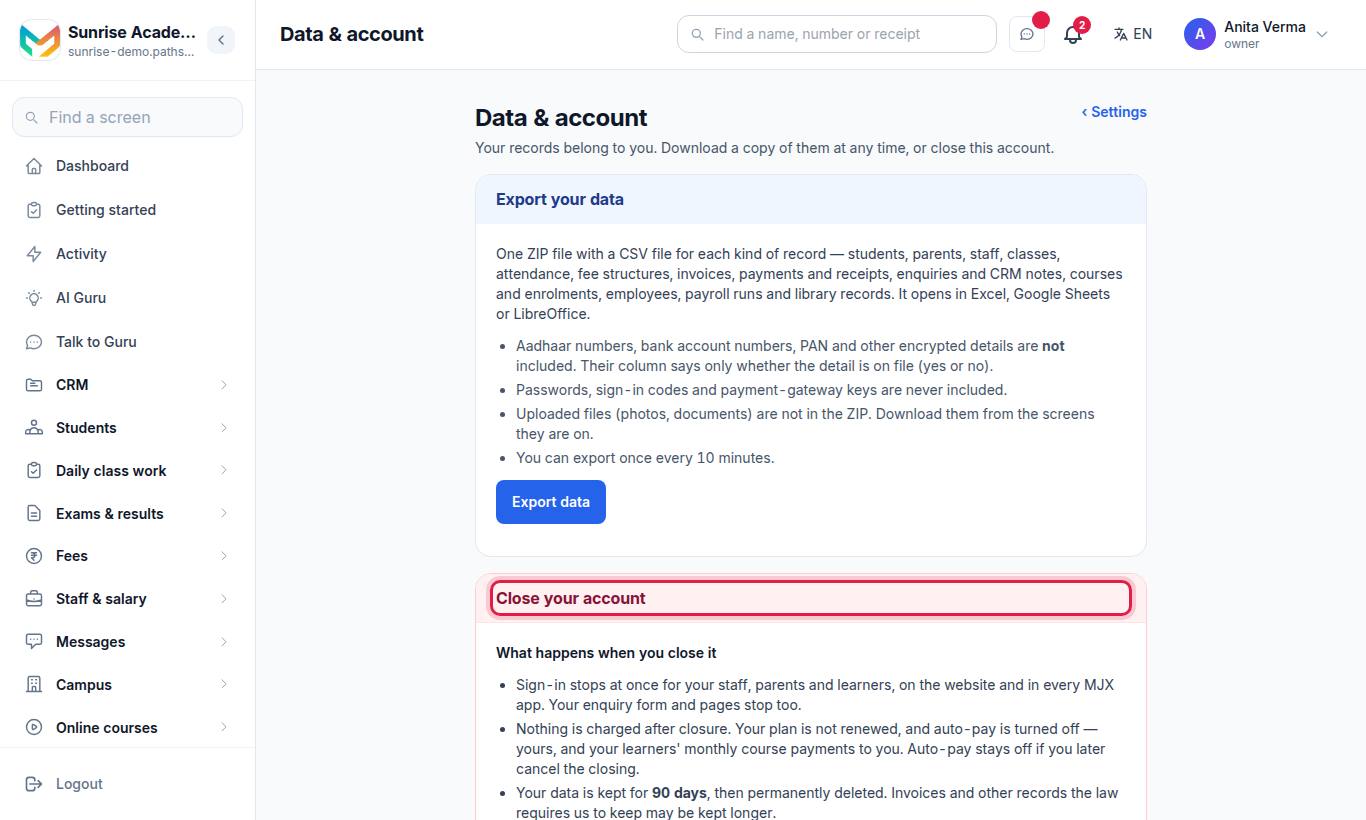
Only the owner can close the account.
- Export data first — after 90 days the data cannot be recovered.
- Under Close your account, read What happens when you close it.
- Optionally write why you are closing it.
- Type your organisation's name exactly as shown, and your password.
- Press Close account and confirm.
What happens next:
- Sign-in stops at once for your staff, parents and learners, on the website and in every MJX app. Your enquiry form and pages stop too. They see "This account is being closed".
- Billing stops. Nothing is charged after closure and your plan is not renewed. Auto-pay is turned off — yours, and your learners' monthly course payments to you — and stays off if you cancel the closing. Amounts already paid are not refunded.
- Your data is kept for 90 days, then permanently deleted. Invoices and other records the law requires MJX to keep may be kept longer.
- You can still sign in to Data & account to export your data until MJX finishes closing the account.
#How do I cancel or reopen?
- Changed your mind before MJX finishes closing it? Open Data & account and press Cancel closing. Everything works again at once. Turn auto-pay on again in Subscription & Billing if you used it.
- Already closed? Contact MJX support within the 90 days to reopen it.
#How do I delete other data?
- Staff who leave are switched off, not deleted, so records still show who did what. See Users and roles.
- All your institution's data: close the account (above). It is deleted 90 days after closure.
- MJX Learn learners can ask for their account and data to be deleted by emailing MJX's privacy address (listed in the Privacy Policy) with the subject "Delete my account", from or stating their registered mobile number. MJX completes it within 30 days, except records the law requires to be kept (payment and tax records, issued certificates).
- Where a request is about a record kept by your school, MJX may pass it to the school.
#How long is data kept?
| What | How long |
|---|---|
| Your records, while the account is open | As long as the account or subscription is active |
| After the account is closed | 90 days, then permanently deleted |
| Invoices and tax records | As long as the law requires |
| Course files for a learner | Removed within one month after the learner's access ends |
| Issued certificates | Kept as records of issue |
Copies in backups are removed when those backups expire in the normal cycle. The same rules are in the Terms (section 11) and the Privacy Policy (section 7).
#Who can access my data?
Access is restricted to authorised personnel who need it for the purposes in the Privacy Policy. Inside your institution, what each person sees depends on their role — see Users and roles.
#Children's data
MJX Learn is for users aged 18 and above. When a school keeps records of students under 18, the school is responsible for getting the parent's or guardian's consent. MJX does not use children's data for tracking, behavioural monitoring or targeted advertising.
#Your rights
You can ask for a summary of your personal data, ask for it to be corrected or erased, withdraw consent, nominate someone to act for you, and raise a grievance. Grievances are acknowledged within 48 hours. Details are in section 8 and 12 of the Privacy Policy.
#Related
#Questions people ask
Who owns my institute's data?
You do. For the records you keep about your students, learners and parents, your institution decides how they are used and MJX processes them on your behalf.
Where is my data stored?
On servers in India. Each institution's data is kept apart from every other institution's.
Does Pathshala store Aadhaar numbers?
No. MJX does not store the full Aadhaar number. DigiLocker verification keeps only the last 4 digits.
Can I export my data?
Yes. The owner opens Settings › Data & account and presses Export data to download a ZIP of CSV files with all the organisation's records. Many screens also have their own Excel or CSV download.
How do I close my account?
The owner opens Settings › Data & account, types the organisation name and their password, and presses Close account. Sign-in stops for staff, parents and learners at once, nothing more is charged, and the data is kept for 90 days, then deleted.
How long is my data kept after I close the account?
90 days. You can reopen the account within those 90 days by contacting MJX. After that the data is permanently deleted, except invoices and other records the law requires MJX to keep.