
Study material — notes, worksheets and video links
Share notes, worksheets, PDFs and video links with a class, filed by subject and chapter, so families find them in the parent app.
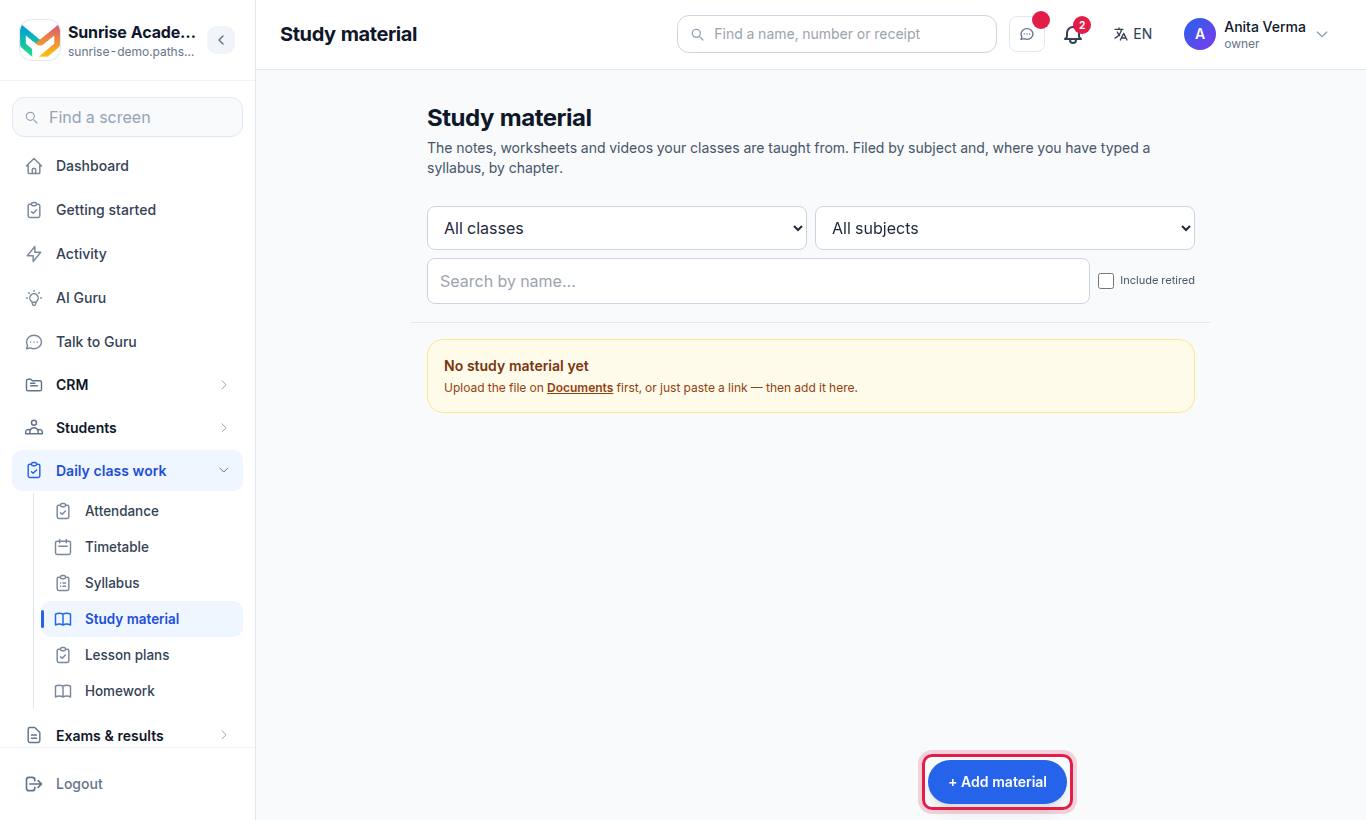
Study material in Pathshala holds the notes, worksheets and videos your classes are taught from. Each item is filed by class and subject and, where you have typed a syllabus, by chapter. Families can open it in the parent app.
#How to add study material
- Open Study material and press + Add material.
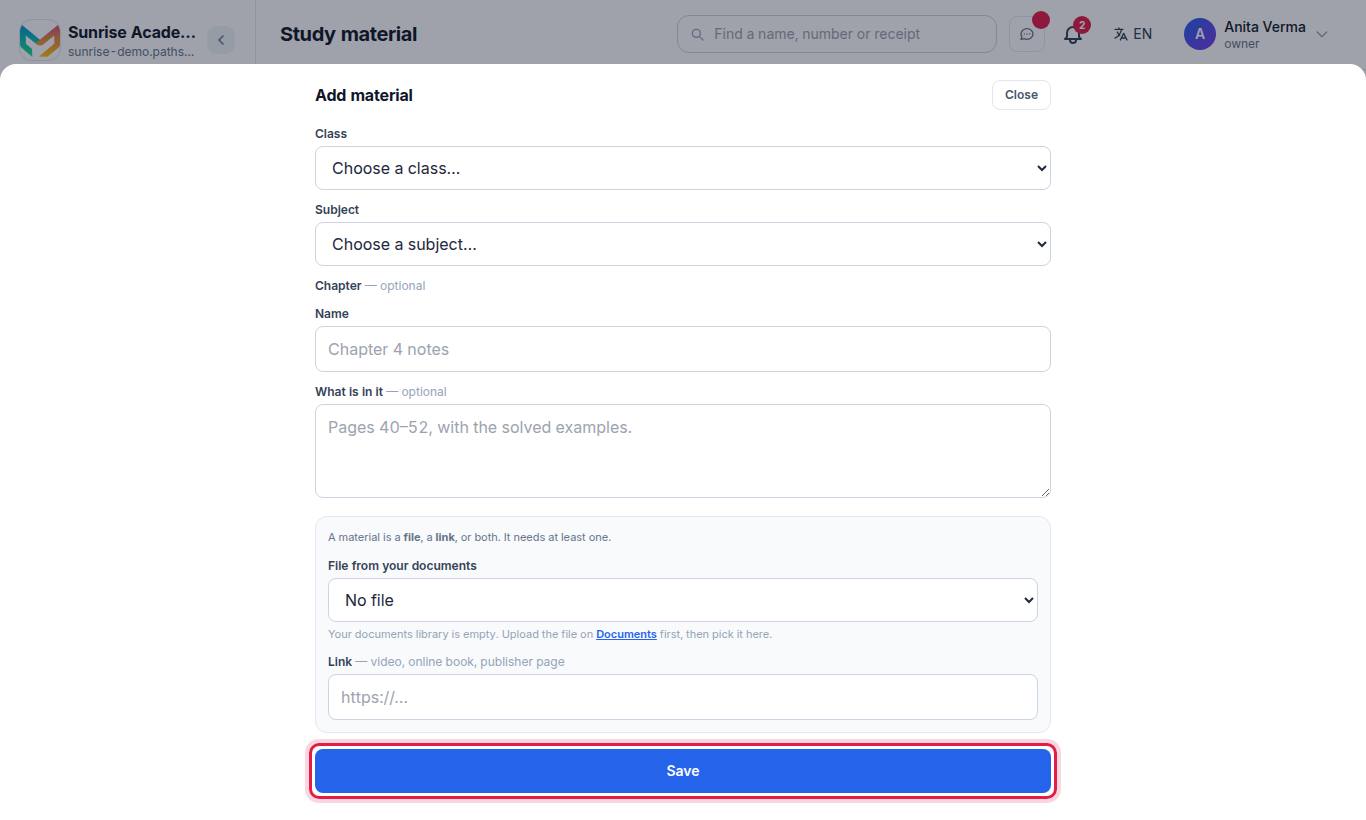
- Choose the Class and the Subject.
- Optionally choose a Chapter (or leave "Not filed under a chapter").
- Type a Name (for example "Chapter 4 notes") and, if you want, What is in it (for example "Pages 40–52, with the solved examples").
- Add a File from your documents, a Link, or both. It needs at least one.
- Press Save.
#Finding material
Use the filters at the top: All classes, All subjects, Every chapter, the search box ("Search by name…") and Include retired. Press Show more to load older items.
#Who can use study material?
| Task | Who |
|---|---|
| See and open material | Owner, Admin, Staff |
| Add, retire or put back material | Owner, Admin, Staff |
Plan: every MJX Academic plan, including Forever Free.
#Tips
- Upload PDFs with selectable text (not scanned photos). The AI question writer can read those pages; it cannot read a scanned book.
- File by chapter. A family looking for "Fractions" then finds it in one tap.
See also Homework and Question papers.
#Questions people ask
Can I add a YouTube or publisher link?
Yes. A material can be a file, a link (video, online book, publisher page), or both.
Where do the files come from?
From your Documents. Upload the file there first, then choose it under "File from your documents".
Can I remove old material?
You retire it. It leaves the list but stays on record; tick Include retired to see it again.
Can the AI use my study material?
Yes, with MJX Academic Pro. The question paper's "Write questions with AI" can read pages of a PDF you added here.