
Income tax (TDS) on salary, proofs and Form 16
How MJX Payroll works out monthly TDS on the regime each person chose, collects declarations and proofs, and makes Form 24Q data and Form 16.
MJX Payroll works out each person's income tax (TDS on salary) every month on the regime they chose — the new regime by default — using what they declared and proved. In Pathshala the tax comes off every payslip by itself, with the working shown, and the office gets the challan, Form 24Q data and Form 16 from the same figures.
#What employees do
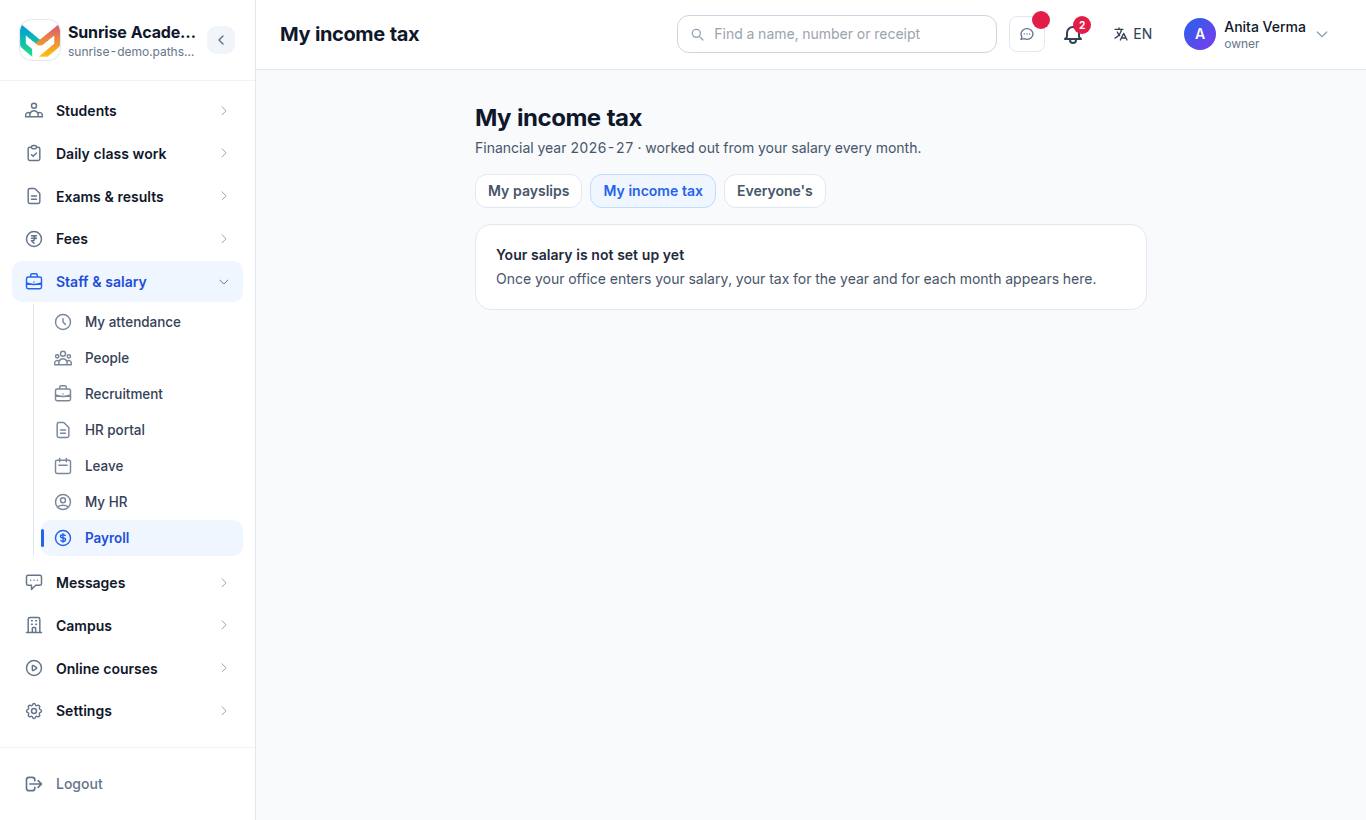
Employees can also open it from My HR › My income tax — regime, declarations, the working.
The top of My income tax shows Tax this month, For the year, Deducted so far and Months left.
#Steps to choose a tax regime
- Under Your tax regime, compare the two cards: New regime (default) and Old regime, each with the tax for the year and this month. The cheaper one shows "Saves ₹…".
- Press Keep the new regime or Choose the old regime.
- Read the warning: "This cannot be changed until 31 March — not by you, and not by your office."
- Tick I understand the choice is fixed for this financial year.
- Press Confirm.
#Steps to declare rent and investments
Open What you declare and fill in what applies:
| Section | Fields |
|---|---|
| Rent (old regime only) | Rent you pay a month (₹) · City you live in · Landlord's PAN (needed when rent is over ₹1 lakh a year) |
| Investments and insurance for the year (old regime only) | 80C — PPF, LIC, ELSS, tuition fees, home-loan principal · Your own NPS — 80CCD(1B) · Health insurance — you and family · Health insurance — parents (tick if a parent is 60 or older) · Home-loan interest, own home · Education-loan interest · Donations — the amount that counts |
| Other income and a previous job this year (both regimes) | Savings-account interest · Other income — FD interest, etc. · Salary from a previous employer this year · Tax they already deducted |
Press Save and work it out again. Your PF from the payslip is added to 80C for you.
#Steps to upload a proof
Inside the proof window, under Proof of what you declared:
- What is this proof for? — Rent receipts, 80C, Own NPS, Health insurance (you and family / parents), Home-loan interest certificate, Education-loan interest, or Donation receipts.
- Amount it shows for the year (₹).
- File — PDF or photo, up to 5 MB.
- Note for your office (optional).
- Press Upload proof.
Each proof shows Waiting (with remove), Approved ₹… or Not accepted with the office's reason.
#How the tax is worked out
Open How it is worked out to see every line, the taxable income, each tax band, rebate, surcharge, health and education cess, tax for the year, tax already deducted and what is still to deduct. Open TDS work sheet for the full statement, section by section — Download PDF or Print this sheet.
If no date of birth is on file, the working assumes the person is under 60.
#What the office does
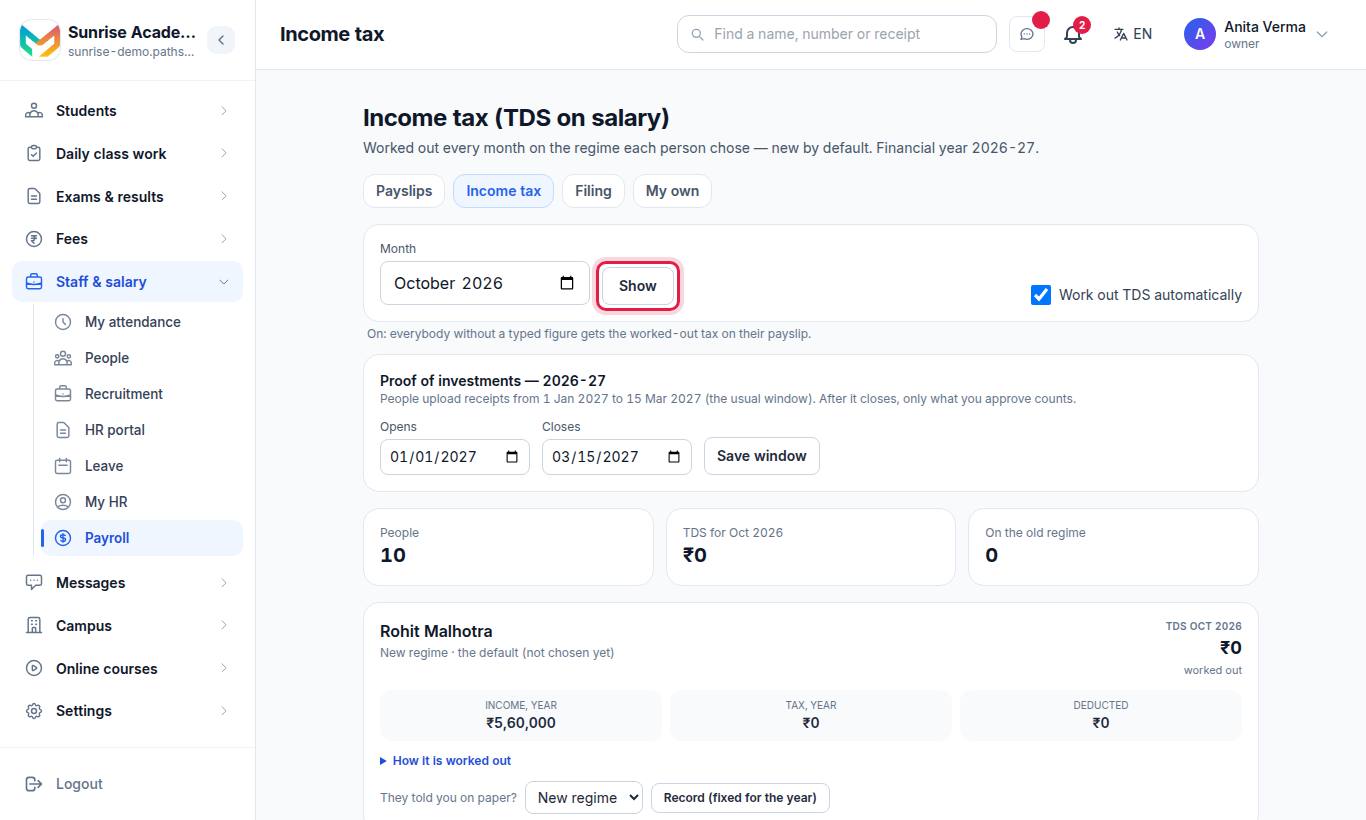
Income tax (TDS on salary) lists everybody for the chosen Month (press Show): their regime, TDS for the month, yearly income, yearly tax and what has been deducted.
| Control | What it does |
|---|---|
| Work out TDS automatically | On: everybody without a typed figure gets the worked-out tax on their payslip. Off: only what you type on Filing is deducted; the worked-out figure is shown as a suggestion. |
| Proof of investments — Opens / Closes → Save window | The dates people may upload proofs. Default: 1 January to 15 March. |
| Approve / Not accepted on a proof | Type the amount to approve, or a reason if not accepted. |
| They told you on paper? → Record (fixed for the year) | Records a person's regime for them. It is fixed for the year. |
| Reset choice (once a year) | Owner only. Type why (kept on record). The person then chooses again, and that choice is final for the year. |
| Open the TDS work sheet → | One person's full working for the month. |
Waiting proofs also appear in the Approvals inbox as "Tax proofs waiting to be checked".
#How to pay and file TDS
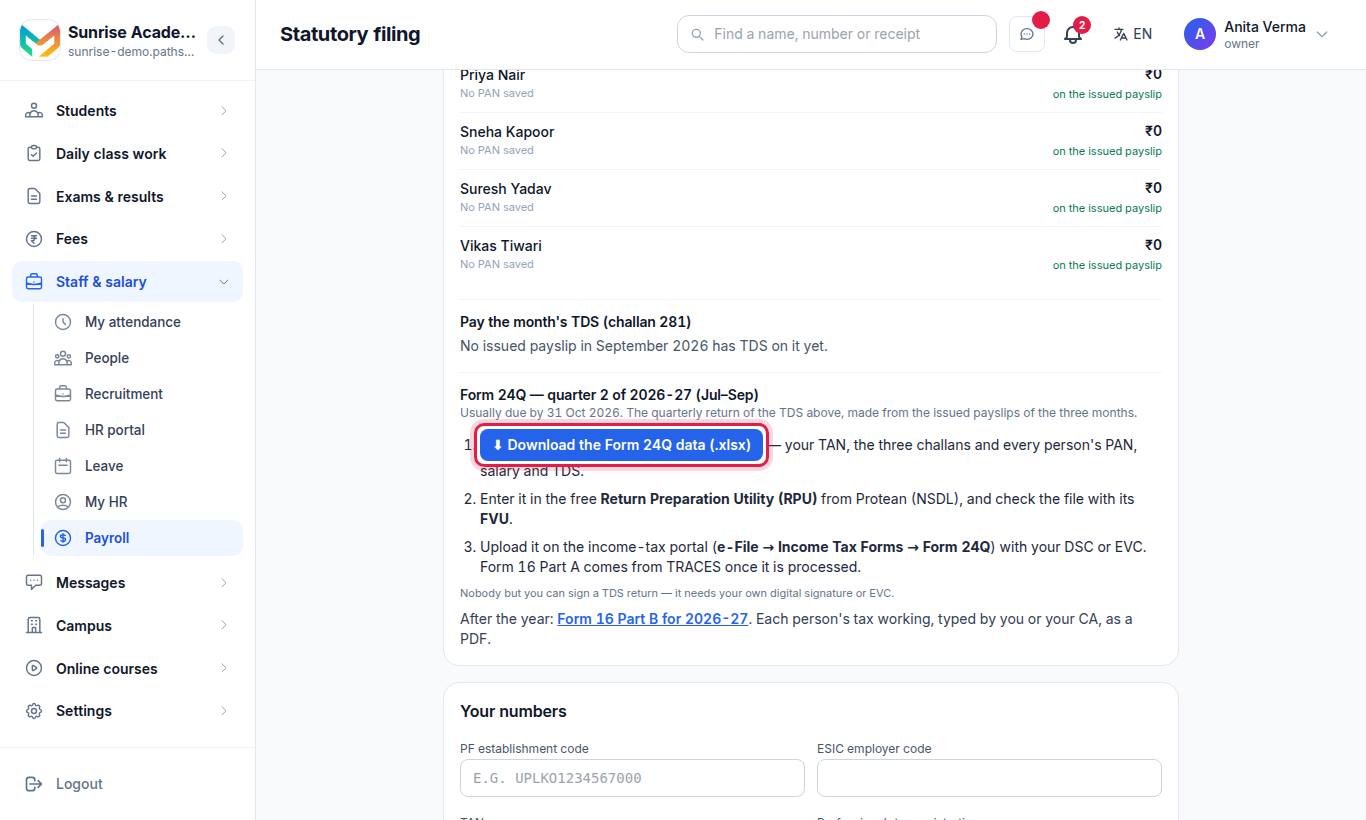
The Income tax (TDS) on salary card on Filing:
- Override one person — type a figure in their box and press Save TDS before you issue the month. Same as last month copies last month's figures. Leave a box empty to use the worked-out figure.
- Pay challan 281 — after the payslips are issued, the card shows the TDS taken off. Pay it on the income-tax e-filing portal (e-Pay Tax → New payment → Challan 281), then type the BSR code, Challan no. and date paid, and press Mark paid.
- Form 24Q each quarter — press ⬇ Download the Form 24Q data (.xlsx) (Pro). Enter it in the free Return Preparation Utility (RPU) from Protean (NSDL), check it with the FVU, and upload it on the income-tax portal (e-File → Income Tax Forms → Form 24Q) with your DSC or EVC.
Without MJX Payroll Basic, nothing is worked out: you type each person's TDS on Filing every month (your accountant or CA gives you the figure), and employees see "Your office types your income tax each month".
#How to make Form 16 Part B
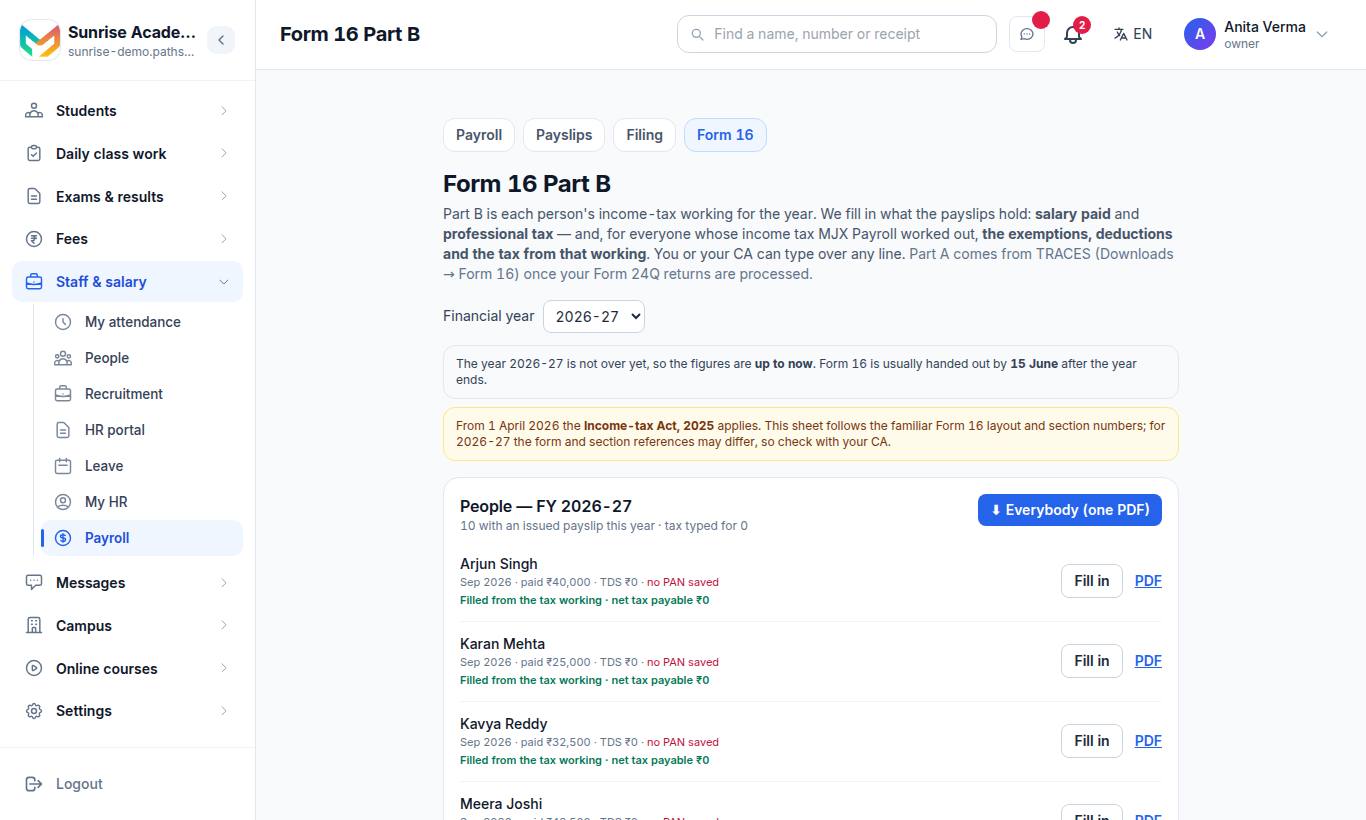
Part B is each person's income-tax working for the year. MJX Payroll fills in salary paid and professional tax from the issued payslips, and — where it worked out the tax — the exemptions, deductions and the tax from that working. You or your CA can type over any line.
#Steps
- Choose the Financial year.
- Fill in Who signs it: Full name, Father's / mother's name, Designation, Place → Save. The TAN comes from Filing › Your numbers.
- For each person, press Fill in. Answer whether they are staying on the old regime, check each line (leave a box empty to use the figure shown), and press Save.
- Check Tax deducted from salary this year — quarter by quarter. The page says whether net tax payable matches the tax deducted.
- Download ⬇ PDF for one person, or ⬇ Everybody (one PDF).
Form 16 is usually handed out by 15 June after the year ends. Part A comes from TRACES once your Form 24Q is processed.
#Who can use it?
| Task | Who | Plan |
|---|---|---|
| My income tax (choose, declare, upload proofs) | Every employee | Basic and above |
| Income tax board, proofs, record a regime | Owner and admin only | Basic and above |
| Reset a regime choice | Owner only, once per person per year | Basic and above |
| Type TDS, mark challan paid | Owner, admin, or Manage Filings | Every plan |
| Form 24Q download | Owner, admin, Manage Filings or Payroll Reports | Pro |
| Form 16 Part B — fill in | Owner and admin only | Every plan |
| Form 16 Part B — PDFs | Owner and admin only | Pro |
#Questions people ask
Can an employee change their tax regime during the year?
No. Each person chooses once per financial year, and it is fixed until 31 March — not by them, and not by the office. The owner can reset a choice once per person per year, with a reason kept on record.
What if somebody never chooses?
They stay on the new regime, which is the default.
When can employees upload investment proofs?
Inside the proof window. By default it runs from 1 January to 15 March of the financial year's end, and the office can change the dates. After it closes, only approved proofs reduce the tax.
Can I deduct a different TDS figure for one person?
Yes. Type it on Filing › Income tax (TDS). A typed figure replaces the worked-out one for that person for that month only.
Does MJX Payroll file Form 24Q?
No. It gives you the Form 24Q data as an Excel file. You prepare and sign the return with the free RPU and FVU utilities and upload it with your DSC or EVC.
Which plan do I need?
Income tax worked out (regimes, declarations, proofs, the TDS work sheet) comes with MJX Payroll Basic. The Form 24Q download and the Form 16 Part B PDFs come with MJX Payroll Pro.