
Paid activities billed with fees (sports, music, dance)
Add optional paid activities like football, music or robotics in Pathshala, enrol students, and have the activity fee added to their invoices.
Activities are optional paid extras — sports, music, dance, art, academic clubs — that only some students take. In Pathshala you set an activity up once with its fee, enrol the students who take it, and the fee is added to each enrolled student's invoices by itself.
#Who can use this?
| Action | Who |
|---|---|
| Open Activities, see enrolments | Owner, Admin, or staff with the activity permission |
| Add, edit, switch off or delete activities | Owner, Admin, or a role with the activity permission |
| Enrol, withdraw or remove a student (on the student's Edit details page) | Owner, Admin, or a role with Manage Discounts (the Accountant job has it). The person also needs to be allowed to edit student records to open that page |
Activities are in MJX Fees Management Pro. On other plans the Activities row shows a padlock.
#How to add an activity
#Steps
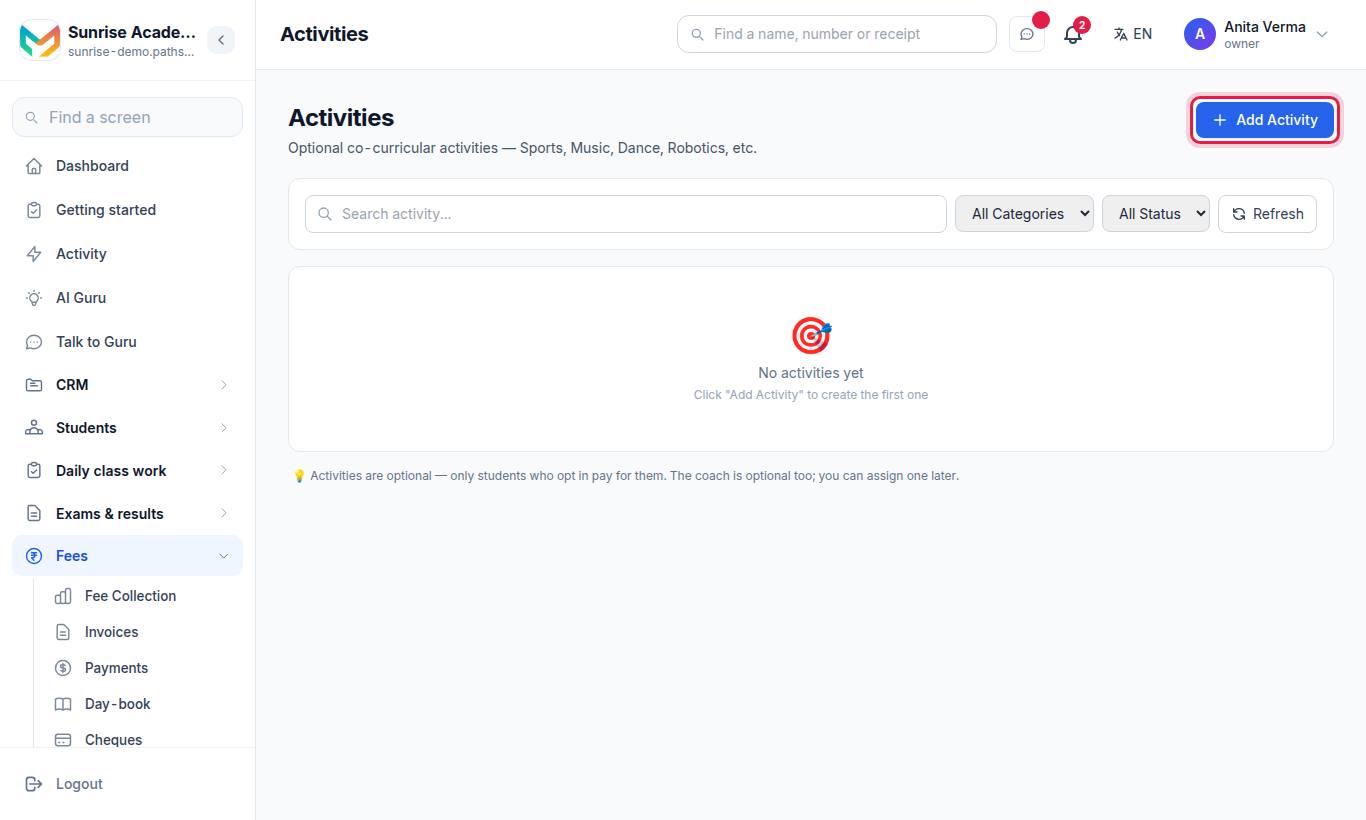
- Press Add Activity.
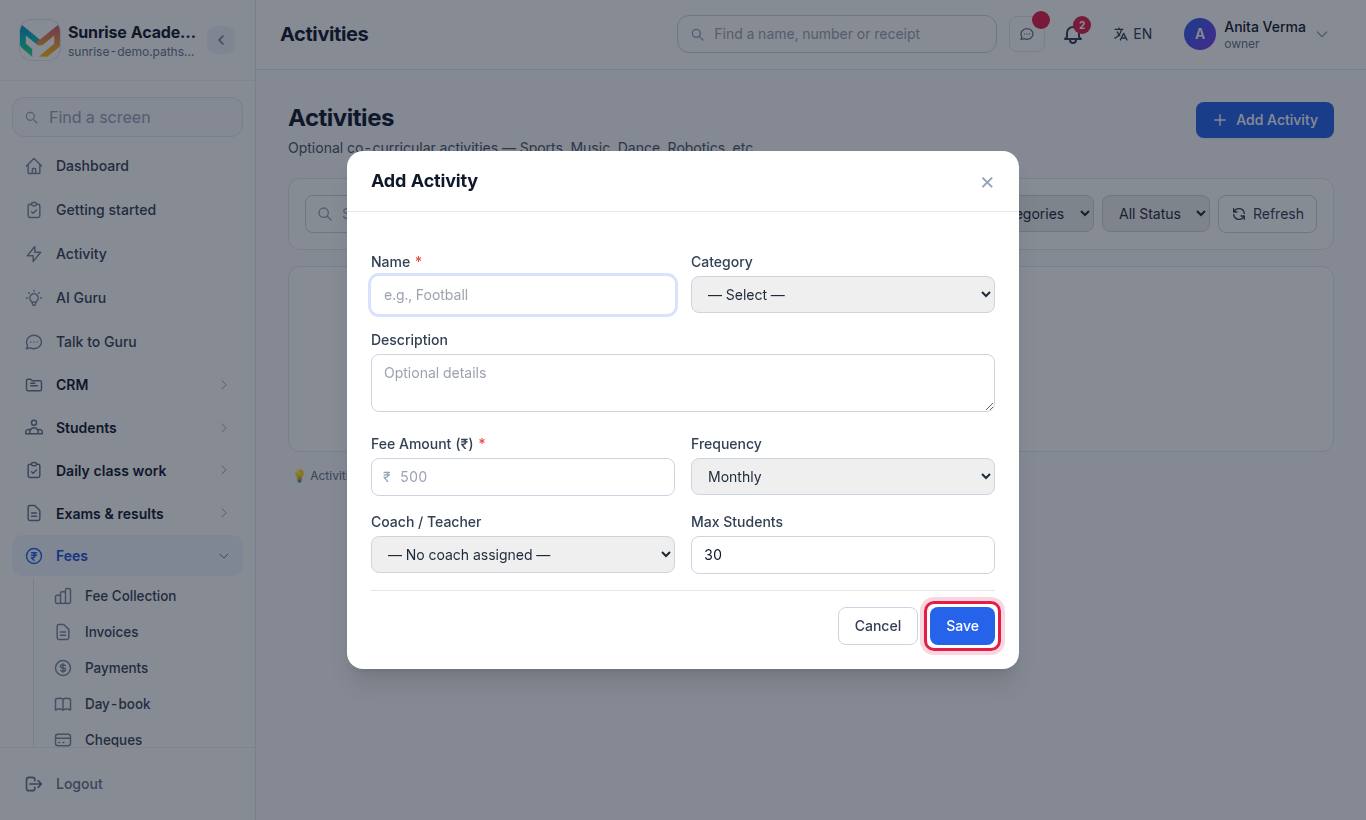
- Type the Name, for example Football.
- Choose a Category: Sports, Music, Dance, Art or Academic (optional).
- Add a Description if you like.
- Type the Fee Amount (₹) (required).
- Choose the Frequency: Monthly, Quarterly, Half-Yearly, Yearly or One Time. It works like a fee head's frequency.
- Optionally choose a Coach / Teacher and set Max Students (30 by default).
- Press Save.
| Button | What it does |
|---|---|
| Edit | Change the activity |
| Active / Inactive switch | Switch it off. An inactive activity is not offered to new students and is not billed |
| Delete | Deletes an activity with no enrolled students; otherwise it is only made inactive |
#How to enrol a student
#Steps
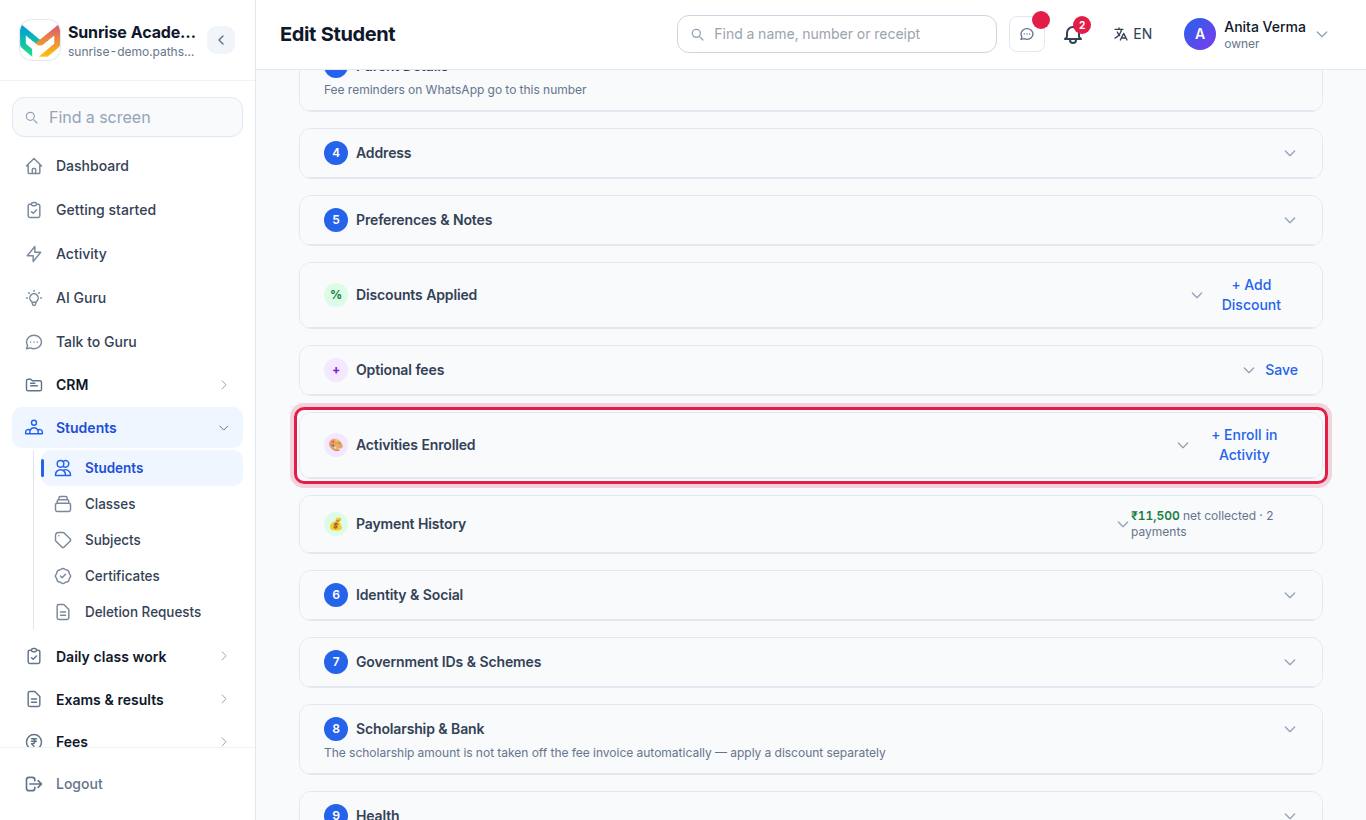
- Open the student and press Edit details.
- Under Activities Enrolled press + Enroll in Activity.
- Choose the Activity. Its fee and frequency are shown.
- Set the Enrolled Date (today by default).
- Press Enroll.
A student can be enrolled in the same activity only once per academic year while it is active.
#How activities reach the invoice
Each time an invoice is generated for the student, Pathshala adds every activity that is:
- active, in the student's current academic year;
- enrolled on or before the end of the bill's period;
- not withdrawn, or withdrawn on or after the start of the bill's period.
The frequency decides how often it is charged — for example a quarterly activity once in any three months. Discounts set to All Fees also apply to activity lines.
#How to withdraw a student from an activity
- On the student's Edit details page, find the activity under Activities Enrolled.
- Press Withdraw.
- Set the Withdrawal Date — the activity is billed until this date. The suggested date is the end of the last period it was billed for.
- Add a Reason and press Withdraw.
Remove deletes an enrolment outright. It is shown only while the activity has never been on any of the student's invoices — for an enrolment made by mistake.
#Tips
- Use activities, not fee heads, for anything only some students pay for. Fee heads in a class's structure are billed to every student of that class.
- Enrol students before you generate the month's bills so the activity is on the first bill.
#Questions people ask
What is an activity in Pathshala?
An optional paid extra, such as Football, Music or Robotics, that only some students take. Students you enrol are billed for it on their normal fee invoice.
How is an activity added to a student's bill?
Enrol the student from their Edit details page. Every invoice generated after that includes the activity at its fee and frequency.
How do I stop billing an activity?
Press Withdraw on the student's activity and choose the last date. It is billed up to that date and not after.
Which plan has activities?
MJX Fees Management Pro.