
Get the MJX apps
Download MJX Learn, Teacher, Parent, CRM, People, Hire, Library and other MJX apps — one link per app that opens the right store on your phone.
MJX makes one phone app for each kind of user — learners, teachers, parents, sales teams, staff, recruiters and libraries. In Pathshala every app has one fixed link, pathshala.mjxtechnologies.com/app/<name>, that opens Google Play on Android and the App Store on an iPhone (when the iPhone app is out).
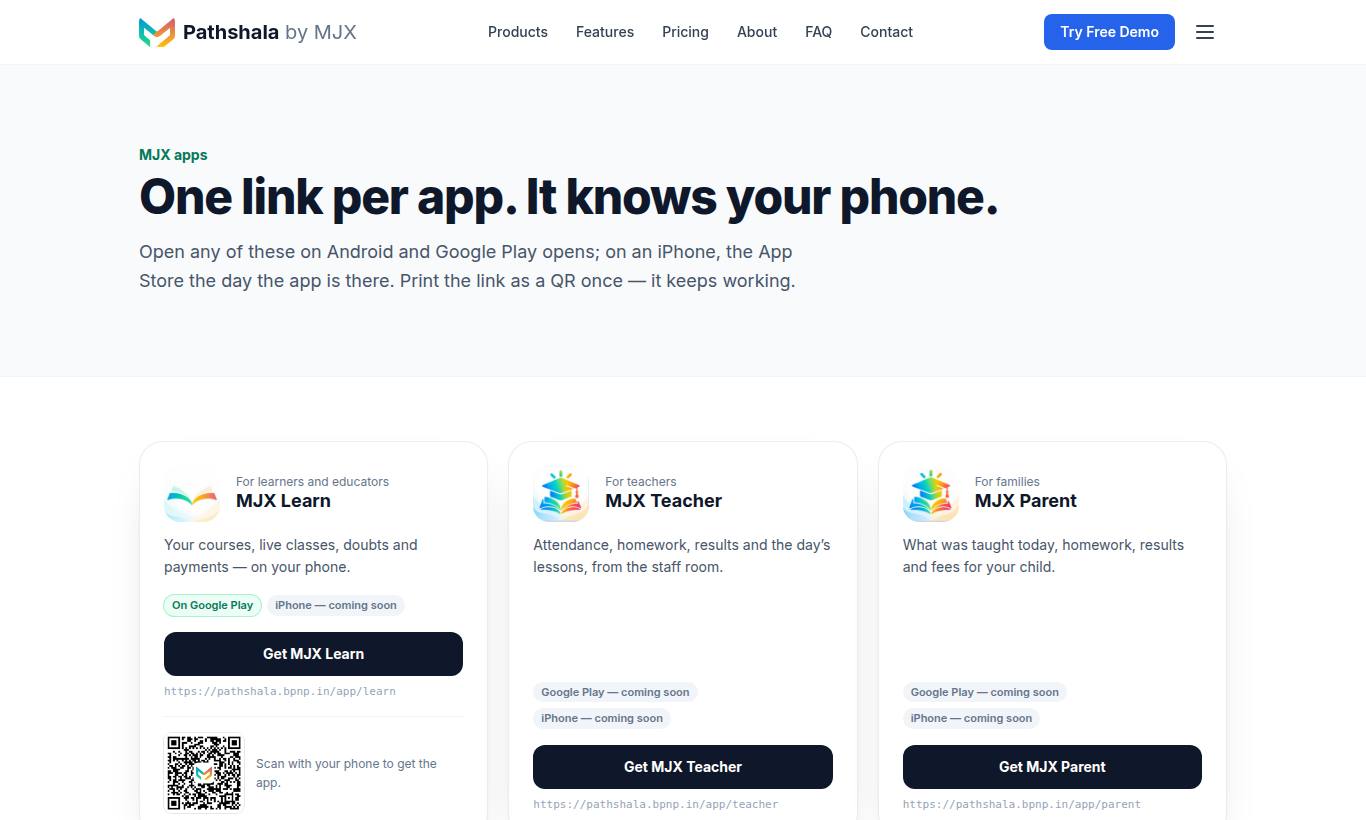
The full list is always at pathshala.mjxtechnologies.com/app.
#Which MJX app do I need?
| App | Who it is for | What it does | Link |
|---|---|---|---|
| MJX Learn | Learners and educators | Your courses, live classes, doubts and payments — on your phone | /app/learn |
| MJX Teacher | Teachers | Attendance, homework, results and the day's lessons, from the staff room | /app/teacher |
| MJX Parent | Families | What was taught today, homework, results and fees for your child | /app/parent |
| MJX CRM | Sales teams and counsellors | Leads, follow-ups, calls and WhatsApp — the pipeline in your pocket | /app/crm |
| MJX People | Staff | Punch in, leave, payslips and HR — your office in the app | /app/people |
| MJX Hire | Recruiters | Jobs, candidates and AI screening calls, wherever you are | /app/hire |
| MJX Library | Libraries | Seats, shifts, fees and lending — scan a book, scan a card | /app/library |
| MJX Rent | Landlords | Your rent register: tenants, dues and receipts | /app/rent |
| MJX Vote | Elections | Enter an election with a code and vote from your phone | /app/vote |
| MJX Events | Organisers and guests | Passes, tickets and the gate | /app/events |
| MJX Dialer | Android phones | An offline Android dialer | /app/dialer |
#Which apps are on Google Play today?
On 28 October 2026 the /app page showed On Google Play for MJX Learn, MJX CRM, MJX Hire, MJX Library, MJX Rent and MJX Events. MJX Teacher, MJX Parent, MJX People, MJX Vote and MJX Dialer showed Google Play — coming soon. Every app showed iPhone — coming soon. The page checks the store itself, so it is always more up to date than this list.
#Google Play package names
If you search the store by hand or your phone's admin needs the package name:
| App | Package name |
|---|---|
| MJX Learn | com.mjxtechnologies.app.lms |
| MJX Teacher | com.mjxtechnologies.app.teacher |
| MJX Parent | com.mjxtechnologies.app.parent |
| MJX CRM | com.mjxtechnologies.app.crm |
| MJX People | com.mjxtechnologies.app.people |
| MJX Hire | com.mjxtechnologies.app.mjx_hiring |
| MJX Library | com.mjxtechnologies.app.library |
| MJX Rent | com.mjxtechnologies.app.rent |
| MJX Vote | com.mjxtechnologies.app.vote |
| MJX Events | com.mjxtechnologies.app.mjx_event |
| MJX Dialer | com.mjxtechnologies.app.dialer |
#How to install an MJX app
- On your phone, open the app's link — for example
pathshala.mjxtechnologies.com/app/learn— or scan its QR code. - On Android, tap Get it on Google Play. If the app is already installed, tap Open the app instead.
- On an iPhone, the App Store opens by itself when the iPhone app is listed. Until then the page says The iPhone app is coming soon.
- If the app is not on Google Play yet, the page says the app is coming to Google Play — tap Open the website and add it to your home screen.
- Open the app and sign in (see below).
#Easy-to-remember links
The link also understands older names. For example /app/lms opens MJX Learn, /app/hr and /app/attendance open MJX People, and /app/recruit opens MJX Hire. A link that is not one of MJX's apps shows That is not one of our apps. with the list to pick from.
#How to sign in to the apps
| App | How you sign in |
|---|---|
| MJX Learn (learner) | Your mobile number and a one-time code sent on WhatsApp |
| MJX Learn (educator), MJX Teacher, MJX CRM, MJX People, MJX Hire | Your institute's code (your portal name), then your mobile number or email with your password — or Sign in with a code sent on WhatsApp and email |
| MJX Parent | The parent's mobile number and a one-time code on WhatsApp — no password |
| MJX Library | Your library login, with a password or a code |
- Staff must already be added by the owner or admin. See Users and roles.
- People added in MJX People without a password always use Sign in with a code.
- A new code can be asked for after 60 seconds. After five wrong tries the code stops working and you must ask for a new one.
#Web or app — what is the difference?
- Everything works on the website, on a phone or a computer. The apps are a faster, phone-first way into the same account.
- The apps read and write the same data. A fee collected in the app shows on the website at once.
- Settings, plans and billing are managed on the website by the owner or admin.
For what each app can do, see the Apps section.
#Related
#Questions people ask
Is there an iPhone app?
Not yet for most apps. Each app page says "iPhone — coming soon" until the App Store listing is live. The same link will open the App Store on an iPhone from that day.
The app says "coming to Google Play". What do I do?
Use the website on your phone in the meantime — open it and add it to your home screen. Everything works on the website.
Can I print the app link as a QR code?
Yes. Each app has one fixed address, such as /app/learn. A QR printed today keeps working, even after the store listing changes.
Which number do I sign in with in the app?
The same mobile number (or email) your institute used when it added you. Staff can sign in with their password or with a code sent on WhatsApp and email.
Why does the app ask me to sign in on the web?
If your account has two-step sign-in turned on, some apps tell you "This account uses two-step sign-in. Please sign in on the web portal for now."