
Library members, monthly fees, receipts and check-in
Take a new admission, collect and renew monthly library fees with numbered receipts, chase dues on WhatsApp and check members in and out.
In MJX Library every member gets a member number (M-0001), a booking for a shift and seat, and a numbered receipt (R-0001) for every payment. Today tells you who has ended, who ends soon and who owes money, each with one button to fix it.
#How to take a new admission
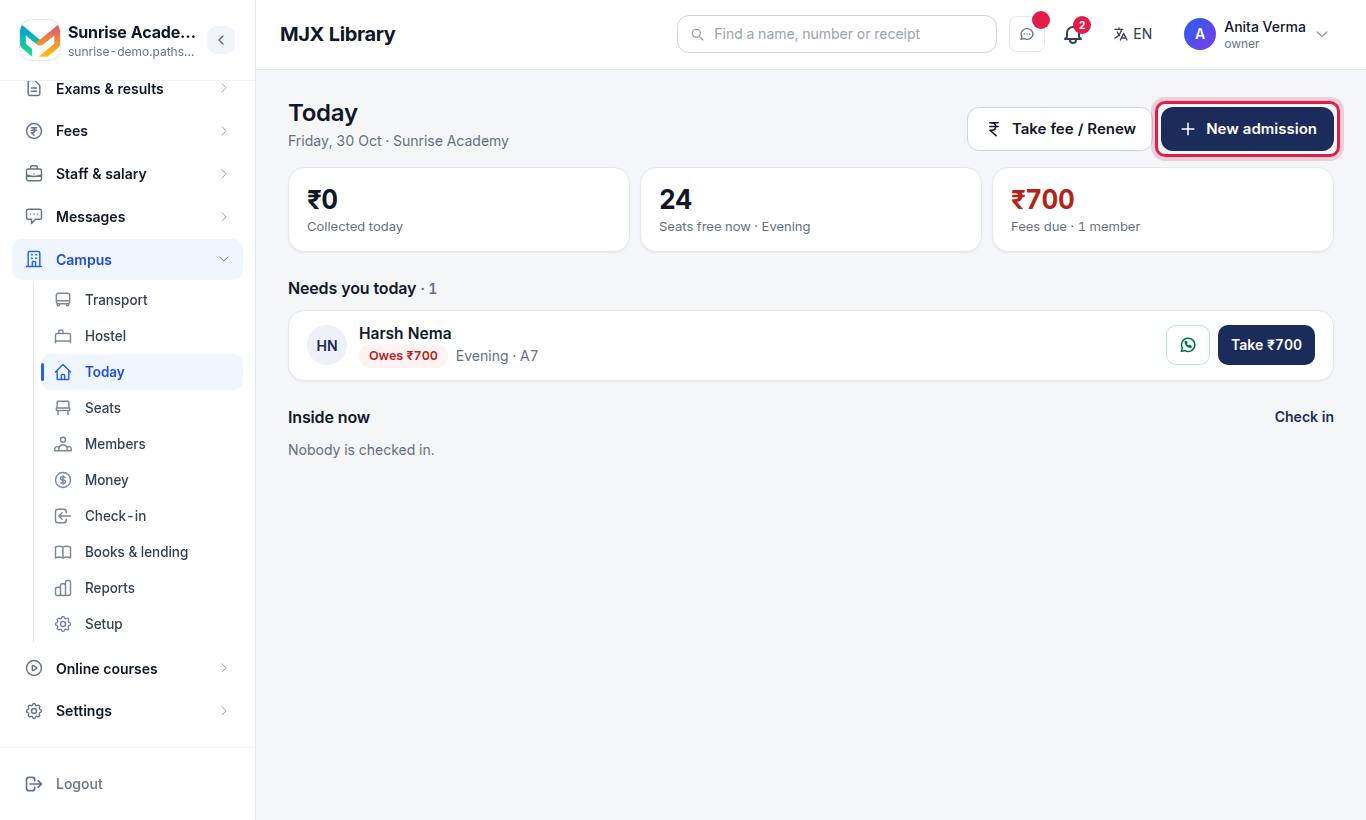
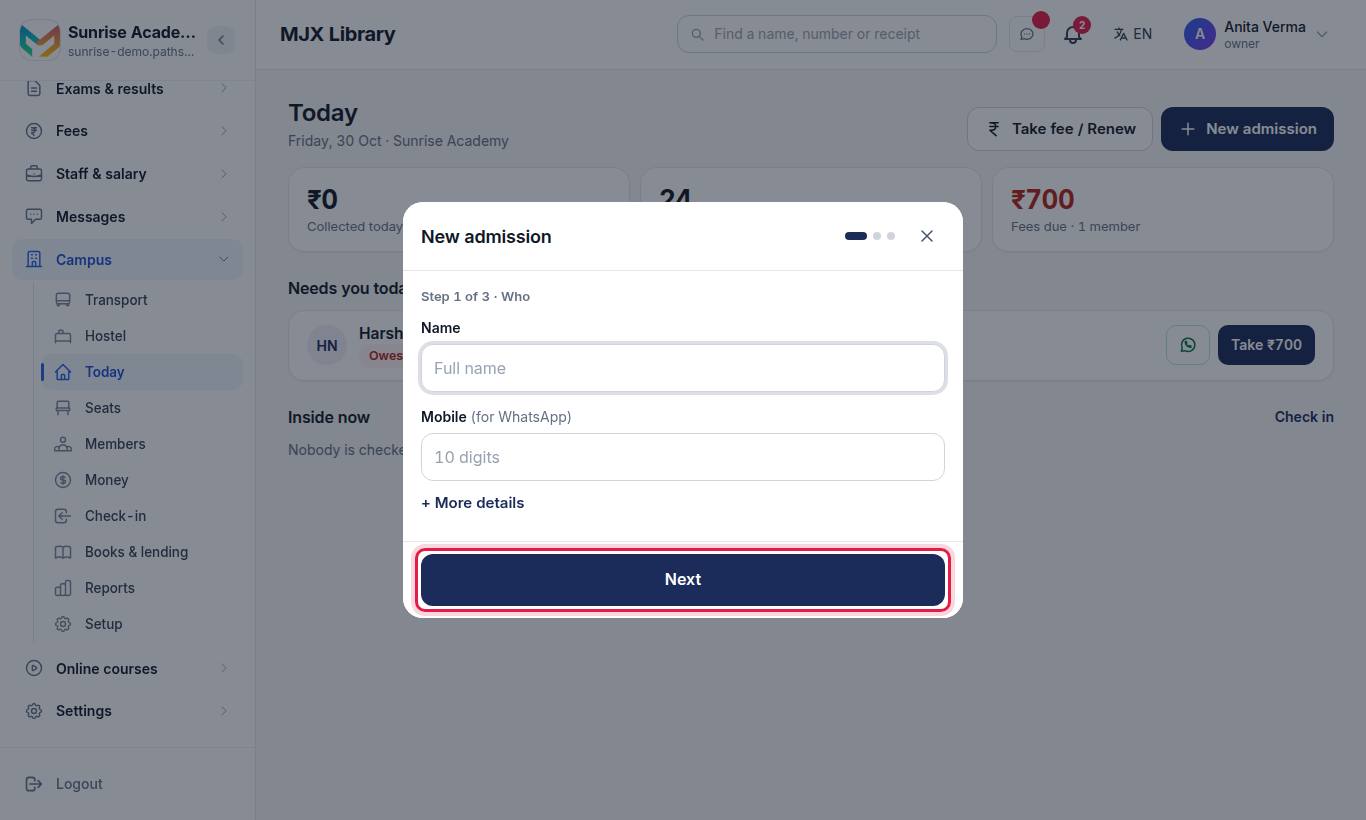
You can also start it from Members, from a free seat on Seats (Book this seat), or from the + button on a phone.
#Steps to admit a member
- Step 1 of 3 · Who — type the Name and Mobile (for WhatsApp) (pick the country code if it is not Indian, or leave it empty). Press + More details for Gender, Preparing for, Guardian's mobile, Email, ID, Last 4 of the ID and Address. Press Next.
- Step 2 of 3 · Seat & time — tap a Shift, choose How many months (1, 3, 6 or 12), then tap a free seat or No fixed seat. The total shows below. + Discount or locker adds Discount (₹), Locker no. and Locker fee (₹). Press Next.
- Step 3 of 3 · Payment — type Received now (₹) (it can be less than the total, or 0), tap Paid by — Cash, UPI or Card — and add + Reference no. (UPI or cheque number) if you want. Save.
#How to take a fee or renew
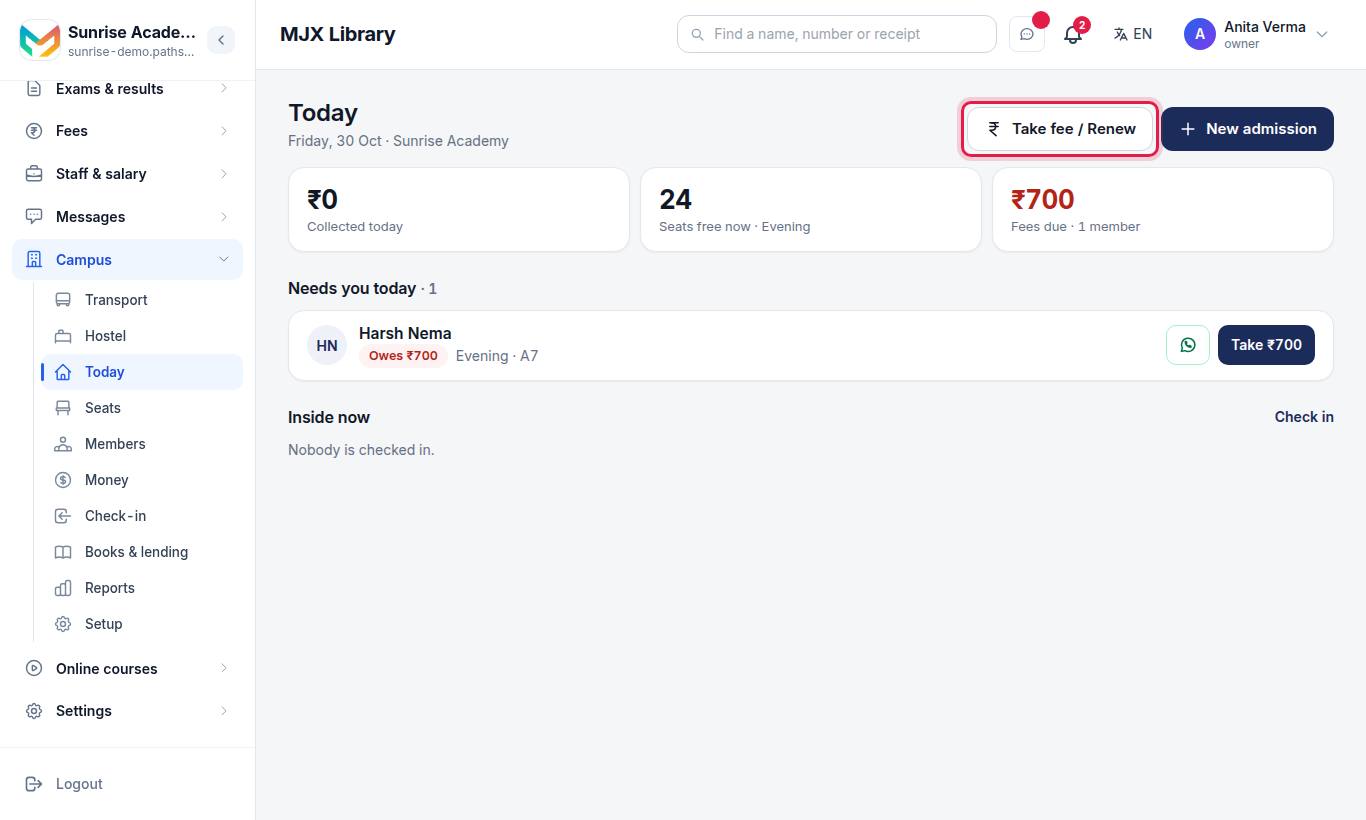
- Find the member: type 2 letters of the name, or digits of the mobile or seat.
- If they owe money, the amount is already filled in. Check Received now (₹), tap Paid by, and press Save.
- To renew instead, press Renew the seat instead. The same shift and seat are kept; choose How many months, or press Change seat. Add a discount or locker if needed, type Received now (₹), and press Save.
A renewal starts the day after the current booking ends. If the member also owes money from before, you see it with a Take that fee link.
#The member's page
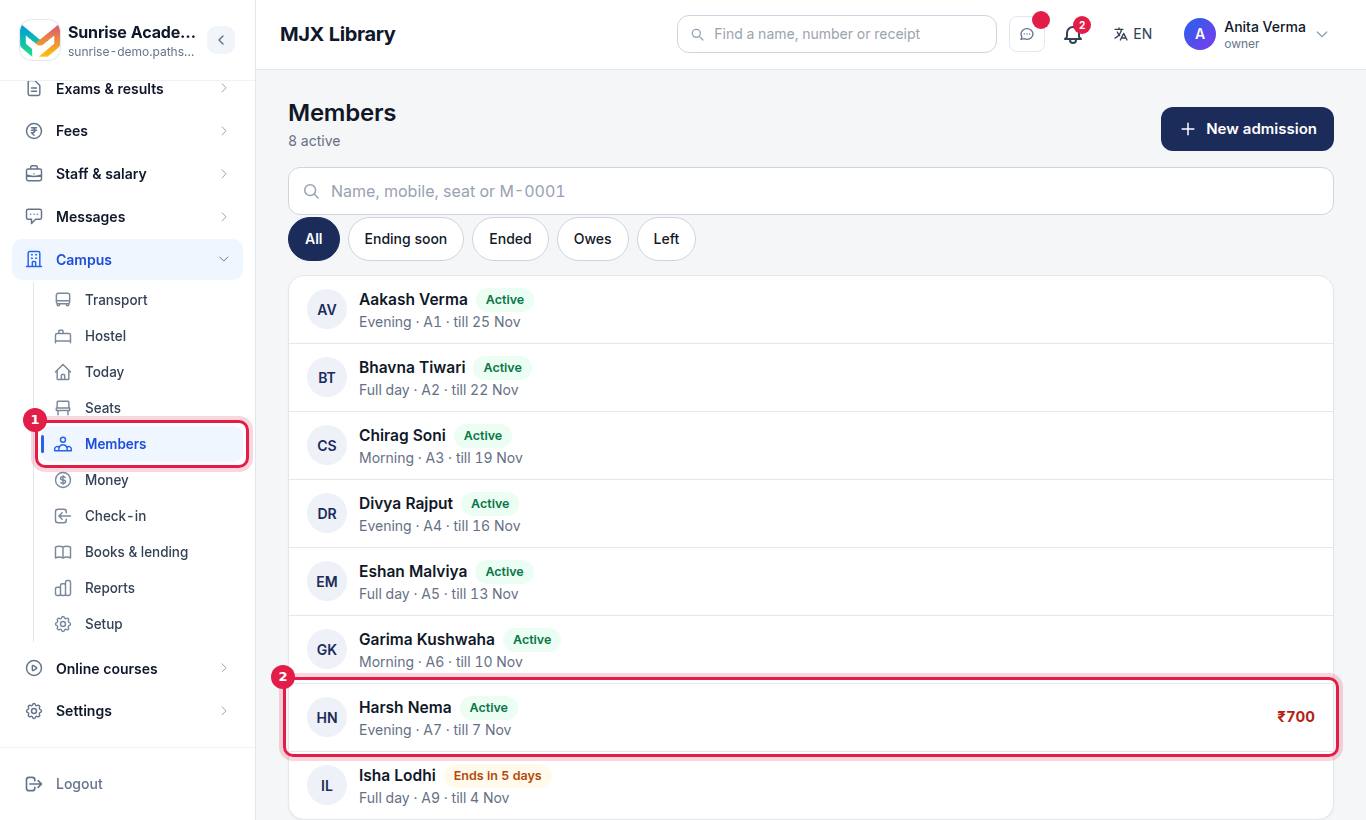
Members has a search box ("Name, mobile, seat or M-0001") and filters: All, Ending soon (ends in the next 7 days), Ended, Owes and Left.
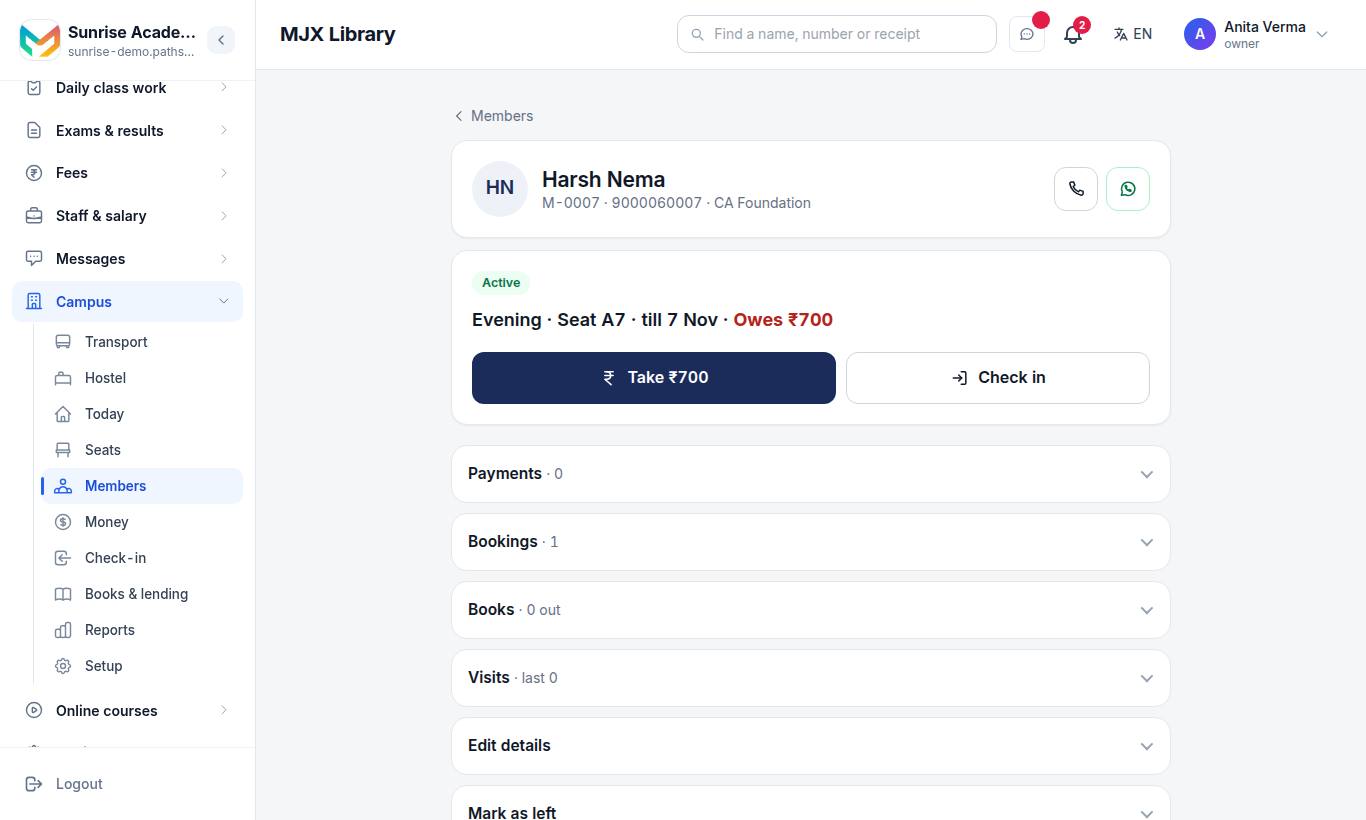
On a member's page you see one status card — for example "Morning · Seat A12 · till 3 Nov · Owes ₹600" — with the one right button:
| You see | It means |
|---|---|
| Renew or Book a seat | The booking has ended, ends soon, or there is none |
| Take ₹600 | They owe money |
| Renew early | Everything is paid and the booking is running |
| Check in / Check out | Mark them inside or gone |
| Rejoin | They were marked as left |
Below it are folds: Payments, Bookings, Books, Visits, Edit details and Mark as left. The phone and WhatsApp buttons at the top call the member or open a reminder.
- Move seat (in Bookings) — only seats free in that booking's hours can be tapped.
- Cancel (owner and admin) — only for a booking with no payments on it.
- Void (owner and admin, in Payments) — say why; the receipt stays on record marked VOID.
- Mark as left — bookings, payments and visits are kept. A member who still has books out must return them first.
#How to send a WhatsApp reminder
Press the WhatsApp button on Today, on Money › Owes money, or on the member's page. WhatsApp opens on your own phone with a message like:
Hello Ravi, your Morning plan at Sunrise Library (seat A12) ends on 3 Nov. Please renew in time to keep your seat. Amount due: ₹600. Thank you!You press send. If the member has no mobile number, the guardian's number is used; if neither exists you are asked to add one.
#Receipts
Each receipt shows Received from, the amount in figures and words, Paid by, Period, Plan total, Paid on this plan and Balance, and "Computer-generated receipt. Thank you!". Open any receipt from Payments on the member's page or from Money; it has Print and WhatsApp buttons.
#The Money page
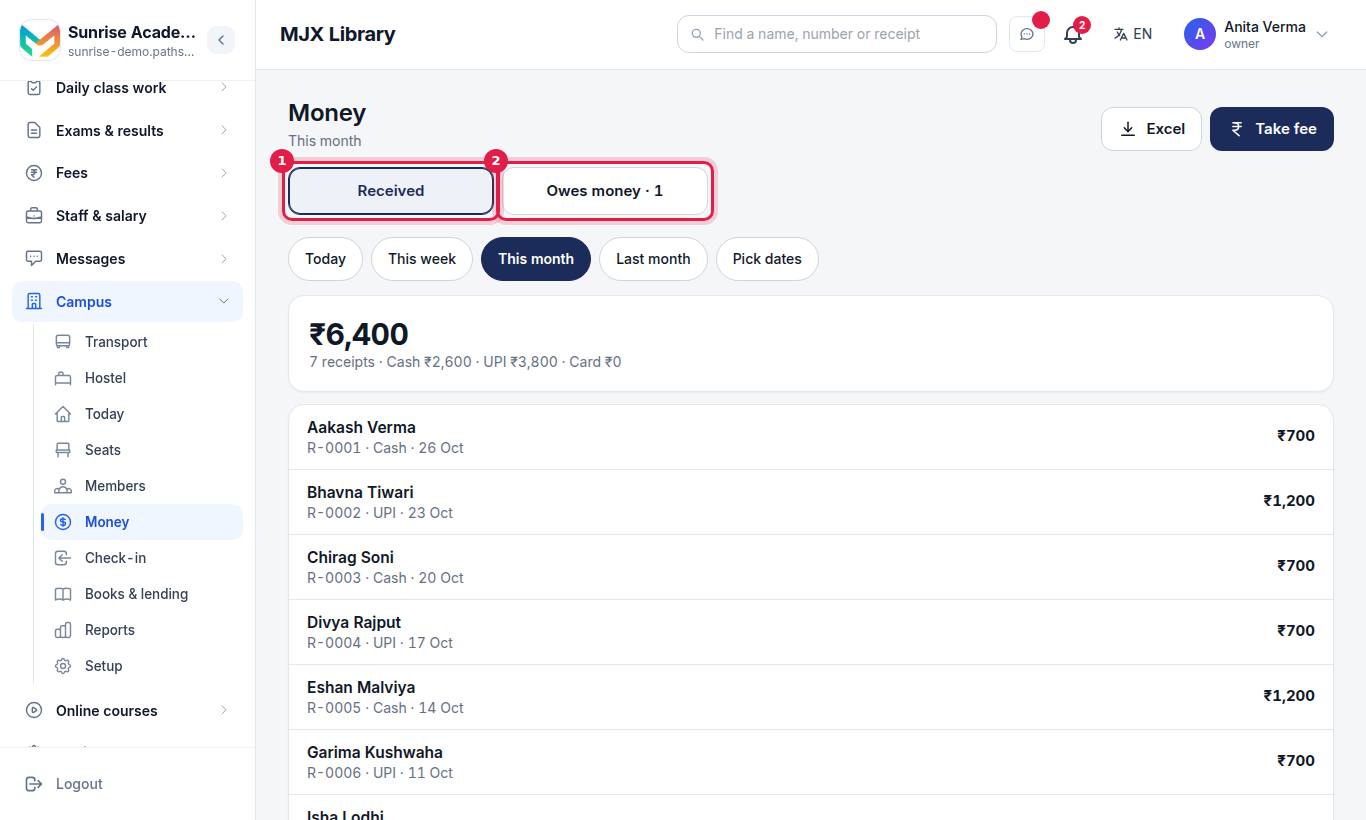
Owner and admin only.
- Received — pick Today, This week, This month, Last month or Pick dates. You see the total, the number of receipts and the Cash / UPI / Card split, then every receipt.
- Owes money — everyone with a balance, the total owed, a WhatsApp reminder button and Take ₹… on each row.
- Excel downloads the receipts for those dates — on MJX Library Pro. On other plans it shows Excel · Pro.
#Check-in and check-out
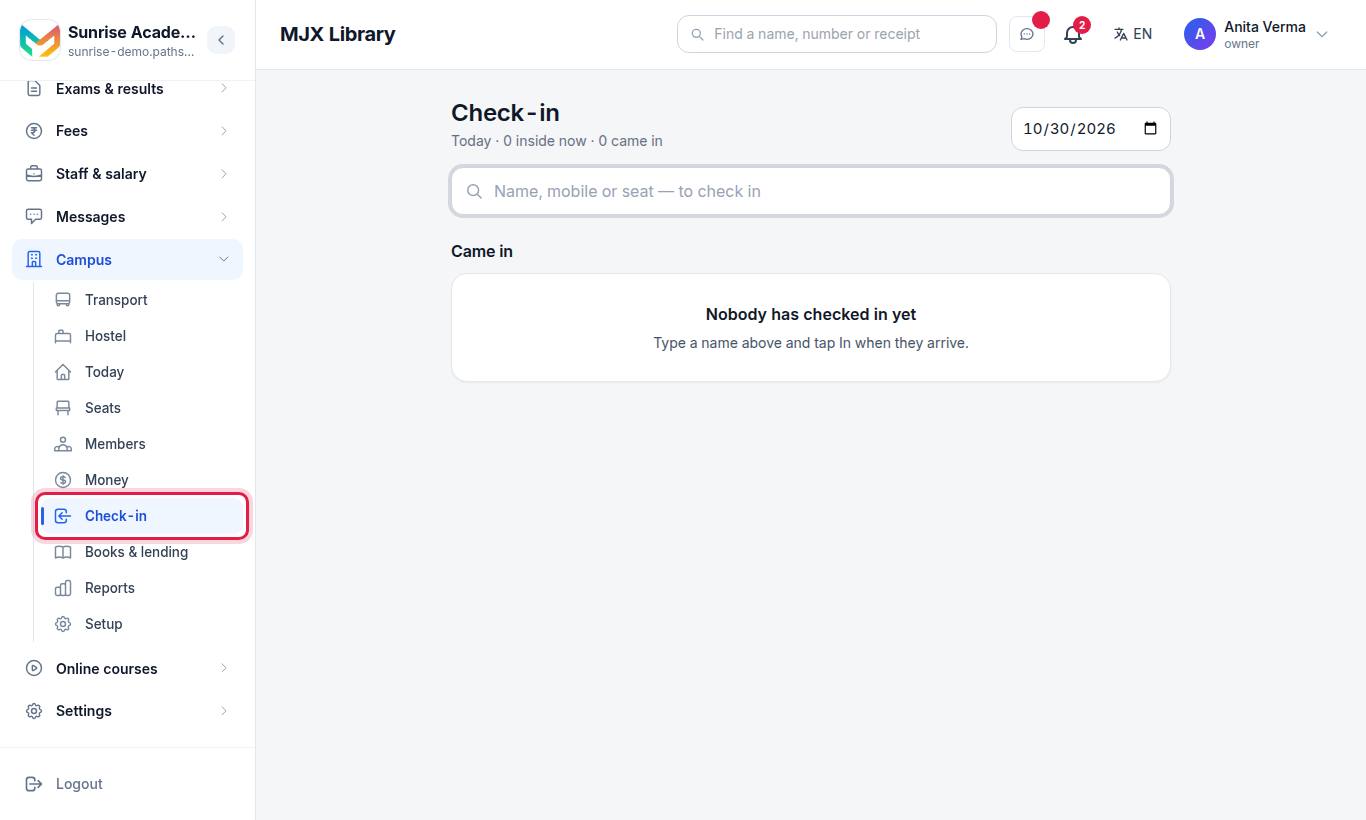
Type a name, mobile or seat and press In when the member arrives, Out when they leave. The list Came in shows each person's in and out times and how long they stayed. A member whose booking has ended, or who owes money, is flagged in the search result. Pick another date to see who came that day. Today's Inside now strip lets you check people out with one tap.
#Who can use it?
| Task | Owner / Admin | Staff |
|---|---|---|
| Admissions, fees, renewals, check-in, reminders | Yes | Yes |
| Money page, totals on Today | Yes | No |
| Void a receipt, cancel a booking | Yes | No |
Available on every plan. Forever Free and Basic have a limit on members; see plans.
#Questions people ask
Does MJX Library send fee reminders by itself?
No. It writes the reminder — the member's name, plan, end date and amount due — and opens WhatsApp on your phone so you send it yourself. Nothing is sent without you.
A member paid only part of the fee. What happens?
Type what they paid in Received now. The rest shows as "Owes ₹…" on their page, on Today and under Money › Owes money, with a Take button for the rest.
I typed the wrong amount. Can I delete the receipt?
No receipt is ever deleted. The owner or an admin voids it with a reason; it stays on record marked VOID and counts for nothing. Then take the fee again correctly.
Do you store the member's Aadhaar number?
No. Only the ID type and its last 4 characters are kept — never the whole number.
When does a renewal start?
The day after the member's current booking ends, so renewing early never loses them any days.
Can counter staff see how much the library collected?
No. Counter staff take fees and print that member's receipt, but the Money page, the totals on Today and Reports are for the owner and admins only.