
Free job boards, Google Jobs and job portals
How MJX Hire sends your open jobs to Google Jobs and free job boards automatically, and how to post on LinkedIn, Naukri, foundit and Indeed.
MJX Hire puts your open jobs on Google Jobs and other free job boards by itself, and gives you ready-to-paste text for the paid portals you already use. Every application remembers where it came from, so you can see which board works best for you.
#What happens automatically?
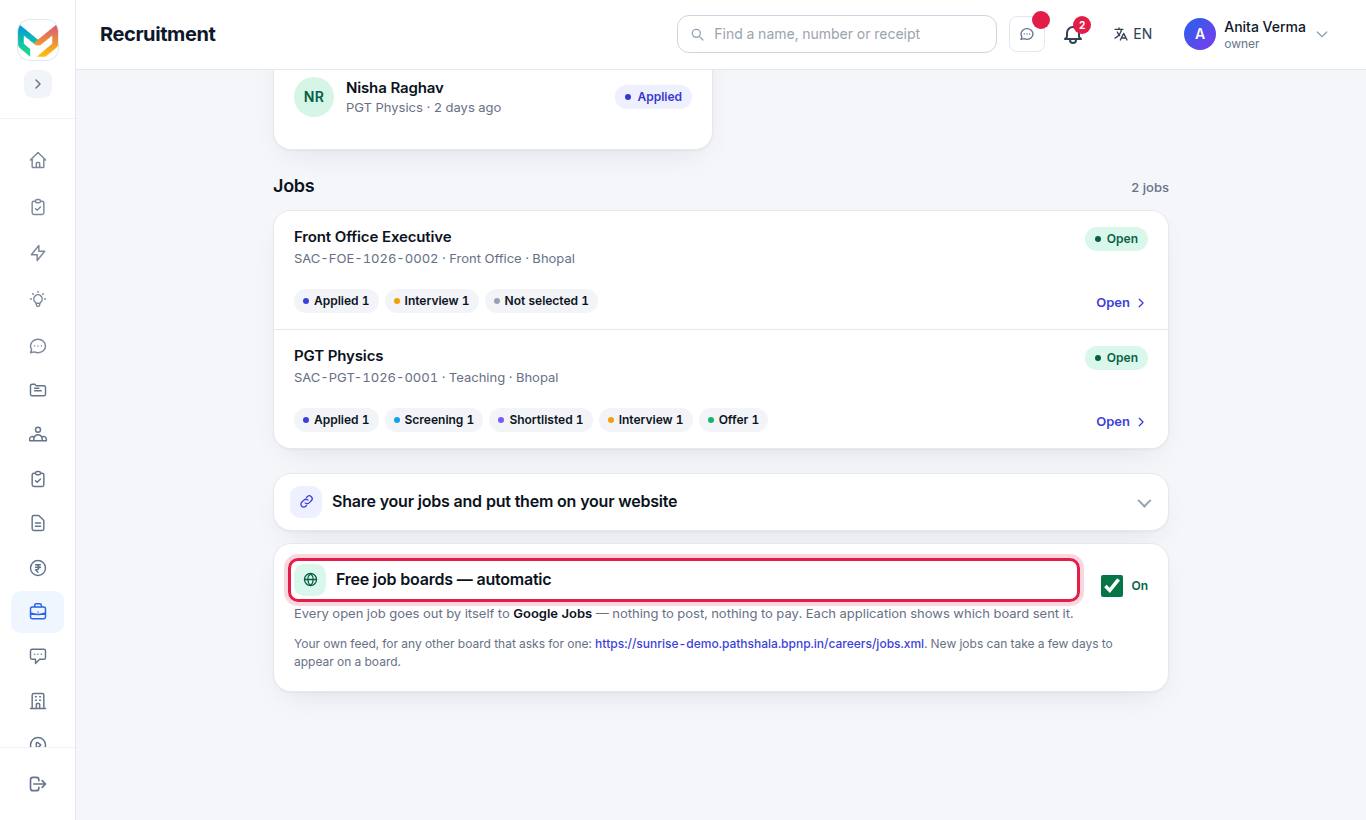
When the switch on the Free job boards — automatic card is On (it is on unless you switch it off), every open job:
| Where | How it works |
|---|---|
| Google Jobs | Each job page is written in the format Google Jobs reads, and your careers address has a list of job pages for Google (/careers/sitemap.xml). |
| Bing and other search engines | When this is switched on for MJX, they are told the moment a job opens, changes or closes (a service called IndexNow). |
| Free job boards that read a job feed | Boards such as Jooble, Careerjet, Talent.com, Adzuna and Indeed's free listings read MJX's job feed once MJX has registered it with them. |
The card names only the boards that are really live today — for example "Every open job goes out by itself to Google Jobs — nothing to post, nothing to pay."
#What do I need to do?
Nothing, for the boards above. Your steps as the organisation are:
- Keep the switch On if you want free listings.
- Write clear job titles, a place and a description — boards rank complete jobs higher.
- If another job board asks you for a job feed, give it your own feed address (below).
- Post on paid portals yourself, using the tracked text (below).
#How to switch the free job boards on or off
- Open Apps › MJX Hire › Recruitment.
- Scroll to Free job boards — automatic.
- Tick or untick the switch. It shows On or Off.
#Your own job feed
Your organisation has its own feed of open jobs at:
https://<your-address>/careers/jobs.xmlIt is in the standard XML format most job boards accept. Add ?for=<board> to the address (for example ?for=jooble) and every apply link in the feed carries that board's name, so applications from it are labelled.
#How to post on LinkedIn, Naukri, foundit and Indeed
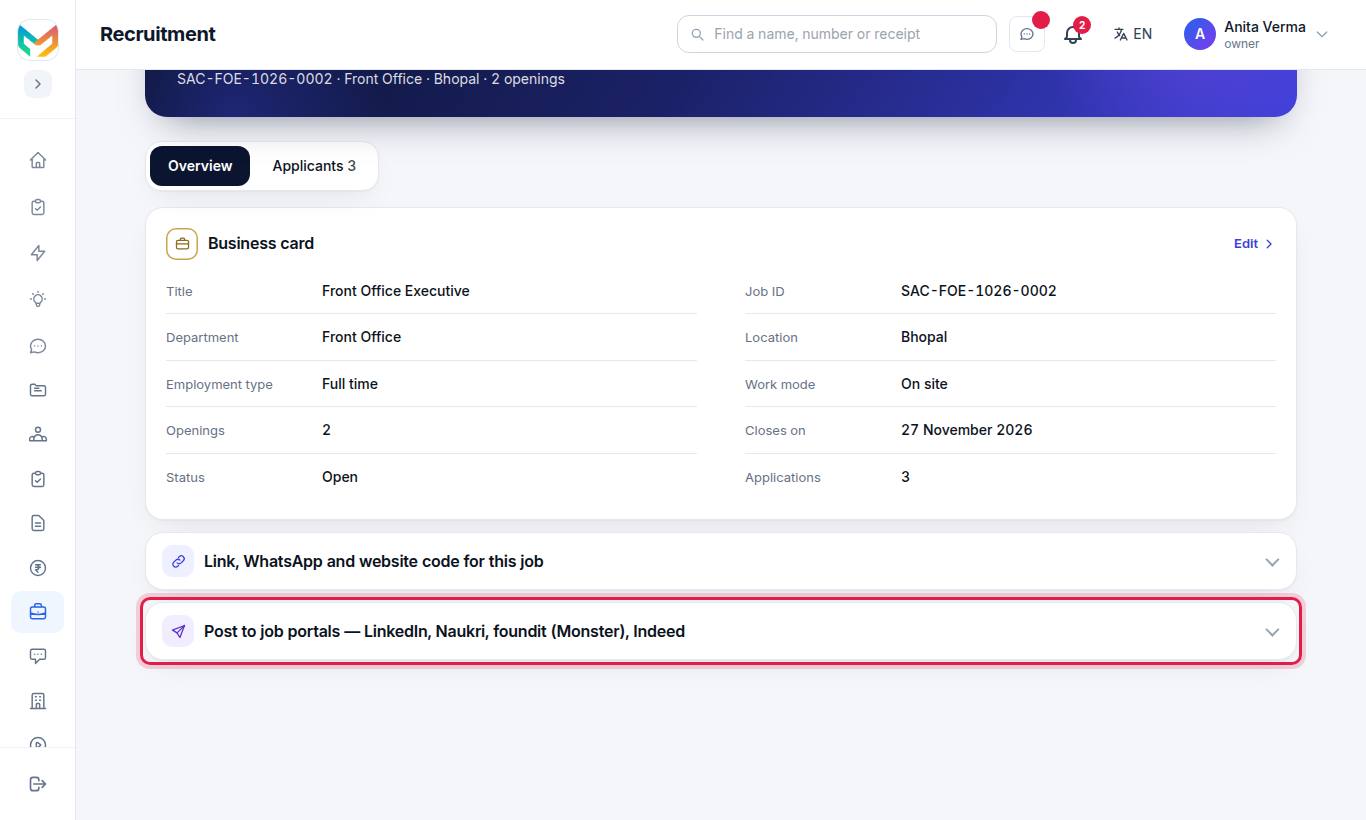
These portals take a job only through your own employer account. MJX Hire makes it a copy-and-paste job:
- Open the job and press the Overview tab.
- Find Post to job portals — LinkedIn, Naukri, foundit (Monster), Indeed.
- Under the portal you want, press Copy job text. The text has the title, place, type, description, "What we are looking for" and an Apply here: link made for that portal.
- Press the portal's button — Post a job on LinkedIn ↗, Open Naukri for employers ↗, Open foundit for employers ↗ or Open Indeed for employers ↗ — sign in to your employer account and paste.
- For LinkedIn you can also press Share as a post ↗.
#Application sources you will see
| Source label | Where the person came from |
|---|---|
| Careers page | Your careers page |
| Website | The jobs on your own website (website code) |
| Added by hand | Your team added them |
| Agency | A recruitment agency |
| Referral / Imported | A referral or an import |
| LinkedIn, Naukri, foundit (Monster), Indeed | The tracked link you posted on that portal |
| Google Jobs | Google's job search |
| A shared WhatsApp link | |
| Jooble, Careerjet, Talent.com, Adzuna | A free job board's feed |
#Who can use this?
The Owner, an Admin (where roles were never set up) and anyone with the HR role.
- Your open jobs are listed on Google Jobs and the free boards on every MJX Hire plan.
- Changing the switch (turning the free job boards off or on again) comes with MJX Hire Basic or Pro, as part of "Interviews, offers and candidate email".
- The tracked portal text is on every plan.
#Questions people ask
Do I pay anything for the free job boards?
No. Open jobs go out to the free job boards by themselves — nothing to post and nothing to pay.
How long until my job shows on Google Jobs?
New jobs can take a few days to appear on a board. Google decides when to show a job; MJX Hire makes sure the job page is written in the format Google Jobs reads.
Can MJX Hire post directly to Naukri or LinkedIn?
No. Those portals take jobs only through your own employer account, and some charge for it. MJX Hire gives you the job as ready-to-paste text with its own tracked apply link for each portal.
How do I stop my jobs going to job boards?
Untick the switch on the "Free job boards — automatic" card on the Recruitment home. A board can take a day or two to drop them.
How do I know which board sent an applicant?
Each application shows its source, such as Careers page, Google Jobs, Naukri or LinkedIn. The job page also shows "Where applicants came from".