
Add employees and keep staff records
Add your team one by one or from Excel, give each a login, and keep their job details, documents and photo on one record.
People is the list of everybody who works here and signs in — your team, your managers, your accountant. In Pathshala, each person gets their own login, and what they can do follows from the role you give them.
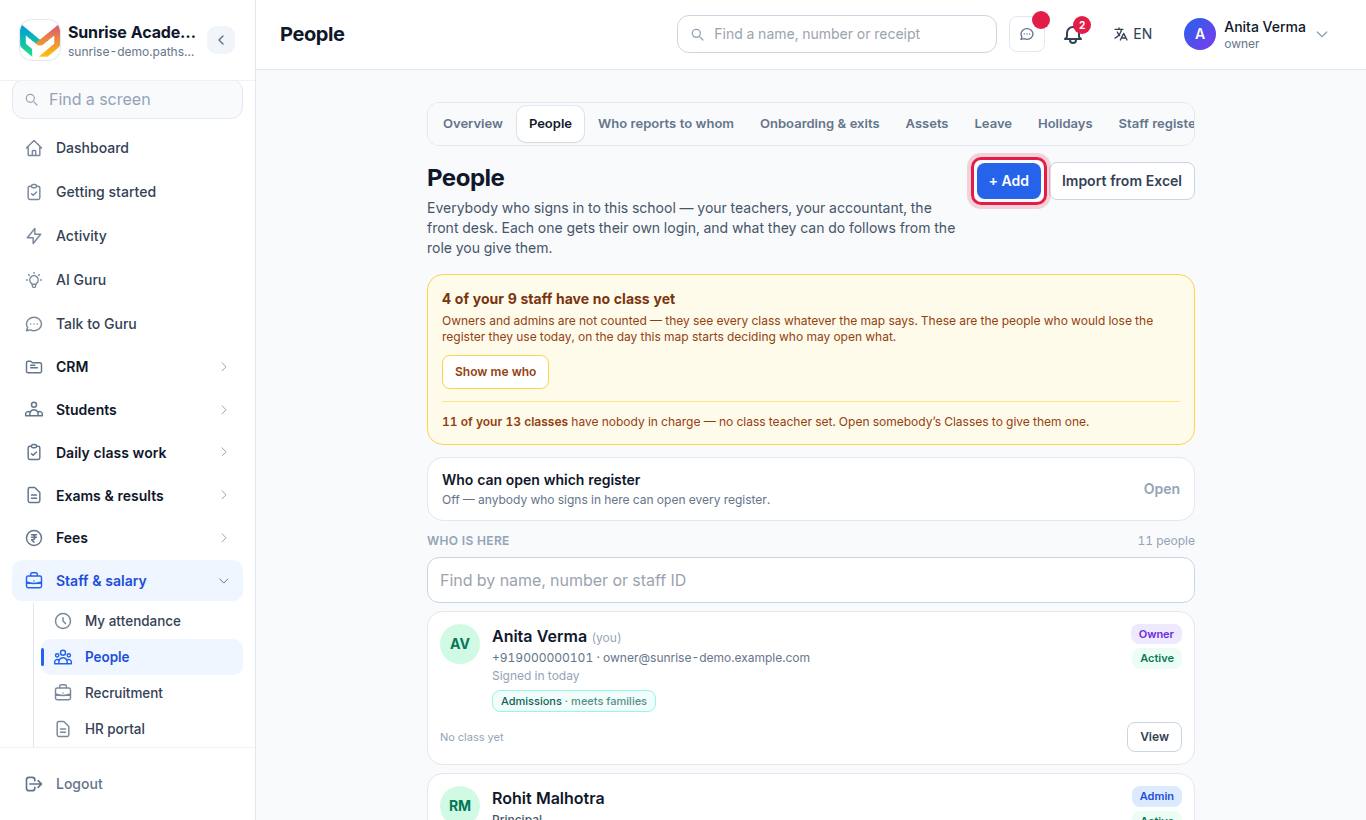
(On a school's menu the row is also called People. In the HR portal it is People › People.)
#How to add one person
- Press + Add.
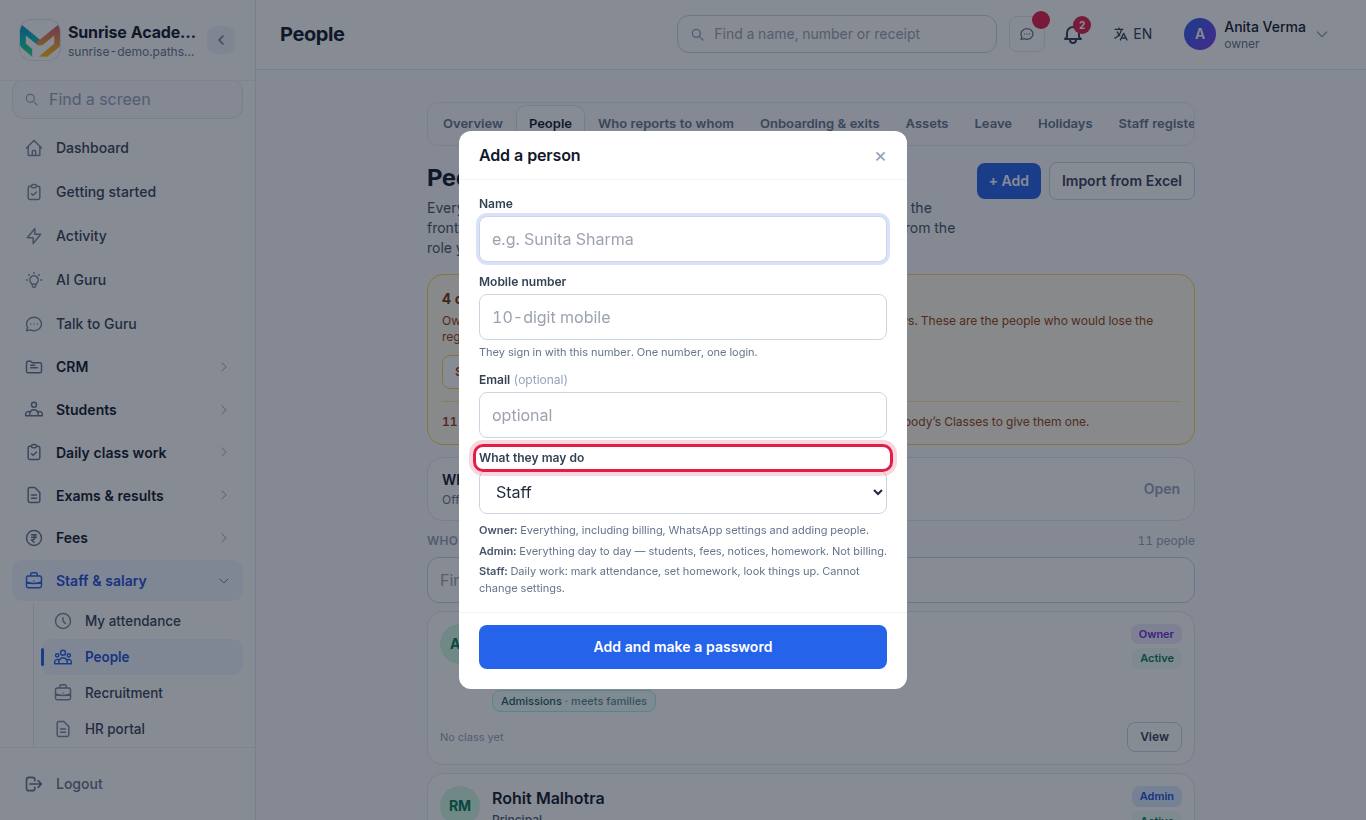
- Fill in Name (for example Sunita Sharma), Mobile number (pick the country code if it is not Indian — they sign in with it; one number, one login) and Email (optional).
- Choose What they may do: Owner, Admin or Staff.
- Press Add and make a password.
- A box says Write this down now. Press Copy password or Copy the whole message and paste it into WhatsApp for them, then Done.
#How to import people from Excel
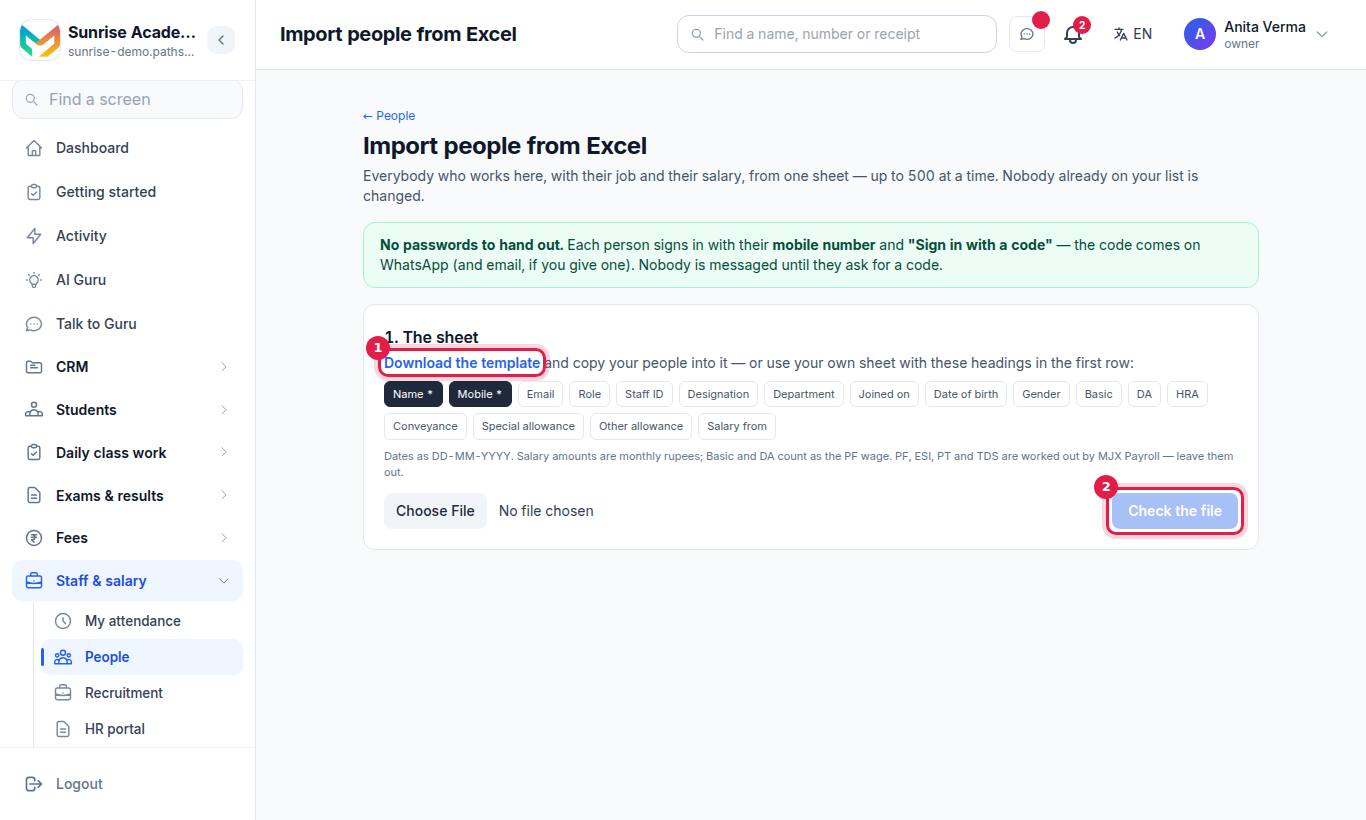
- Press Download the template, or use your own sheet with these headings in the first row.
- Fill one row per person. Name and Mobile are required.
- Press Check the file. The screen shows will be added, already here and need fixing.
- Press Add people.
- Open See everybody on People →.
| Column | Notes |
|---|---|
| Name, Mobile | Required |
| Email, Role, Staff ID, Designation, Department | Optional |
| Joined on, Date of birth | Dates as DD-MM-YYYY |
| Gender | Optional |
| Basic, DA, HRA, Conveyance, Special allowance, Other allowance, Salary from | Monthly rupees, used by MJX Payroll. Basic and DA count as the PF wage. |
Rows that need fixing are left out. Fix them in the sheet and import it again — people already added are skipped.
#What is on a person's record?
Open anyone on the list to see their own page (/staff/<id>), with links to their Salary, Leave and This month on the register (Open the staff register →). The buttons on each person:
| Button | What it does |
|---|---|
| Details | Their record, in four groups — The job: Staff ID, Designation, Qualification, Joined on, Left on, Years of experience · The person: Date of birth, Gender, Blood group, Address · In an emergency: Who to ring, Their number · Notes. Every box is optional. Documents are added here too. |
| Departments | What they work on. It does not change what they may do. |
| What they may do | Their role and any jobs (see Roles and managers) |
| Reset password | Makes a new password, shown once |
| Switch off / Switch on | Stops or restores their login |
#Documents
In Details, choose a file, type What to call it (optional) and press Add document. Files are kept until somebody here deletes them — Delete removes the file from the server too. The person can download their own documents from Your name (top right) › My profile › My documents.
#Photo
A photo can be added to the record (up to 5 MB).
#Hired through MJX Hire
Somebody hired in MJX Hire shows Hired through Recruitment, with Open in Recruitment and a list of Checked documents (kept encrypted in Recruitment). See DigiLocker documents.
#Who can use People?
| Who | What they can do |
|---|---|
| Owner | Everything, including adding owners and admins |
| Admin | Add and manage staff; cannot add or change an owner or another admin |
| A job that can see People | See who works here, but not add, change or reset passwords |
| Staff | Does not see People; sees their own record on My HR |
People itself comes with every plan — logins are how the product works. Leave, letters and the rest are MJX HR.
#Questions people ask
Can I delete someone who has left?
No. Nobody is ever deleted. Somebody who has left is switched off — they cannot sign in, and every record they touched still says who did it.
How many people can I import at once?
Up to 500 rows per Excel file. People already on your list are skipped, not changed.
Can I keep a copy of an employee's Aadhaar card on People?
No. Aadhaar and government photo-ID cannot be kept in People's documents yet. A candidate hired through MJX Hire can share these through DigiLocker instead.
How does a new person sign in?
With their mobile number — one number, one login. They use the password shown once when you add them, or Sign in with a code on WhatsApp.
Who can add people?
The owner and admins, and anyone whose job includes adding people. Only an owner can add or change an owner or another admin.