
Homework app for schools and coaching — set, attach, track
Set homework for a class or section, attach a worksheet, and mark who has done it. Families read it in the parent app at no message cost.
In Pathshala, Homework is set once per class (or section) and every family in that class sees it in the parent app — no WhatsApp message and no message cost. You can attach a worksheet, set a due date, and later mark who has done it.
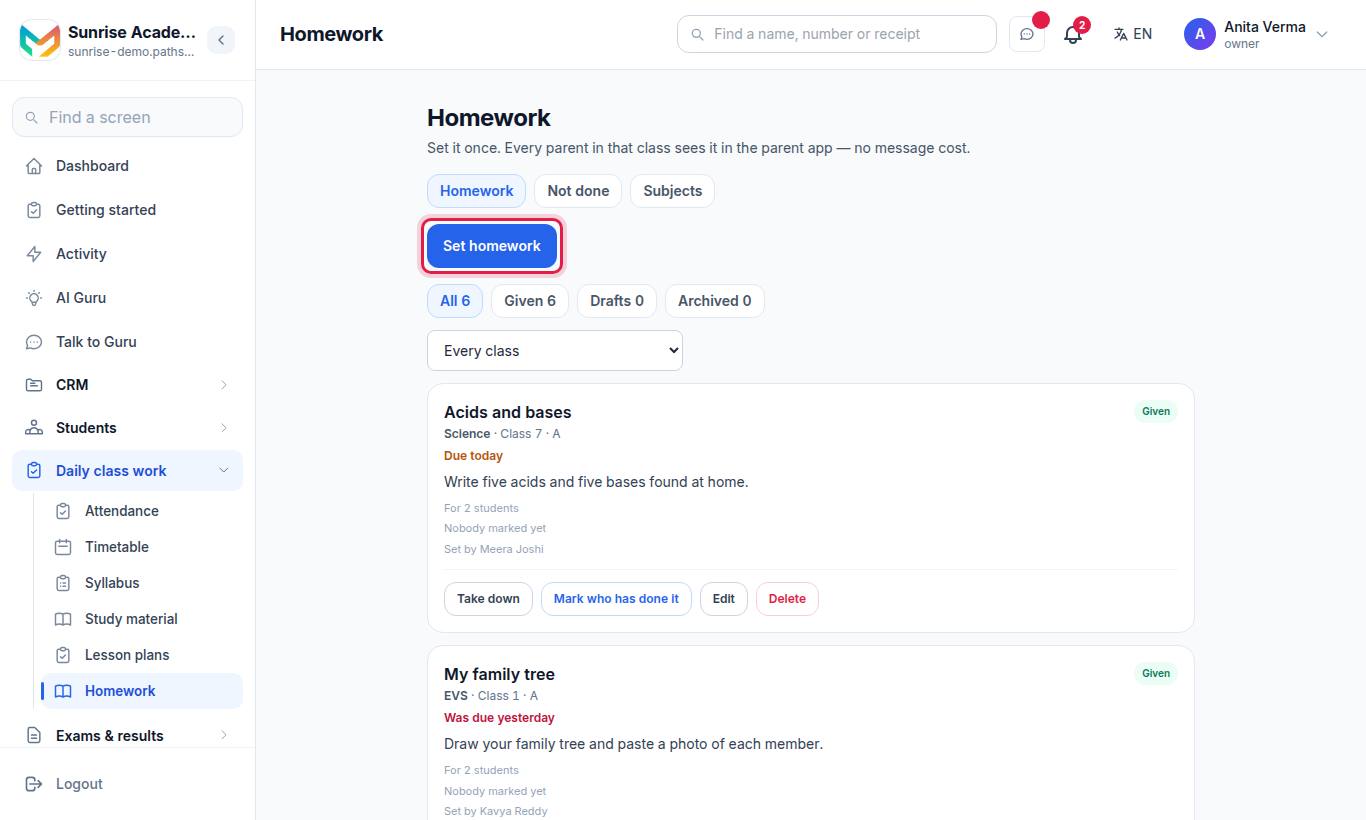
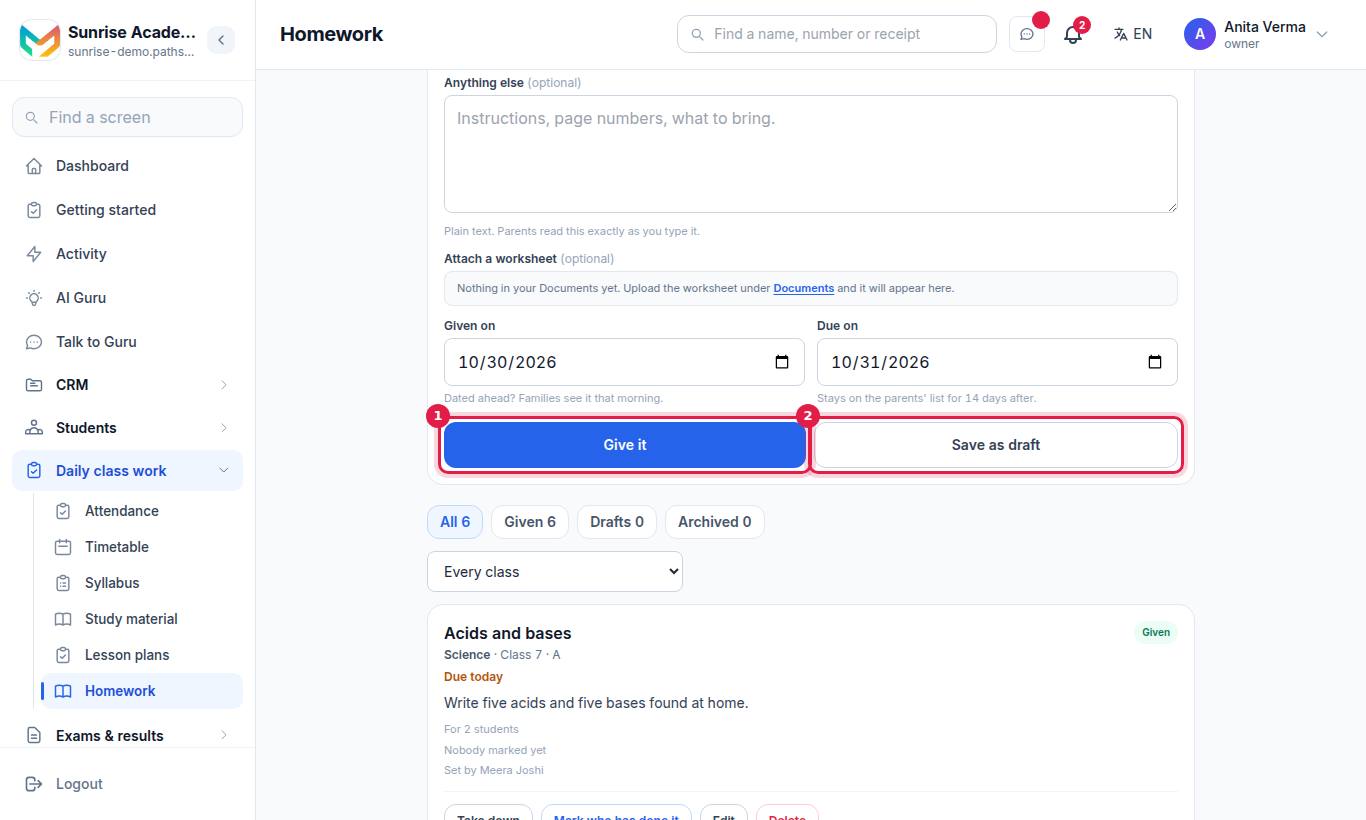
The Homework screen has three tabs: Homework, Not done and Subjects.
#How to set homework
- Open Homework and press Set homework.
- In New homework, choose the Class.
- Choose a Section, or leave Whole class.
- Tap a Subject chip, or type one. Chips come from your Subjects list.
- Write The homework (for example "Exercise 4.2, questions 1 to 10") and, if you want, Anything else (instructions, page numbers, what to bring). Families read the text exactly as you type it.
- Optionally Attach a worksheet from your Documents.
- Set Given on and Due on.
- Press Give it, or Save as draft to finish later.
#Fields explained
| Field | What it does |
|---|---|
| Class / Section | Who gets it. Homework always goes to a class. |
| Subject | Pick a chip to keep one spelling. Anything typed is saved as typed. |
| The homework | The main task. Plain text. |
| Anything else (optional) | Extra instructions. |
| Attach a worksheet (optional) | A file from your Documents; families get it under the homework. |
| Given on | Dated ahead? Families see it that morning. |
| Due on | It stays on the families' list for 14 days after this date. |
#How to mark who has done it
- On the homework, press Mark who has done it (or Who has done it to view).
- Tap a status for each student: Done, Partly, Not done or Excused.
- Use Mark everyone done to fill the whole list in one tap, then change the few who did not.
- Save. Undo my changes puts the list back before you save.
The homework then shows a count such as "21 of 34 done · 3 not done · 10 not checked".
#What is the "Not done" tab?
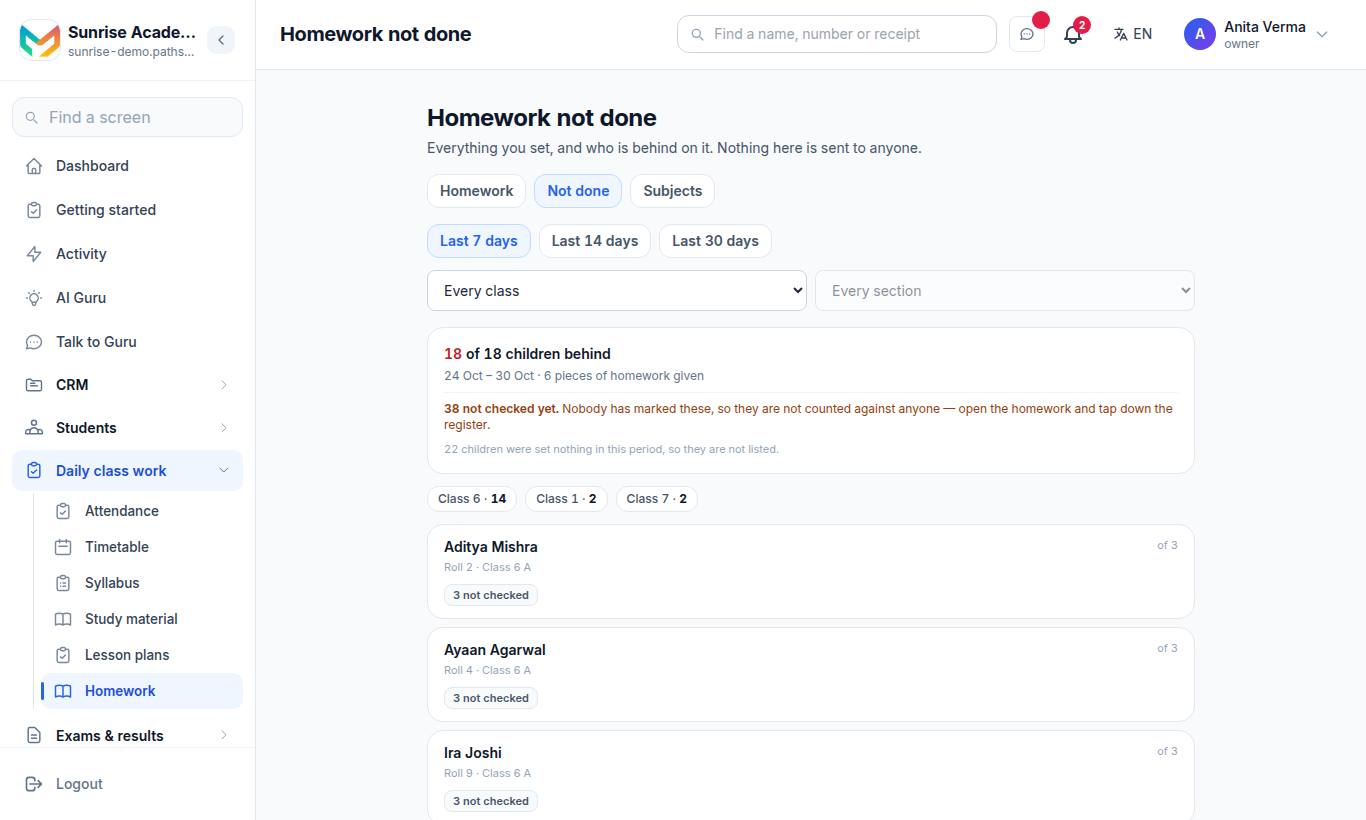
Homework not done lists everything you set and who is behind on it, for the last few days. Filter by class and section. Nothing here is sent to anyone. Students nobody has marked are shown as not checked and are not counted against anyone.
#Homework statuses
| Status | Meaning |
|---|---|
| Draft | Saved, only staff can see it |
| Given | Live on families' screens |
| Archived | Taken down; kept on record |
Press Take down to hide a given homework from families. Use the All, Given, Drafts and Archived filters to find homework.
#Draft homework with AI (Pro)
In New homework, the Draft it with AI box writes the homework for you from your own syllabus:
- Choose the class and type the subject first.
- Choose the chapter (it comes from your syllabus).
- Choose the length: Short, Normal or Weekend, and add a note if you want (for example "only the odd questions").
- Press Draft. Pathshala fills the two boxes. Nothing is saved — read it, change it, then press Give it.
Without MJX Academic Pro, the box shows a padlock and a See Pro link. You can always write homework yourself. See AI in academics.
#Who can use homework?
| Task | Who |
|---|---|
| See homework | Owner, Admin, Staff |
| Set, edit, give, take down, mark who has done it | Owner, Admin, Staff |
| Delete homework | Owner, Admin |
When "homework by class" is switched on for your institution, a teacher sees only the classes that are theirs. Plan: every MJX Academic plan, including Forever Free (AI drafting is Pro).
#Troubleshooting
| You see | What to do |
|---|---|
| "No classes set up yet" | Add your classes first. See Classes, sections and subjects. |
| "Nothing has been given to you yet" | No class is written down as yours. Ask the office to add you on the Staff screen. |
| "Pick the chapter first — the draft is written from your syllabus, so it needs one." | Choose a chapter, or type the syllabus for that subject first. |
| "The homework could not be drafted." | Try again, or write it yourself. |
| "The worksheet this homework pointed at is no longer in your Documents." | The file was removed. Edit the homework and attach the file again. |
Families see homework in the MJX Parent app. Teachers can also set homework from the MJX Teacher app.
#Questions people ask
Is a WhatsApp message sent for every homework?
No. Homework appears in the family's app. There is no message cost.
Can I set homework for tomorrow in advance?
Yes. Set Given on to a later date. Families see it that morning.
Can I attach a worksheet?
Yes. Upload the file under Documents first, then pick it in Attach a worksheet.
Who can delete homework?
Only the owner or an admin. A teacher can take homework down, which hides it from families.
Can AI write the homework?
With MJX Academic Pro, Draft it with AI writes the homework from a chapter of your own syllabus. You read and change it before giving it.