
MJX CRM API quickstart — your first call with curl
Make a key, check it with GET /me, add your first lead and read it back from the MJX CRM API in about five minutes.
This quickstart takes you from no key to a lead in MJX CRM with three curl calls. You need an institute on MJX CRM Pro and an Owner or Admin login.
#Make a key
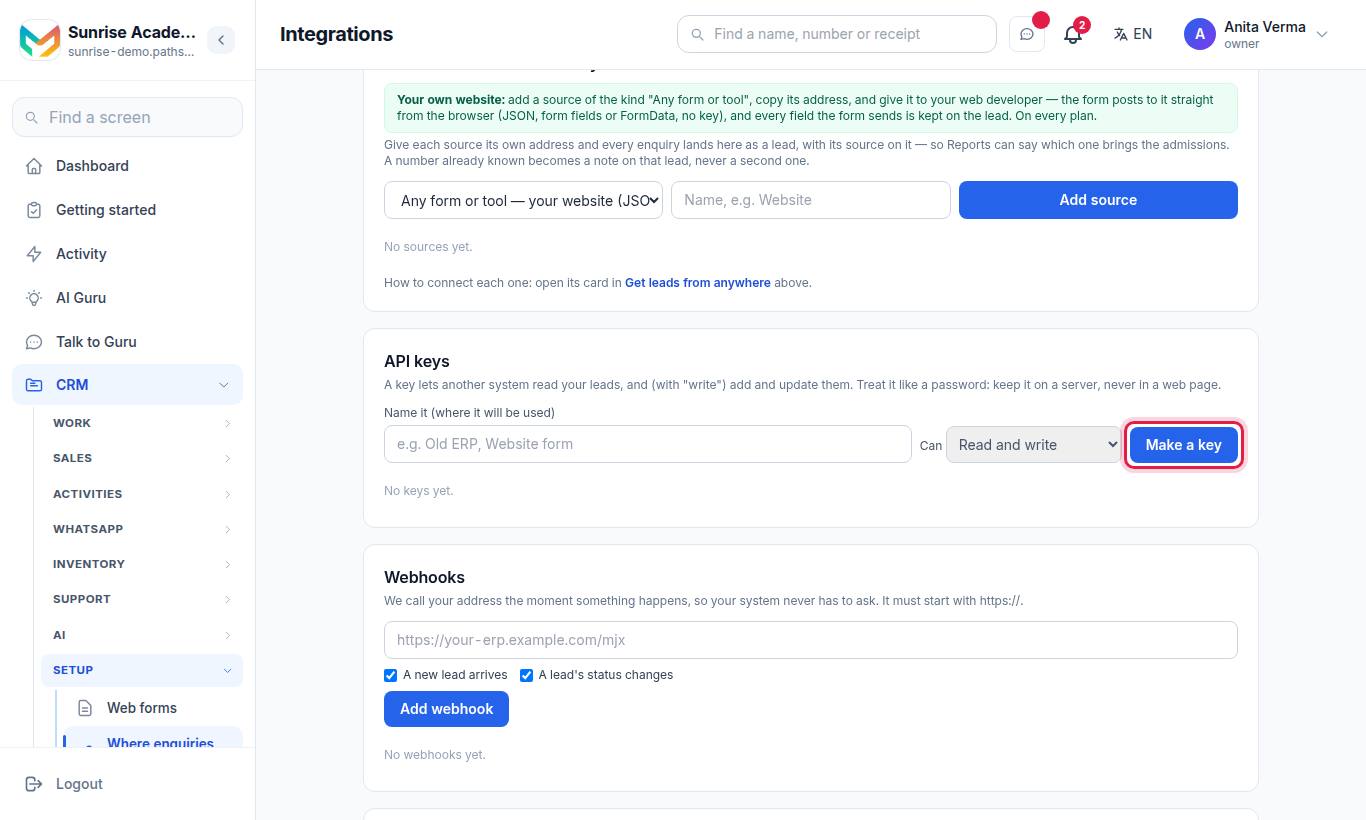
Type a name (for example "Test"), pick Read and write in Can, and press Make a key. Copy the key — it is shown only once.
Then copy the Base address from For your developer at the foot of the same page. It looks like https://sunrise.pathshala.mjxtechnologies.com/api/v1/crm.
#Check the key
export MJX_BASE="https://sunrise.pathshala.mjxtechnologies.com/api/v1/crm"
export MJX_KEY="mjx_live_…"

curl "$MJX_BASE/me" -H "Authorization: Bearer $MJX_KEY"{
"success": true,
"data": {
"institute": { "code": "sunrise", "name": "Sunrise Coaching" },
"key": { "name": "Test", "scopes": ["read", "write"] },
"statuses": ["new", "in_conversation", "follow_up_due", "converted", "lost"],
"webhook_events": ["lead.created", "lead.status_changed"]
}
}#Add a lead
curl -X POST "$MJX_BASE/leads" \
  -H "Authorization: Bearer $MJX_KEY" \
  -H "Content-Type: application/json" \
  -d '{"name":"Sunita Sharma","phone":"98XXXXXX10","student":"Aarav","class":"JEE 2027","message":"Wants a weekend batch","tags":["NEET"],"source":"website"}'
The answer is 201 Created:
{
  "success": true,
  "data": {
    "lead": {
      "id": "3f2b9c1e-6a4d-4f8e-9b7a-2c1d0e5f6a7b",
      "name": "Sunita Sharma",
      "phone": "+9198XXXXXX10",
      "email": null,
      "student": "Aarav",
      "class": null,
      "status": "new",
      "source": "website",
      "message": "Wants a weekend batch",
      "tags": ["NEET"],
      "assigned_to": null,
      "next_followup_at": null,
      "extra": {},
      "created_at": "2026-10-28T05:30:00.000Z",
      "updated_at": "2026-10-28T05:30:00.000Z",
      "details": { "target_exam": "JEE 2027" },
      "interest": "JEE 2027"
    },
    "duplicate": false
  }
}
The class you send is stored in your vertical's own field, so it shows under details. For a coaching centre that field is target_exam; a school uses class, a tuition centre grade, a college or skills institute course, and a business service.
#Read it back
curl "$MJX_BASE/leads?q=sunita&limit=5" -H "Authorization: Bearer $MJX_KEY"{
"success": true,
"data": {
"leads": [ { "id": "3f2b9c1e-…", "name": "Sunita Sharma", "status": "new", "…": "…" } ],
"total": 1,
"limit": 5,
"offset": 0
}
}#What next?
- Move the lead along:
PATCH /leads/{id}with{"status":"in_conversation"}— see the CRM API reference. - Be told of new leads instead of polling: add a webhook — see Lead webhooks and outgoing webhooks.
- Only need a website form? You do not need a key: see Embed the web form.
#Questions people ask
Why did my POST /leads answer 200 and not 201?
The phone number (or email) already belongs to a lead. The API returns that lead with "duplicate" true and writes nothing.
Is name required?
A phone number or an email is required. Send a name too; without one, the lead is named from the company, the email or the phone.
Which address do I call?
Your institute's own address, shown as "Base address" under For your developer on the Integrations page.